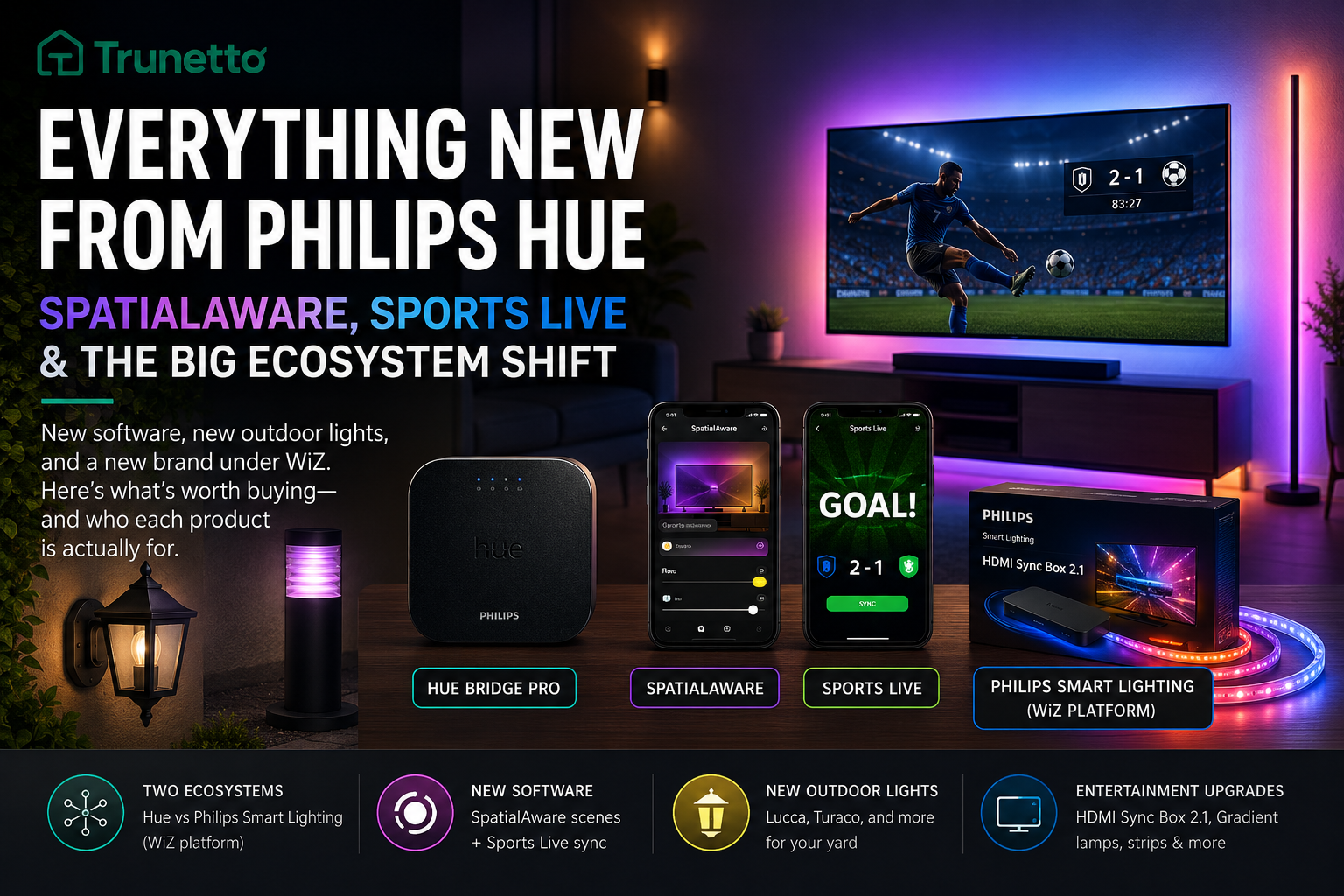
Philips Hue has SpatialAware scenes, Sports Live sync, outdoor lighting updates, and a new Philips Smart Lighting split. Here is what matters before you buy.
Disclosure: This post may contain affiliate links. If you buy through these links, Trunetto may earn a commission at no extra cost to you.
Philips Hue has been busy, but the important bit is not just “new lights exist.”
The real change is that Philips smart lighting now has two lanes: Philips Hue for the premium bridge-based setup, and Philips Smart Lighting for cheaper Wi-Fi products running on the WiZ platform.
That matters because a lot of buyers are going to see the Philips name and assume everything works together.
It does not.
Some of the newest products are Hue. Some are Philips Smart Lighting. Some use the Hue app. Some use the WiZ app. Some need a bridge. Some do not. Lovely and simple, obviously.
Here is the plain-English version: what is new, what actually matters, and who should care before throwing money at yet another glowing rectangle.
TL;DR
Philips Hue is still the premium option if you want reliable multi-room lighting, Apple Home support, Zigbee mesh, Matter through the bridge, and deeper automation.
Philips Smart Lighting is the cheaper Wi-Fi line built on WiZ. It is easier to start with, but it is not the same ecosystem as Hue.
SpatialAware and Sports Live are the two big Hue features to watch, especially if you already have multiple Hue lights in one room.
Who this is for
You already own Philips Hue and want to know what is worth upgrading.
You are comparing Philips Hue vs Govee and trying not to buy the wrong ecosystem.
You saw “Philips Smart Lighting” and are wondering whether it works with your Hue Bridge.
Quick Fix Checklist
Before you buy anything with “Philips” and “smart lighting” on the box, check this first:
Confirm whether the product says Philips Hue or Philips Smart Lighting.
If it says Philips Hue, expect the Hue app and usually the Hue Bridge for the best experience.
If it says Philips Smart Lighting, expect the WiZ app, not the Hue app.
Do not assume Philips Smart Lighting products will appear in your Hue Bridge.
If you want Apple HomeKit depth, Hue is still the safer bet.
If you want the cheapest way to add a few color lights, Philips Smart Lighting or Govee may make more sense.
If you want TV sync, check whether the product uses HDMI, camera sync, or app/data-based sync.
If you want outdoor lighting, check weather rating, wiring type, and whether you need a bridge nearby.
If you already have 10+ smart lights, avoid random ecosystem mixing unless you enjoy app chaos.
If you are comparing Hue and Govee, look at total system cost, not just the price of one bulb.
Recommended gear to compare before buying
Disclosure: This post may contain affiliate links. If you buy through these links, we may earn a commission at no extra cost to you.
Replace the placeholders with your Amazon URLs before publishing.
The big shift: Philips now has two smart lighting ecosystems
This is the part most people will miss.
Philips Hue is no longer the only smart lighting brand carrying the Philips name. There is now a wider Philips Smart Lighting lineup powered by the WiZ platform.
That creates a messy but important distinction:
Philips Hue is the premium ecosystem. It is built around the Hue Bridge, Zigbee mesh networking, rich automation, strong Apple Home support, Matter through the bridge, and a long-established app.
Philips Smart Lighting is the more accessible Wi-Fi ecosystem. It uses the WiZ platform, skips the bridge requirement, and targets people who want smart lighting without building a whole smart home nervous system in the hallway closet.
Neither approach is automatically better. They are built for different buyers.
The problem is the naming. Because once “Philips” is on both boxes, normal people are going to assume they all work together. That is where smart home disappointment crawls out from under the floorboards.
Philips Hue vs Philips Smart Lighting: the fast difference
FeaturePhilips HuePhilips Smart LightingAppHue appWiZ appBridge requiredUsually recommended, often required for full featuresNoConnection typeZigbee, Bluetooth on some products, bridge-based controlWi-FiBest forFull-home smart lightingSimple room-by-room lightingApple Home supportStronger through Hue BridgeMore limited, product-dependentMatter supportThrough Hue Bridge on supported setupsProduct-dependentBuyer typeHomeowners, prosumers, serious smart home setupsRenters, beginners, budget buyers
The simple version:
Hue is the better system if you are building long-term.
Philips Smart Lighting is better if you want a cheaper, simpler start and do not care about the Hue Bridge.
What is actually new from Philips Hue
The biggest Hue updates are not just hardware. They are ecosystem features.
The two worth paying attention to are:
SpatialAware
Sports Live
These are the kind of features that make Hue feel less like “a bulb I can turn blue” and more like a proper lighting system.
That is where Hue still has an edge. Govee is fast, colorful, aggressive, and usually cheaper. Hue is slower, more expensive, and better at making lighting feel integrated instead of chaotic.
SpatialAware: the feature Hue power users should care about
SpatialAware is the smartest Hue feature in this update cycle.
Instead of treating every bulb like a separate color dot, SpatialAware understands where your lights are positioned in the room. That means scenes can react to the actual layout of your space.
A floor lamp, ceiling bulb, light strip, and wall light should not all behave the same way. They are in different places doing different jobs.
That is the point.
With SpatialAware, a scene can feel more layered because the system knows the physical relationship between your lights. Warmer tones can sit lower. Cooler light can spread higher. Gradients can move across a wall instead of landing like someone spilled a packet of Skittles into the app.
Who SpatialAware is for
SpatialAware makes sense if:
You already have several Hue lights in the same room.
You care about scenes, mood, entertainment, and layered lighting.
You are using or planning to use the Hue Bridge Pro.
It does not make sense if:
You only have one or two Hue bulbs.
You mainly use lights for on/off schedules.
You are trying to keep the budget low.
If your setup is basic, SpatialAware is not the reason to upgrade. It is nice, but it is not magic fairy dust for a single lamp in the corner.
Sports Live: Hue lights reacting to real sports moments
Sports Live is Philips Hue leaning into entertainment lighting without needing every setup to run through an HDMI sync box.
The idea is simple: your lights react to live sports moments in real time. Goals, big plays, cards, and other match events can trigger lighting effects while you watch.
For football households, especially during major tournaments, this is genuinely interesting.
Not because anyone needs the living room to explode into team colors every time something happens. Nobody needs that. But if you already use Hue Entertainment, this is exactly the sort of thing that makes the system feel alive.
Why Sports Live matters
Sports Live is different from normal TV sync because it is based on live event data, not just color matching from the screen.
That means it is less about copying the image and more about reacting to the moment.
For people comparing Hue with Govee, that matters. Govee is brilliant at loud, colorful, reactive lighting. Hue still has the better shot at polished ecosystem features that feel built into the experience instead of bolted on with cable ties.
Who Sports Live is for
Sports Live is best for:
Football fans with an existing Hue setup.
People building a proper TV or media room.
Buyers who care about immersion, not just cheaper RGB.
It is not essential for everyone. If you only watch the odd match and mostly use lights for bedtime routines, this is not the hill to spend money on.
New Philips Hue outdoor lights
Hue has also continued expanding outdoor lighting.
The key thing with Hue outdoor products is not just the fixture. It is the ecosystem.
Outdoor Hue lights can extend your lighting setup beyond the house, and because Hue uses Zigbee mesh through the bridge ecosystem, a stronger network can help with reliability across larger spaces.
That said, outdoor Hue is not cheap.
If you already own Hue inside the house, outdoor Hue makes sense. If you are starting from scratch and only want a few garden or patio lights, you should compare the total cost before jumping in.
Outdoor Hue makes sense if:
You already have a Hue Bridge.
You want outdoor lighting tied into indoor scenes and automations.
You care about Apple Home, Alexa, Google Home, or Matter compatibility through your existing setup.
You want a system you can expand over time.
Outdoor Hue may not make sense if:
You only need one cheap porch light.
You do not want a bridge.
You are renting and cannot do much permanent installation.
You want maximum color effects for minimum cost.
For outdoor smart lighting, also make sure your Wi-Fi and mesh coverage are not rubbish near the exterior walls. Smart lights cannot perform miracles through brick, foil-backed insulation, and a router shoved behind a TV like a guilty secret.
Now for the part that will confuse buyers in stores.
A lot of the newer Philips-branded products are Philips Smart Lighting, not Philips Hue.
That means they run on the WiZ platform.
These include newer entertainment-focused products like HDMI sync hardware, gradient lamps, light bars, LED strips, table lamps, and control accessories.
Again: Philips name, different ecosystem.
HDMI Sync Box 2.1
The Philips Smart Lighting HDMI Sync Box 2.1 is aimed at TV and gaming setups.
It connects through HDMI and syncs compatible lights with what is happening on screen. HDMI sync usually gives cleaner color matching than camera-based systems because it reads the signal directly instead of watching the TV from the outside like a tiny glowing security guard.
But this is not a Hue Sync Box.
That distinction matters.
If you are already in Hue, do not assume this slots into your Hue setup. Check compatibility before buying.
Gradient floor lamps and light bars
The new gradient-style lamps and bars are built for ambient lighting around TVs, sofas, gaming desks, and media rooms.
This is the space where Govee has been aggressive for years: big color, lots of effects, lower prices, and rapid hardware releases.
Philips Smart Lighting is clearly going after that buyer.
Not the “I want a 40-device Hue setup with three rooms, automations, and HomeKit scenes” buyer.
The “I want my living room to look good tonight without remortgaging the dog” buyer.
Expanded LED strips
Philips Smart Lighting is also expanding LED strip options, including RGB, RGBIC, and neon-style formats.
Quick translation:
RGB means the strip can show one main color at a time.
RGBIC means different sections of the strip can show different colors at the same time.
Neon-style strips are designed for smoother, more decorative light lines.
Govee has been strong here for years, so Philips Smart Lighting entering this space more seriously is good for buyers.
Competition usually means better products and fewer ridiculous prices. Usually.
Squire Lite table lamp
The Squire Lite table lamp is the small, simple option.
Think bedside table, reading nook, shelf, or soft wall glow. It is not trying to be the centerpiece of a smart home. It is trying to be an affordable little lamp that does not require a bridge.
That is fine. Not every product needs to be the command center of a cyber palace.
Smart Dial Switch
The Smart Dial Switch is a physical control for brightness, colors, and scenes.
This is more important than it sounds.
Smart lighting gets annoying fast when every tiny adjustment needs an app. A good physical control makes smart lighting feel normal again.
You should not need to unlock your phone, find the app, wait for it to load, and tap through menus just to dim the room.
Buttons still matter. The future has fingers.
Should you buy Hue, Philips Smart Lighting, or Govee?
Here is the honest answer.
Buy Philips Hue if you want the most mature lighting ecosystem, strong automations, Apple Home support, better long-term scaling, and a setup you can build over years.
Buy Philips Smart Lighting if you want Philips-branded Wi-Fi lights without the cost or complexity of Hue.
Buy Govee if you want the most lighting drama per dollar, especially for TV backlighting, gaming rooms, RGBIC strips, and outdoor effects.
None of these is the “best” for everyone.
That kind of advice is usually nonsense wearing a ranking badge.
Best choice by buyer type
Buyer typeBest fitWhySerious smart home setupPhilips HueBetter ecosystem depth and scalingApple Home userPhilips HueStronger bridge-based supportRenterPhilips Smart Lighting or GoveeCheaper, less infrastructureGaming roomGovee or Philips Smart LightingMore effects for the moneyOutdoor whole-home setupPhilips HueBetter if you already use HueBudget buyerGovee or Philips Smart LightingLower entry cost
Matter is the newer smart home standard meant to improve cross-platform compatibility.
That does not mean every Matter setup is perfect. It also does not mean every Philips-branded smart light behaves the same way.
If Matter support is important to you, check the exact product and platform before buying. Start with our Matter and Thread plain-English guide if the whole thing sounds like networking soup.
Buying TV sync hardware without checking compatibility
TV lighting has become a mess of HDMI boxes, cameras, app sync, music sync, and event-based sync.
Before buying, check:
Does it work with your TV size?
Does it support your console or streaming box?
Is it HDMI 2.1 if you need 4K/120Hz gaming?
Does it work with your existing lights?
Does it use Hue, WiZ, or another app?
Starting with outdoor lights before fixing coverage
Outdoor smart lighting is only smart when it can stay connected.
If your porch, patio, garden, or driveway has weak signal, fix coverage first. Otherwise you are buying decorative frustration with weatherproofing.
If it still feels confusing
Use this simple rule:
If you already own Hue, stay inside Hue unless there is a strong reason not to.
If you are starting fresh and want a serious whole-home system, Hue is still the safer long-term bet.
If you are starting fresh and just want a few fun lights, do not overbuy the premium ecosystem. Philips Smart Lighting or Govee may be enough.
Is Philips Smart Lighting the same as Philips Hue?
No. Philips Hue and Philips Smart Lighting are separate ecosystems. Hue uses the Hue app and bridge-based ecosystem. Philips Smart Lighting is built on the WiZ platform and uses the WiZ app.
Will Philips Smart Lighting products work with my Hue Bridge?
Do not assume they will. Philips Smart Lighting products are not Hue products. Check the product listing and app compatibility before buying.
Do I need a Hue Bridge Pro for SpatialAware?
SpatialAware is built for the Hue Bridge Pro. If you only have the standard Hue Bridge, check current Hue feature availability before expecting SpatialAware support.
Is Sports Live only for football?
Football is the main launch focus. Support may expand, but buyers should check the Hue app for current sport and region availability.
Is Hue still worth buying?
Yes, if you want a reliable full-home lighting ecosystem. Hue is expensive, but it still wins on maturity, automation depth, and long-term scaling.
Is Govee better than Hue?
Govee is often better for value, TV lighting, RGBIC strips, and visual effects. Hue is better for ecosystem depth, Apple Home support, and serious multi-room setups.
Which is better for renters?
Philips Smart Lighting or Govee usually makes more sense for renters because they cost less and do not require the same bridge-based commitment.
Which is better for Apple Home?
Philips Hue is still the safer option for Apple Home users, especially if you want a stable bridge-based setup.
Should I mix Hue, WiZ, and Govee?
You can, but it gets messy. Multiple apps, different automations, and different reliability patterns can become annoying. Mix only when the use case is clear.
What should I check before buying Philips smart lights?
Check the ecosystem, app, bridge requirement, Matter support, Wi-Fi needs, room size, and whether you are buying for one room or a whole-home setup.