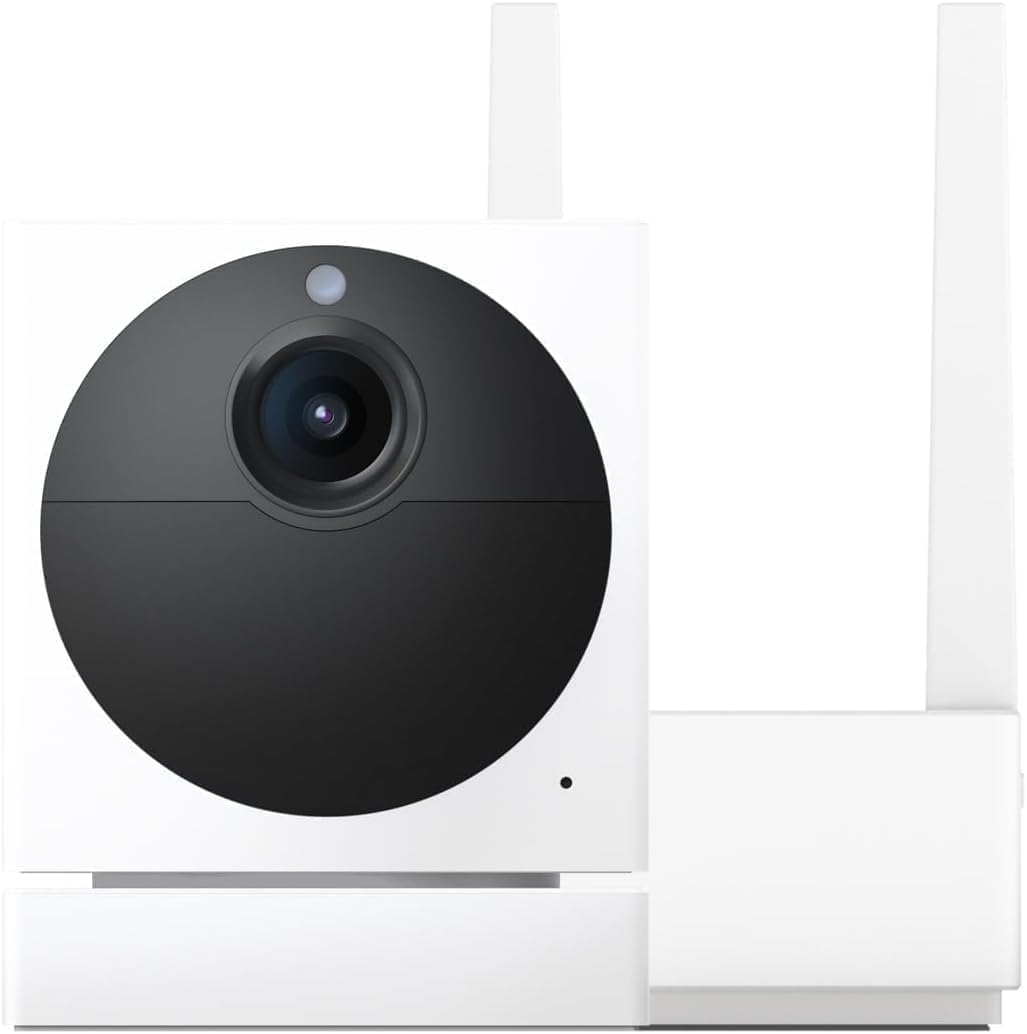
Why Is My Wyze Cam OG Telephoto Lens Blurry or Out of Focus?
- Protective film still covering the telephoto lens
- Lens dirty with dust fingerprints or moisture
- Fixed focus lens positioned for wrong distance during manufacturing
Problem Description
Your Wyze Cam OG Telephoto produces blurry or out-of-focus video despite having a clear view and good lighting. The 3x telephoto lens shows soft images at distance or the focus seems stuck on the wrong depth. This defeats the purpose of the telephoto lens which is meant for sharp long-range viewing. The issue is common on new units and after firmware updates.
Why This Happens in Real Homes
A blurry Wyze Cam OG Telephoto is almost always the protective film still on the lens, a dirty lens, or the fixed-focus lens aimed at the wrong distance. In real homes people forget to peel the film off the 3x lens. Peel any film, clean the lens, and remember the telephoto has a fixed focus tuned for distance, so close subjects look soft.
Symptoms
- Telephoto video appears soft and blurry at all distances
- Faces and license plates unreadable despite being in frame
- Focus seems stuck on close objects ignoring distant subjects
- Image quality worse than standard Wyze Cam OG wide angle
- Night vision telephoto footage extremely grainy and blurry
- Camera was sharp initially but became blurry after weeks
Recognize these? Here's what usually causes it.
Common Causes
- Protective film still covering the telephoto lens
- Lens dirty with dust fingerprints or moisture
- Fixed focus lens positioned for wrong distance during manufacturing
- Firmware bug affecting image processing on telephoto model
- Night vision IR reflection causing focus interference
- Camera mounted behind glass creating reflection blur
Most fixes happen in the first 3 steps.
Do not attempt to manually adjust the lens focus. The telephoto lens is factory calibrated and physical adjustment will void your warranty and likely make focus worse.
Tools & Requirements
These tools will help you complete this fix.
As an Amazon Associate we earn from qualifying purchases.
Step-by-Step Solution
Check for Protective Film
The Wyze Cam OG Telephoto has a small secondary lens housing for the telephoto sensor. Check if a thin plastic protective film is still covering this lens. It is easy to miss during setup because it is much smaller than the main lens area. Peel off any film covering the telephoto lens housing carefully.
Clean the Telephoto Lens
Use a soft microfiber cloth to gently wipe the telephoto lens. Avoid paper towels or rough fabrics that can scratch. The telephoto lens is more sensitive to smudges than the wide angle because it magnifies any imperfections. Clean in a circular motion from center outward. For stubborn spots use a lens cleaning solution designed for cameras.

Needed for this step
WHOOSH! Pro 16.9 fl oz Refillable TV Screen Cle...
This helps complete the fix you are currently reading.
$19.99Restart Camera and App
Power cycle the camera by unplugging it for 10 seconds then plugging back in. Force close the Wyze app and reopen it. View the telephoto feed fresh after restart. Sometimes the image processor gets stuck and a restart clears the issue. Compare telephoto and wide angle quality to confirm the problem is telephoto-specific.
Update Firmware
Go to the Wyze app and tap your OG Telephoto camera then Settings then Device Info then Firmware Version. If an update is available install it. Wyze has released multiple firmware updates addressing telephoto focus and image quality. Make sure you have the latest version before assuming a hardware defect.
Check Mounting Position
If the camera is mounted behind glass the telephoto lens may be picking up reflections that cause blur. Move the camera so the telephoto lens is flush against the glass or remove the glass barrier entirely. Telephoto lenses are more susceptible to reflection interference than wide angle due to their narrow field of view and magnification.
Quick Solutions
Still having issues? This is usually the deeper cause below.
If this comes back after following these steps, check whether a recent app or firmware update reset a default setting — the fix works, but the setting gets reverted silently.
The Wyze Cam OG Telephoto uses a fixed focus lens optimized for 10-30 feet. Extremely close or far subjects may appear slightly soft by design.
This issue almost always looks more complex than it is — the majority of cases trace back to a single setting, a stale credential, or a default that shipped wrong.
- Protective film still covering the telephoto lens
- Lens dirty with dust fingerprints or moisture
- Fixed focus lens positioned for wrong distance during manufacturing
- Firmware bug affecting image processing on telephoto model
- Night vision IR reflection causing focus interference
Before you go — try one of these (they fix most cases).
Official Manufacturer Manual
Yale provides official product documentation through their online manual rather than downloadable PDF. Access setup guides, troubleshooting steps, and product specifications for your Wyze Cam OG Telephoto.
Source: shopyalehome.com
Need More Help? Yale Support
Note: The contact information below connects you directly to Yale's official customer support team, not Trunetto. They can help with warranty claims, device replacements, and advanced technical issues.
How Does Yale Compare?
Before replacing your Yale device, see how it stacks up against alternatives in our full comparison guides.