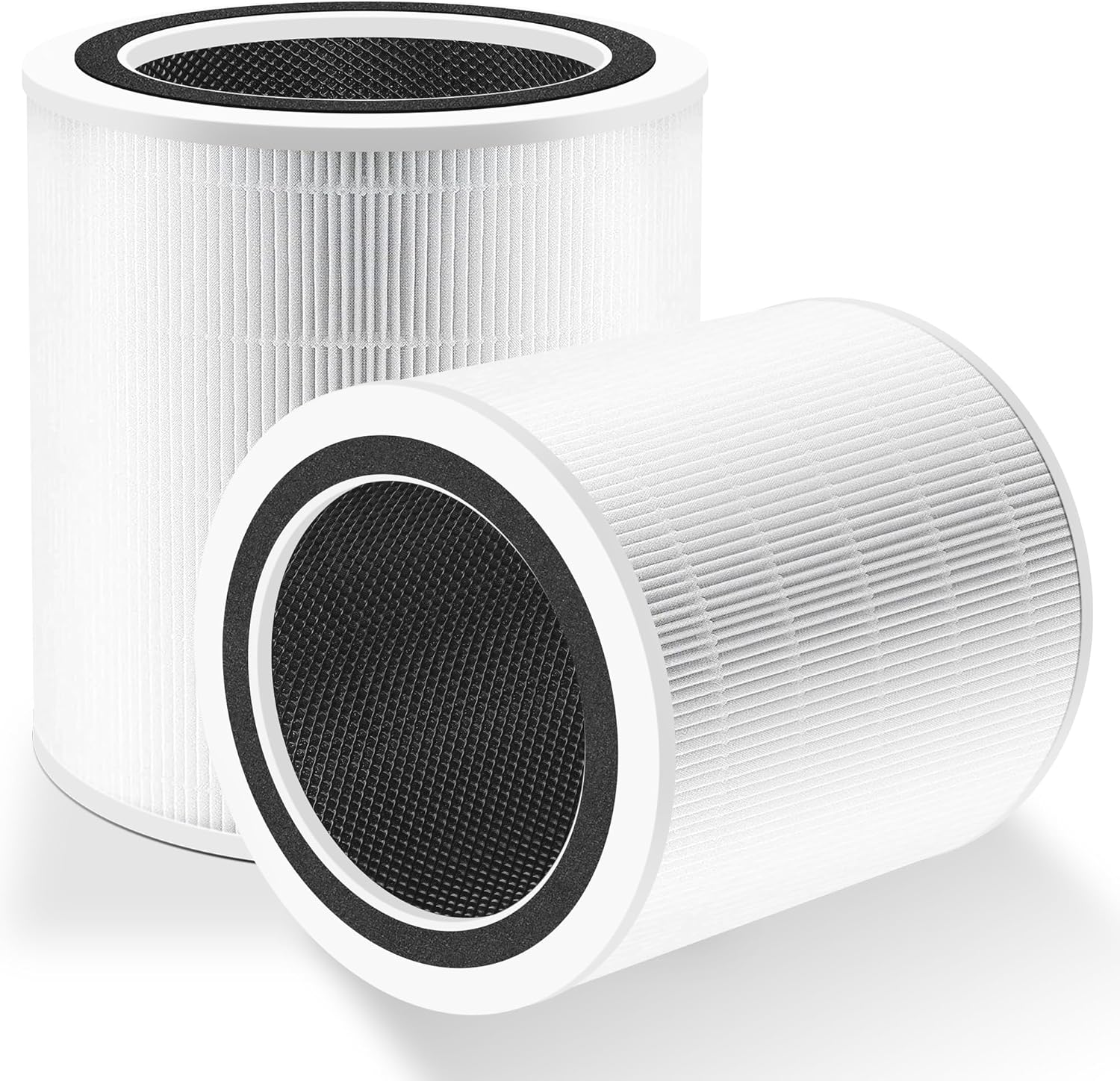
Why Is My Levoit Core 300S Fan Stuck on High After Air Quality Improves
- Auto mode sensitivity set too aggressive
- Sensor compensation data drifted high
- A nearby VOC source keeps triggering spikes
Problem Description
Your Levoit Core 300S remains on high fan speed long after PM2.5 readings return to normal, causing noise and unnecessary filter wear. Auto mode appears active but never settles down. This behavior is often tied to stale sensor compensation, nearby pollution bursts, mode conflicts, or delayed app-to-device setting sync.
Why This Happens in Real Homes
When a Core 300S stays on high long after the PM2.5 number has returned to normal, the mismatch is between what the sensor reports and what the fan logic acts on. A dirty or drifted sensor can hold an elevated reading even after the air clears, keeping Auto mode convinced it still needs to work hard - cleaning the laser sensor and power cycling to recalibrate in clean-air conditions is the most reliable fix. Placement matters too: a unit pushed against a wall starves the sensor's airflow and skews its readings toward 'poor.'
There are also softer causes worth checking. Auto mode sensitivity that's set aggressive makes the fan slow to step down, and a persistent nearby VOC source (a candle, cooking, an air freshener, off-gassing furniture) legitimately keeps re-spiking the reading, so the fan isn't wrong - the environment is. On smart units there can be a sync gap where the app and device disagree on the current mode or speed; changing the mode directly on the device and updating firmware clears that firmware-lag behavior. Finally, a filter that isn't seated right disturbs airflow across the sensor, so confirm the filter and door are correct as part of the check.
Symptoms
- Fan stays high despite a clean air reading
- Auto mode enabled but unresponsive
- Noise stays high for extended periods
- PM2.5 value drops but the speed doesn't
- App and device show different fan states
- Repeats after cooking or candles
- Fan won't step down for a long time
- Filter wearing faster from constant high speed
Recognize these? Here's what usually causes it.
Common Causes
- Auto mode sensitivity set too aggressive
- Sensor compensation data drifted high
- A nearby VOC source keeps triggering spikes
- App profile not synced to the purifier
- Firmware lag in mode-transition handling
- Filter seated incorrectly, affecting airflow
- Dirty sensor holding a high reading
- Purifier against a wall skewing the sensor
Most fixes happen in the first 3 steps.
Do not block intake or output vents to reduce noise. Restricted airflow can overwork the fan, skew sensor response, and shorten filter and motor life.
Step-by-Step Solution
Confirm True Air Conditions
Check PM2.5 trend over at least 20 minutes in the VeSync app and compare with room conditions. Short spikes from cooking oils, aerosols, or candles can keep fan logic elevated longer than expected. Make sure the room is stable before deciding the purifier is stuck in high speed behavior.
Re-seat Filter and Housing
Turn off the unit, remove the filter, verify packaging is fully removed, and reinstall with correct orientation. An improperly seated filter changes airflow resistance and may force the fan controller to run harder. Reattach the cover securely, then restart in Auto mode and monitor response after several minutes.
Refresh Auto Mode Configuration
In the app, switch from Auto to Manual low speed, wait one minute, then switch back to Auto. This forces mode state refresh between cloud and device logic. If your app includes sensitivity options, reduce aggressiveness one level and retest to prevent prolonged high speed after short pollution events.
Relocate Purifier Temporarily
Move the Core 300S away from kitchens, scented products, and HVAC vents for a controlled test period. Localized contaminants near the intake can keep sensor readings elevated even when general room air looks clear. If behavior improves after relocation, maintain greater distance from trigger sources permanently.
Update and Reboot Firmware
Install available firmware updates through VeSync and then power cycle the purifier for 60 seconds. Firmware fixes often include improved Auto mode decay timing. After reboot, run Auto mode through one full cycle from spike to recovery and verify the fan returns to a lower speed appropriately.
Quick Solutions
Still having issues? This is usually the deeper cause below.
If this comes back after following these steps, check whether a recent app or firmware update reset a default setting — the fix works, but the setting gets reverted silently.
Place the Core 300S at least a few feet from kitchens and scented products so short pollutant bursts do not keep Auto mode unnecessarily elevated.
This issue almost always looks more complex than it is — the majority of cases trace back to a single setting, a stale credential, or a default that shipped wrong.
- Auto mode sensitivity set too aggressive
- Sensor compensation data drifted high
- A nearby VOC source keeps triggering spikes
- App profile not synced to the purifier
- Firmware lag in mode-transition handling
Before you go — try one of these (they fix most cases).
Most popular upgrades chosen by Levoit Core 300S Smart Air Purifier owners.

LEVOIT 6000S Smart Whole House Humidifiers, 6 Gal, 72-Hou...

LEVOIT Smart Humidifier (Dual 200S) and Air Purifier (Cor...

Levoit Dual200S Smart Humidifier and Humidifier Filters
As an Amazon Associate we earn from qualifying purchases.
Official Manufacturer Manual
Levoit provides official product documentation through their online manual rather than downloadable PDF. Access setup guides, troubleshooting steps, and product specifications for your Levoit Core 300S Smart Air Purifier.
Source: levoit.com
Need More Help? Levoit Support
Note: The contact information below connects you directly to Levoit's official customer support team, not Trunetto. They can help with warranty claims, device replacements, and advanced technical issues.
Accessories owners commonly pair with Levoit Core 300S Smart Air Purifier.

LEVOIT Evaporative Humidifiers for Bedroom Baby, Dual Air...

LEVOIT Smart Cool Mist Top Fill Humidifiers for Bedroom w...

LEVOIT Classic300S Ultrasonic Smart Top Fill Humidifier, ...
As an Amazon Associate we earn from qualifying purchases.