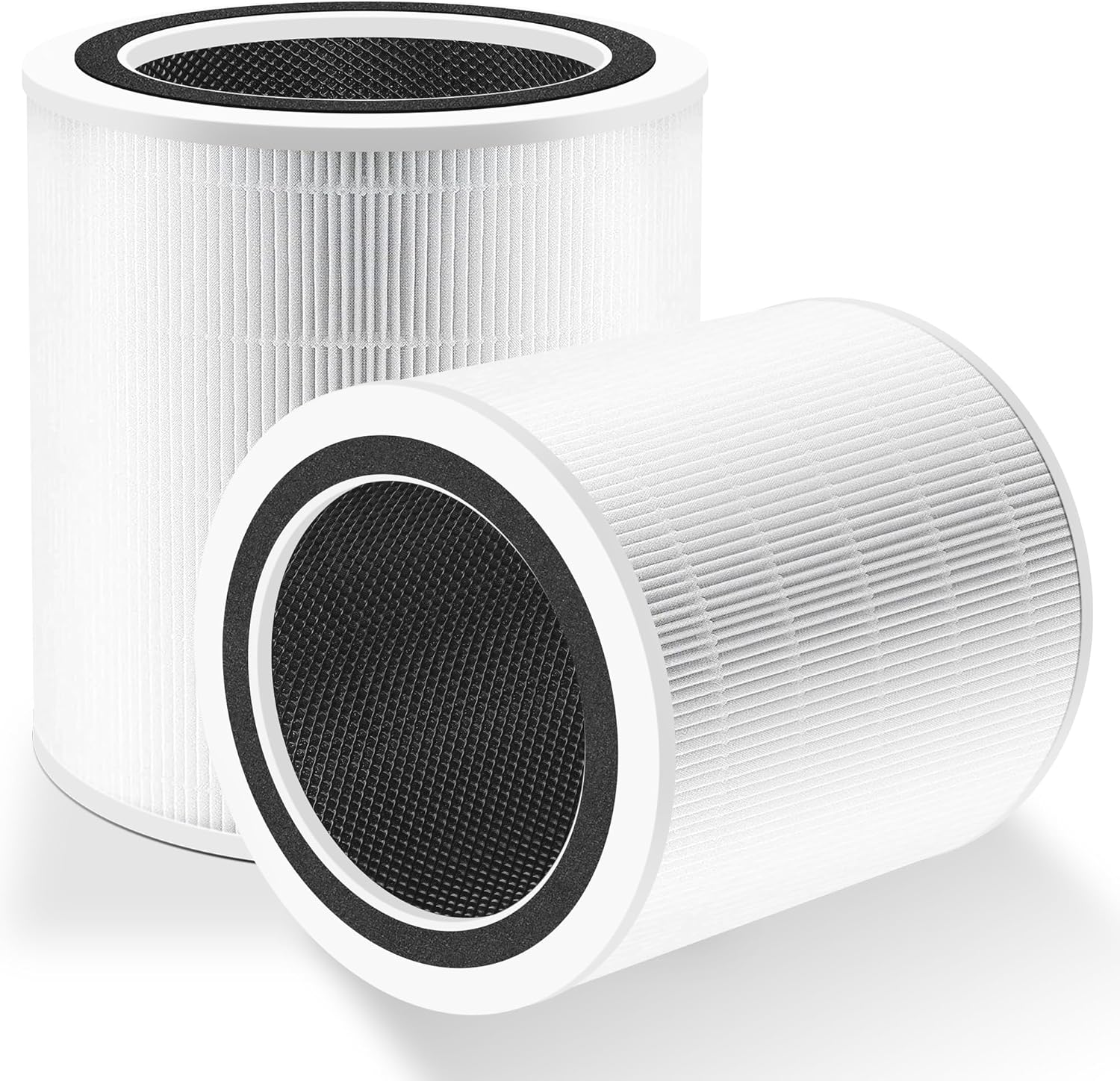
Why Won't My Levoit Core 600S Filter Replacement Reminder Reset?
- Reset button held for too short a duration
- Filter door not fully latched after installing
- Non-genuine replacement filter not detected correctly
Problem Description
Your Levoit Core 600S air purifier continues to display the filter replacement reminder or the filter indicator light remains on even after you have installed a new filter. The reminder should clear automatically when the filter check button is held after a new filter is installed, but some users find the indicator persists. This is caused by the filter reset procedure not being completed correctly or the filter door not being fully closed after filter installation.
Why This Happens in Real Homes
On the Core 600S the reset clears when you hold the filter-check button after installing a new filter, but two things commonly get in the way. First is the hold itself - a brief press won't do it; hold until the indicator blinks to confirm. Second, and specific to this larger unit, the filter door has to be completely latched: if it isn't fully closed the purifier won't register the reset, so the reminder stays lit no matter how you press the button.
Because the 600S is a smart model, the VeSync app keeps its own filter-life counter, and that sometimes needs a separate reset in the app even after the device itself resets - and the purifier should be online in the app when you do it so the change syncs to the cloud. Use genuine Levoit filters, since the correct filter type is part of what the unit expects to see. If the reminder reappears within days of a clean reset, check the app's filter-reminder settings for a custom threshold that's triggering early, rather than assuming the filter or unit is faulty.
Symptoms
- Filter indicator light stays on after a new filter
- VeSync app keeps showing a filter replacement notification
- Purifier beeps or displays a filter warning after a fresh install
- Reset button press doesn't clear the reminder
- Filter life percentage stays at 0% after a new filter
- Reminder reappears within days of resetting
- Reset seems to register but the warning stays
- Warning returns after being cleared
Recognize these? Here's what usually causes it.
Common Causes
- Reset button held for too short a duration
- Filter door not fully latched after installing
- Non-genuine replacement filter not detected correctly
- App filter-life counter not reset after installation
- Purifier offline during the reset, blocking cloud sync
- Filter reminder set to a custom early threshold
- Filter not fully seated
- Firmware counter glitch
Most fixes happen in the first 3 steps.
Do not run the Core 600S without a filter installed even briefly. The purifier motor will draw in unfiltered air and contaminate the internal airflow channels requiring thorough cleaning.
Step-by-Step Solution
Hold Filter Reset Button for 3 Seconds
With the new filter installed and the filter door completely closed press and hold the Filter Check button on the Core 600S control panel for 3 full seconds. Do not tap it briefly. The filter indicator LED will blink once and then turn off to confirm the reset was accepted. If you release the button before 3 seconds the purifier registers a check command rather than a reset and the indicator remains on.
Confirm Filter Door Is Fully Latched
Open the filter door and remove the new filter. Inspect the door latch mechanism for any debris or misalignment. Reinstall the filter ensuring it is oriented correctly with the Levoit logo facing outward. Close the door and press firmly until you hear or feel the latch click. A partially latched door leaves a sensor gap that the purifier interprets as the filter still being absent and the reminder light remains active regardless of button presses.
Reset Filter Life in VeSync App
After the physical button reset open the VeSync app and go to the Core 600S device settings. Look for Filter Life or Filter Status. Tap it and select Reset Filter Life. This synchronises the cloud filter life counter with the physical reset you performed. If this step is skipped the app may continue to show a filter replacement notification even though the indicator light on the purifier has cleared. After syncing the app should show 100 percent filter life remaining.
Use Genuine Levoit Replacement Filters
The Levoit Core 600S filter life tracker is calibrated for genuine Levoit replacement filters with part number LRF-C601S. Third-party replacement filters may have different airflow resistance characteristics that cause the purifier to flag a filter fault rather than a standard replacement. If you are using a non-genuine filter and the reminder persists after reset switch to a genuine Levoit filter to confirm the reset issue is resolved.
Check Custom Reminder Thresholds in App
Open VeSync app and go to Core 600S device settings then Filter. Check if a custom filter reminder threshold has been set below the default. If the threshold is set to 90 percent the reminder will activate when filter life drops from 100 to 90 percent which can appear to be a premature re-trigger after a reset. Set the threshold to 0 percent to use only the purifier's built-in filter life algorithm rather than an early warning reminder.
Quick Solutions
Still having issues? This is usually the deeper cause below.
If this comes back after following these steps, check whether a recent app or firmware update reset a default setting — the fix works, but the setting gets reverted silently.
After installing a new Levoit Core 600S filter run the purifier on Auto mode for 30 minutes before judging performance. The new HEPA filter needs a brief break-in period to achieve rated airflow.
This issue almost always looks more complex than it is — the majority of cases trace back to a single setting, a stale credential, or a default that shipped wrong.
- Reset button held for too short a duration
- Filter door not fully latched after installing
- Non-genuine replacement filter not detected correctly
- App filter-life counter not reset after installation
- Purifier offline during the reset, blocking cloud sync
Before you go — try one of these (they fix most cases).
Most popular upgrades chosen by Levoit Core 600S Air Purifier owners.

LEVOIT 6000S Smart Whole House Humidifiers, 6 Gal, 72-Hou...

LEVOIT Smart Humidifier (Dual 200S) and Air Purifier (Cor...

Levoit Dual200S Smart Humidifier and Humidifier Filters
As an Amazon Associate we earn from qualifying purchases.
Official Manufacturer Manual
Levoit provides official product documentation through their online manual rather than downloadable PDF. Access setup guides, troubleshooting steps, and product specifications for your Levoit Core 600S Air Purifier.
Source: levoit.com
Need More Help? Levoit Support
Note: The contact information below connects you directly to Levoit's official customer support team, not Trunetto. They can help with warranty claims, device replacements, and advanced technical issues.
Accessories owners commonly pair with Levoit Core 600S Air Purifier.

LEVOIT Evaporative Humidifiers for Bedroom Baby, Dual Air...

LEVOIT Smart Cool Mist Top Fill Humidifiers for Bedroom w...

LEVOIT Classic300S Ultrasonic Smart Top Fill Humidifier, ...
As an Amazon Associate we earn from qualifying purchases.