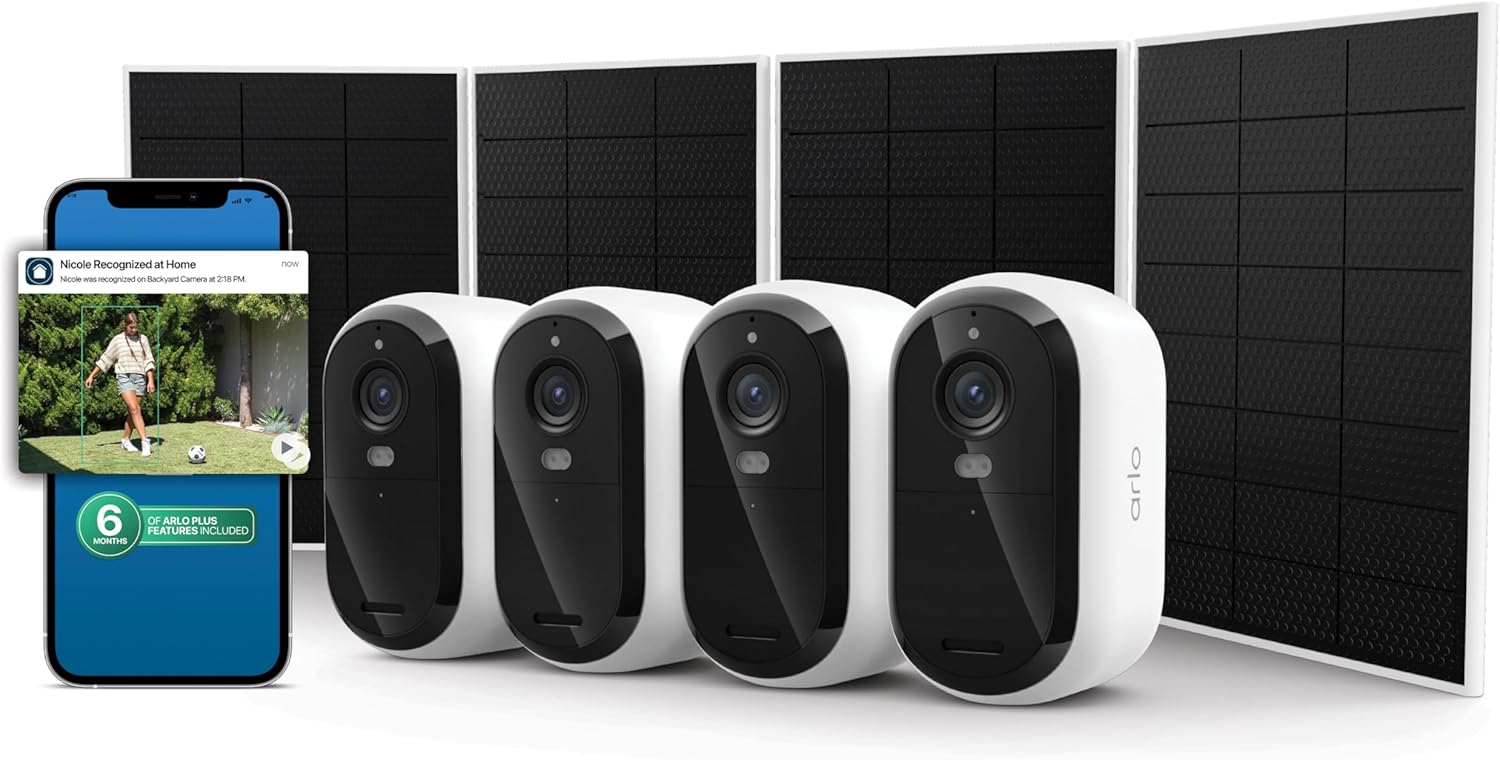
How to Install Arlo Ultra 2 4K Camera
- 4K System Requirements
- Premium Battery Management
- Professional Mounting
- SmartHub Integration
- 4K App Configuration
- Premium Feature Testing
Most users complete this in under 60 minutes
Overview
Arlo Arlo Ultra 2 4K Camera setup takes under 15 minutes for most users — if you're stuck, the steps below target the specific points where installs stall.
This guide covers the wire-free outdoor installation of the Arlo Ultra 2 4K camera, including magnetic mount setup, battery or solar panel configuration, and Arlo Secure app setup for 4K HDR recording, integrated spotlight, and 180-degree field of view. The Ultra 2 supports both SmartHub and direct WiFi connection for recording flexibility.
Why This Happens in Real Homes
The Ultra 2 needs the Arlo SmartHub — the camera won't work standalone — so installation starts with the hub online, then syncing the fully-charged camera to it close by before mounting. Because it's 4K, strong bandwidth and a solid hub-to-router link (ideally Ethernet) matter.
Mount with the magnetic or screw mount and aim for your coverage, keeping the camera within good range of the SmartHub. Confirm the signal holds at the mounting spot — a 4K camera on a weak link will drop quality or stutter, so range to the hub is worth getting right.
What's Included
- Unsure how to mount the Ultra 2
- SmartHub required question
- Camera will not sync
- Will not connect
- 4K bandwidth questions
- Battery not charged
- Weak signal at the spot
- Will not complete pairing
Got your materials ready? Here's what to check first.
Before You Start
- SmartHub not set up first
- Camera not synced to the SmartHub near it
- Battery not charged before install
- Weak WiFi/bandwidth for 4K
- SmartHub-to-router link weak
- Mounted too far from the SmartHub
- Magnetic mount not holding the angle
- Firmware update pending
Don't skip this step — it breaks everything if you do
SmartHub required for 4K local storage. Consider solar panel for continuous power. Ensure adequate Wi-Fi bandwidth for 4K streaming.
Tools & Requirements
These tools will help you complete this fix.

Drill optional
DEWALT 20V MAX Cordless Drill and Impact Driver, Pow...

Level
9 Inch Torpedo Level Magnetic, Shock-Proof Small Lev...

Screwdriver
STREBITO 155 in 1 Electric Screwdriver Set, Small El...
As an Amazon Associate we earn from qualifying purchases.
Installation Steps
4K System Requirements
Make sure adequate Wi-Fi bandwidth for 4K recording and streaming. Ultra 2 requires strong internet connection for best 4K performance and cloud storage.
Premium Battery Management
Charge Ultra 2 rechargeable battery fully before installation. 4K recording requires more power so consider solar panel accessory for continuous charging.
Professional Mounting
Mount Ultra 2 using heavy-duty mount for secure 4K camera installation. Make sure stable mounting to prevent camera shake affecting 4K video quality.
SmartHub Integration
Connect to Arlo SmartHub for local 4K storage and processing. SmartHub required for full Ultra 2 features and local video storage capabilities.
4K App Configuration
Configure Ultra 2 through Arlo app with 4K recording settings, AI person detection, and premium notification features for professional monitoring.
Premium Feature Testing
Test 4K live view, zoom capabilities, color night vision, and AI detection features. Verify all premium Ultra 2 functions operating correctly.
Installation Tips
Still stuck? This is usually the deeper cause below.
Ultra 2 provides professional-grade 4K video with AI detection. Requires SmartHub and robust Wi-Fi for optimal 4K performance.
Before you go — these Arlo guides fix most remaining issues.
Most popular upgrades chosen by Arlo Ultra 2 4K Camera owners.

Arlo Pro 5S Spotlight Security Camera 2K HDR | Outdoor | ...

Arlo Pro 5S Spotlight Security Camera 2K HDR | Outdoor | ...

Arlo Pro 5S 2K Spotlight Camera VMC4060B (Renewed)
As an Amazon Associate we earn from qualifying purchases.
Official Manufacturer Manual
If you need the complete manufacturer documentation for advanced setup, wiring diagrams, or detailed specifications, you can download the official manual below. The manual includes full technical instructions directly from the manufacturer and may help if your issue requires deeper troubleshooting.
Download the Official Arlo Ultra 2 4K Camera ManualSource: arlo.com
Need More Help? Arlo Support
Note: The contact information below connects you directly to Arlo's official customer support team, not Trunetto. They can help with warranty claims, device replacements, and advanced technical issues.
How Does Arlo Compare?
Before replacing your Arlo device, see how it stacks up against alternatives in our full comparison guides.
Accessories owners commonly pair with Arlo Ultra 2 4K Camera.

As an Amazon Associate we earn from qualifying purchases.