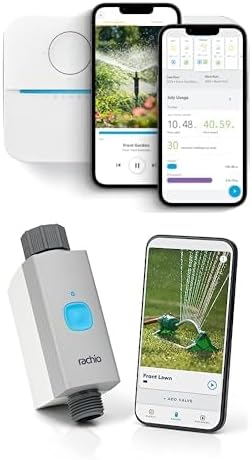
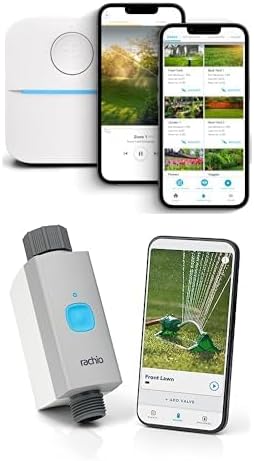
Why Is My Rachio Skipping Scheduled Watering Runs?
- Weather Intelligence Plus detecting rain in the forecast that may not actually occur
- Rain sensor wired to the controller reporting wet conditions
- Wind speed threshold set too low causing frequent Wind Skips
Problem Description
Your Rachio smart sprinkler controller skips scheduled watering runs, shows skip notifications in the app, or zones do not run at the times you configured. Most Rachio skips are intentional — the system has Weather Intelligence, Seasonal Adjustments, or Soil Moisture features enabled that automatically skip runs when conditions do not warrant watering. Understanding which skip reason the app shows is the fastest way to identify whether this is a configuration issue or an actual fault.
Why This Happens in Real Homes
Most Rachio skips are intentional weather saves, not failures, so the fix is tuning what triggers them. In real yards Weather Intelligence acting on a forecast that never rains, a wet rain sensor, or a low wind threshold causes the skips. Read the skip reason in the watering history, ease the rain and wind thresholds, and check the rain sensor.
Symptoms
- Schedule shows as skipped in the app history
- Rain Skip notification even when it has not rained
- Wind Skip or Freeze Skip triggered incorrectly
- Some zones run but others are skipped
- Watering runs at wrong time of day
- Seasonal Shift reduces run times to near zero
Recognize these? Here's what usually causes it.
Common Causes
- Weather Intelligence Plus detecting rain in the forecast that may not actually occur
- Rain sensor wired to the controller reporting wet conditions
- Wind speed threshold set too low causing frequent Wind Skips
- Freeze threshold triggered by overnight low temperatures
- Seasonal Shift reducing run times in cooler months more aggressively than needed
- Standby mode accidentally enabled
Most fixes happen in the first 3 steps.
{"Disabling all Weather Intelligence features will result in watering during rain, wind, and freeze conditions which wastes water and can damage plants","If you override a skip manually, make sure the next scheduled run is not doubled up"}
Tools & Requirements
These tools will help you complete this fix.
As an Amazon Associate we earn from qualifying purchases.
Step-by-Step Solution
Identify the Skip Reason in the App
Open the Rachio app and tap on the skipped schedule. Rachio displays a specific reason for every skip such as Rain Skip, Seasonal Adjustment, Climate Skip, Soil Moisture, or Freeze Skip. Identifying the exact skip reason is the fastest path to the right fix. Each skip type has its own settings page where you can adjust thresholds or disable the feature if it is triggering incorrectly.

Needed for this step
STREBITO 155 in 1 Electric Screwdriver Set, Sma...
This helps complete the fix you are currently reading.
$45.99Adjust or Disable Weather Intelligence Plus
Weather Intelligence Plus uses forecast data to skip runs when rain is predicted or soil moisture is calculated to be sufficient. If it is skipping when you know your lawn needs water, open Schedule settings then Weather Intelligence and lower the Rain Sensitivity threshold or disable the feature temporarily. Weather forecasts are sometimes inaccurate for your specific location, causing skips that are not warranted.
Review Seasonal Adjustment Settings
Seasonal Adjustment automatically reduces watering duration based on evapotranspiration calculations for your climate zone. During shoulder seasons like spring and fall, it may reduce a 20-minute zone to 8 minutes or skip entirely. Go to Schedule settings then Seasonal Adjustment and check the current adjustment percentage. If the adjustment is too aggressive, switch from Dynamic to Fixed Seasonal Adjustment and set a manual percentage.
Check Freeze Skip and Temperature Thresholds
Rachio skips scheduled runs when the forecast temperature drops below the freeze threshold, typically set to 37 degrees Fahrenheit by default. If your area has unseasonably cold nights but does not actually freeze, you may be getting unnecessary skips. In Schedule settings go to Weather Intelligence and lower the freeze skip threshold to 32 degrees or the actual freezing point.
Verify Schedule Start Time and Days
If none of the skip reasons are active but runs still do not execute, verify the schedule start time is set correctly for your timezone and that the correct days of the week are selected. Also check that the schedule is marked as active — a schedule can be created but saved in a paused state. In the Rachio app tap the schedule and look for a green Active indicator at the top of the settings page.
Quick Solutions
Still having issues? This is usually the deeper cause below.
Schedules that skip randomly are usually a daylight-saving holdover — delete and recreate the schedule to clear the corrupted entry.
{"Use the Rachio app calendar view to see exactly why each skip occurred — it tells you the specific reason","Flex Daily schedules are the most aggressive with skipping. Switch to Flex Monthly or Fixed if you want more predictable watering","Set your weather station to the closest personal weather station (PWS) for more accurate local data instead of the airport station","Check your zone settings are accurate for soil type, slope, and nozzle type as these affect calculated run times"}
Thermostat issues that keep returning are often caused by stale backup-battery memory holding old settings across power cycles without the user realising.
- Weather Intelligence Plus detecting rain in the forecast
- Rain sensor wired to the controller reporting wet conditions
- Wind speed threshold set too low
- Freeze threshold triggered by overnight low temperatures
- Seasonal Shift reducing run times in cooler months more
Before you go — try one of these (they fix most cases).
Official Manufacturer Manual
Rachio provides official product documentation through their online manual rather than downloadable PDF. Access setup guides, troubleshooting steps, and product specifications for your Rachio 3 / 3e Smart Sprinkler Controller.
Source: support.rachio.com
Need More Help? Rachio Support
Note: The contact information below connects you directly to Rachio's official customer support team, not Trunetto. They can help with warranty claims, device replacements, and advanced technical issues.
How Does Rachio Compare?
Before replacing your Rachio device, see how it stacks up against alternatives in our full comparison guides.