

Why Won't My Philips Hue Dimmer Switch Work?
- Connected to 5GHz WiFi instead of required 2.4GHz network
- Light not properly reset before pairing attempt
- Weak WiFi signal at the light location
Problem Description
Your Philips Hue dimmer switch is not controlling lights or buttons aren't responding. The dimmer switch uses a CR2032 battery behind the face plate (peel the magnetic face off to access it). Low battery causes intermittent or no response. This guide covers checking battery level in the Hue app, replacing the battery, and re-pairing the switch.
Why This Happens in Real Homes
The dimmer switch runs on a CR2450 coin cell that lasts 2 to 3 years, but there is no low battery warning — it just stops working one day. People assume the switch is broken and buy a new one when all it needed was a $3 battery. The other common issue is the switch losing its bridge pairing after a firmware update. It still clicks physically but nothing happens. Re-pair it through Hue app > Accessories > Add Accessory, then reassign it to the correct room. Also check that the switch buttons are mapped to the lights you expect — firmware updates occasionally reset button assignments.
Symptoms
- Light shows as offline in the app
- Light does not respond to on/off commands
- Colors appear incorrect or washed out
- Brightness controls not working
- Light flickers or turns off unexpectedly
- Voice commands through Alexa or Google fail
- Scheduled automations do not trigger
Recognize these? Here's what usually causes it.
Common Causes
- Connected to 5GHz WiFi instead of required 2.4GHz network
- Light not properly reset before pairing attempt
- Weak WiFi signal at the light location
- Hub or bridge disconnected from router
- App needs updating to latest version
- Light firmware is outdated
- Too many devices on the same network causing congestion
Most fixes happen in the first 3 steps.
After reset, you must re-pair and reassign rooms from scratch.
Step-by-Step Solution
Check battery level and button response
Confirm the dimmer battery is healthy and each button press registers physically. Weak battery voltage can cause delayed or inconsistent command transmission.
Verify dimmer assignment in Hue app
Open accessory settings and confirm the switch is bound to the intended room/zone and scene actions. Incorrect bindings are a common source of apparent switch failure.
Test range and Zigbee mesh quality
Use the switch near the target bulbs and then from normal position to compare behavior. If nearby control works but distant control fails, mesh coverage needs additional always-powered repeaters.
Re-pair dimmer to Bridge when commands drop
Remove and re-add the dimmer accessory if presses are not reflected in event logs. Re-pairing refreshes Zigbee link keys and clears stale routing state.
Update Bridge firmware and scene logic
Install Bridge updates and retest with simple on/off mapping before advanced scene stacks. Complex scene rules can hide whether the issue is switch transport or automation logic.
Quick Solutions
Still having issues? This is usually the deeper cause below.
If flickering only happens on dimming, the issue is almost always the dimmer's minimum-load setting, not the bulb — it's drawing less current than the dimmer expects.
Group your smart lights by room in the app and assign clear names like Kitchen Ceiling and Bedroom Lamp. This makes voice commands more reliable and lets you create scenes that control multiple lights at once with a single command.
This issue almost always looks more complex than it is — the majority of cases trace back to a single setting, a stale credential, or a default that shipped wrong.
- Connected to 5GHz WiFi instead of required 2.4GHz network
- Light not properly reset before pairing attempt
- Weak WiFi signal at the light location
- Hub or bridge disconnected from router
- App needs updating to latest version
Before you go — try one of these (they fix most cases).
Most popular upgrades chosen by Philips Hue Dimmer Switch owners.

Philips Hue Gradient Signe Floor Lamp, Compatible with Al...

Philips Hue Smart Dimmer Switch with Remote + Philips Hue...
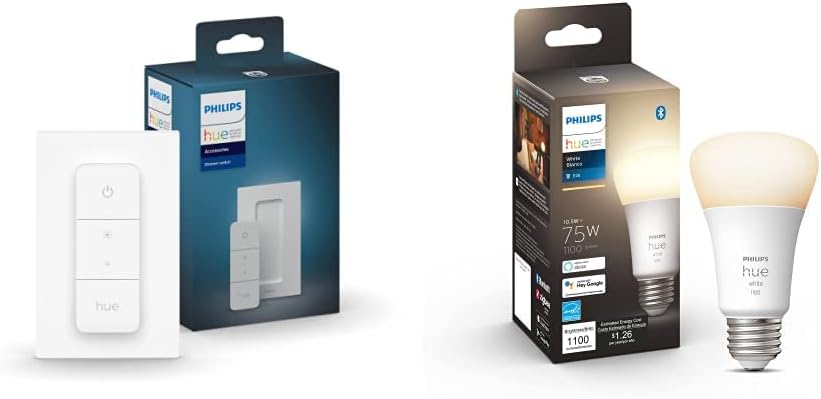
Philips Hue Smart Dimmer Switch with Remote + Philips Hue...
As an Amazon Associate we earn from qualifying purchases.
Official Manufacturer Manual
If you need the complete manufacturer documentation for advanced setup, wiring diagrams, or detailed specifications, you can download the official manual below. The manual includes full technical instructions directly from the manufacturer and may help if your issue requires deeper troubleshooting.
Download the Official Philips Hue Dimmer Switch ManualSource: philips.com
Need More Help? Philips Hue Support
Note: The contact information below connects you directly to Philips Hue's official customer support team, not Trunetto. They can help with warranty claims, device replacements, and advanced technical issues.
How Does Philips Hue Compare?
Before replacing your Philips Hue device, see how it stacks up against alternatives in our full comparison guides.
Accessories owners commonly pair with Philips Hue Dimmer Switch.

Philips Hue Smart 60W A19 LED Bulb - Soft Warm White Ligh...

Philips Hue Smart 60W A19 LED Bulb - Soft Warm White Ligh...

Philips Hue A19 LED Smart Light Bulb - White and Color Am...
As an Amazon Associate we earn from qualifying purchases.

