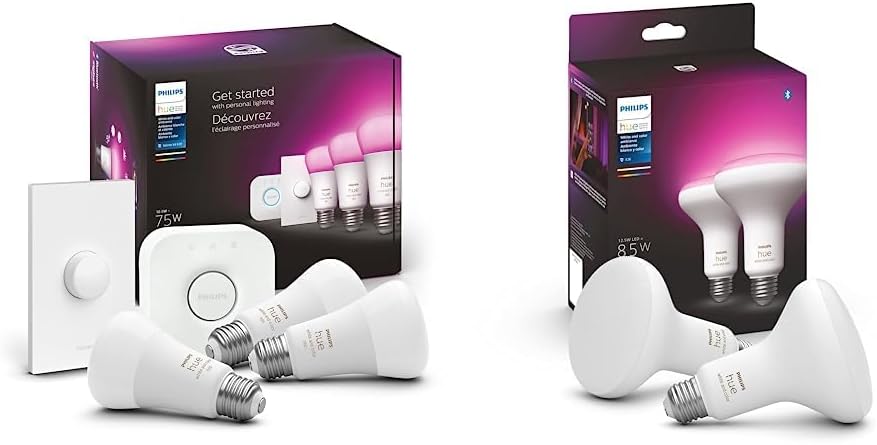
Why Are My Philips Hue Bulbs Flickering When Dimmed
- Bulb on incompatible dimmer switch
- Bulb firmware needs update
- Minimum brightness set too low
Problem Description
Your Philips Hue bulbs flicker when dimmed below certain brightness levels. At full brightness they are stable, but as you dim them in the Hue app, they begin to flicker noticeably — especially at levels below 20%. This is caused by dimmer switch interference, bulb firmware issues, or the fixture's minimum load being exceeded.
Why This Happens in Real Homes
Flickering when dimmed low is typically an incompatible wall dimmer, outdated firmware, or pushing the bulb below its stable minimum brightness — LED dimming gets unstable at the very bottom of the range.
Start by removing any traditional wall dimmer (Hue bulbs need steady mains power and are dimmed in the app), then update the bulb firmware. If it still flickers only at very low levels, raise the brightness slightly above the point where it stabilizes — that bottom-of-range flicker is a known LED limit.
Symptoms
- Flicker at low brightness
- Fine at 100% but flicker at 10%
- Some bulbs flicker others do not
- Flicker in certain fixtures
- Started after firmware update
- Flicker with scenes not manual dim
Recognize these? Here's what usually causes it.
Common Causes
- Bulb on incompatible dimmer switch
- Bulb firmware needs update
- Minimum brightness set too low
- Fixture causing interference
- Bulb defective
- Power line interference
Most fixes happen in the first 3 steps.
Never install Hue bulbs on circuits with physical dimmer switches. This damages both the bulb and dimmer over time.
Tools & Requirements
These tools will help you complete this fix.

As an Amazon Associate we earn from qualifying purchases.
Step-by-Step Solution
Confirm bulb and dimmer compatibility
Verify Hue bulbs are not connected to legacy wall dimmers running reduced line voltage. Hue lamps require stable full mains power and should be dimmed only through Hue controls.
Check fixture wiring and neutral stability
Inspect socket wiring and neutral continuity for loose connections or intermittent contact. Wiring instability can appear as random flicker, especially at lower brightness.
Test direct power without intermediate controls
Bypass smart switches or adaptive dimmers temporarily and power bulb directly. This isolates Hue lamp behavior from third-party control hardware conflicts.
Update Bridge and bulb firmware
Apply firmware updates for Hue Bridge and affected bulbs to resolve known dimming curve issues. Firmware mismatches can cause unstable low-brightness output.
Recreate room/scene if flicker persists
Delete and re-add the bulb, then rebuild scenes and transitions with moderate fade speeds. Corrupted scene states can repeatedly trigger visible dim-step flicker.
Quick Solutions
Still having issues? This is usually the deeper cause below.
If flickering only happens on dimming, the issue is almost always the dimmer's minimum-load setting, not the bulb — it's drawing less current than the dimmer expects.
Create scenes with minimum 5% brightness to avoid the extreme low end where most flicker occurs.
LED flicker with smart dimmers is the #1 unfixed complaint — most people swap the bulb when the dimmer's low-end trim is the actual problem.
- Bulb on incompatible dimmer switch
- Bulb firmware needs update
- Minimum brightness set too low
- Fixture causing interference
- Bulb defective
Before you go — try one of these (they fix most cases).
Most popular upgrades chosen by Philips Hue Bulb owners.

Philips Hue White Ambiance 2-Pack A19 LED Smart Bulb & Wh...

Philips Hue Smart 60W A19 LED Bulb - Soft Warm White Ligh...

Philips Hue 55" Smart TV Light Strip - White and Color Am...
As an Amazon Associate we earn from qualifying purchases.
Official Manufacturer Manual
Philips Hue provides official product documentation through their online manual rather than downloadable PDF. Access setup guides, troubleshooting steps, and product specifications for your Philips Hue Bulb.
Source: philips-hue.com
Need More Help? Philips Hue Support
Note: The contact information below connects you directly to Philips Hue's official customer support team, not Trunetto. They can help with warranty claims, device replacements, and advanced technical issues.
How Does Philips Hue Compare?
Before replacing your Philips Hue device, see how it stacks up against alternatives in our full comparison guides.
Accessories owners commonly pair with Philips Hue Bulb.

Amazon Smart Plug, Works with Alexa, Simple Setup, Endles...

Ring Rechargeable Quick Release Battery Pack

Kasa Smart Plug HS103P2, Smart Home Wi-Fi Outlet Works wi...
As an Amazon Associate we earn from qualifying purchases.