

How Do I Set Up the Kohler Numi Intelligent Toilet?
- No dedicated GFCI outlet near the toilet, or it tripped
- Water supply not connected or shutoff closed
- Phone Bluetooth off during Konnect provisioning
Problem Description
You are setting up the Kohler Numi intelligent toilet for the first time. The Numi requires a dedicated GFCI electrical outlet near the toilet and a standard water supply connection. This guide covers electrical and plumbing prep, initial power-on, and pairing with the Kohler Konnect app for remote control of bidet, dryer, lighting, and music features.
Why This Happens in Real Homes
Setting up a Kohler Numi intelligent toilet is as much an electrical and plumbing job as a smart-home one. It requires a dedicated 120V GFCI outlet near the toilet - it draws real power for the bidet, warm-air dryer, heated seat, lighting, and audio - plus a standard water supply connection. Getting those right first matters: a Numi that won't power on is almost always a missing or tripped GFCI, and features that seem dead often trace to power rather than the app. Position the outlet and supply per the template, power on, and let the unit initialize before you touch the app.
Pairing then follows Kohler Konnect's standard flow, which trips people up in predictable ways. Provisioning uses a Bluetooth handshake to pass WiFi credentials, so the phone's Bluetooth must be on, and the toilet joins 2.4GHz WiFi only - connect your phone to a plain 2.4GHz WPA2 network for setup rather than a 5GHz or band-steered SSID, and avoid WPA3-only security during pairing. Update the Konnect app first so it matches the device firmware, and make sure 2.4GHz coverage reaches the bathroom, since a Numi that pairs but later shows offline usually just needs a stronger signal or a reserved DHCP IP. Once it's on the network, link the Alexa or Google skill to control bidet, dryer, lighting, and music by voice.
Symptoms
- Planning the GFCI outlet and water supply for the Numi
- Toilet won't power on after install
- Konnect app can't find the toilet during setup
- Bidet, dryer, lighting, or music features not responding
- Toilet shows offline after a router reboot
- Seat/lid automation or occupancy sensing not working
- Voice control not linked
- Unsure of the power and plumbing requirements
Recognize these? Here's what usually causes it.
Common Causes
- No dedicated GFCI outlet near the toilet, or it tripped
- Water supply not connected or shutoff closed
- Phone Bluetooth off during Konnect provisioning
- Router on 5GHz or a combined-band SSID (needs 2.4GHz)
- Router set to WPA3-only, rejected during setup
- Konnect app out of date for the device firmware
- Weak 2.4GHz signal in the bathroom
- Voice-assistant skill not linked after setup
Most fixes happen in the first 3 steps.
Smart water sensors are early warning devices but cannot prevent all water damage. Know the location of your main water shutoff valve and how to operate it manually in an emergency. If you detect a major leak, shut off water manually first then troubleshoot. Never ignore a leak alert even if it might be a false alarm.
Tools & Requirements
Step-by-Step Solution
Verify electrical and plumbing requirements
The Kohler Numi intelligent toilet requires a dedicated 120V GFCI-protected electrical outlet within 30 inches of the toilet. It connects to a standard 3/8-inch water supply line. The toilet includes a heated seat, bidet, deodorizer, night light, and optional speaker system. Professional installation is recommended — the toilet weighs approximately 120 lbs and requires precise leveling and connection to both electrical and plumbing supplies.
Connect and configure in the Kohler Konnect app
After installation, connect the Numi to your 2.4GHz WiFi through the Kohler Konnect app. The app provides controls for: bidet spray position, water temperature, air dryer temperature, heated seat temperature, deodorizer intensity, and ambient night light color. Set personalized presets for each user. The touchscreen remote (included) also controls all functions without the app.
Set up the heated seat
In the Konnect app or on the touchscreen remote, set the heated seat temperature (range: 80°F-104°F). The seat can warm on demand (when the sensor detects someone approaching) or maintain a constant temperature. Constant heating uses more electricity — on-demand mode saves energy while providing a warm seat within seconds of approaching. Set different temperatures for day and night if desired.
Configure the bidet function
The Numi's bidet has adjustable settings: spray position (front/rear), water pressure (5 levels), water temperature (ambient to 104°F), and oscillating spray pattern. Use the touchscreen remote or the app to adjust during use. Create user presets so each person's preferred settings are one button away. The bidet also has a dryer function — adjust air temperature and speed after washing.
Set up the ambient features
The Numi has a built-in night light (multiple colors, adjustable brightness), a deodorizer (activated automatically or manually), and Bluetooth speakers (on select models). In the Konnect app: set the night light to activate from 10PM-6AM in a dim warm white. Set the deodorizer to automatic mode (activates when the lid closes). Pair your phone to the Bluetooth speakers for music during use. These ambient features transform a utilitarian fixture into a comfort experience.
Quick Solutions
Still having issues? This is usually the deeper cause below.
If this comes back after following these steps, check whether a recent app or firmware update reset a default setting — the fix works, but the setting gets reverted silently.
["Personalized settings for multiple users", "Ambient lighting configurable", "Built-in speakers for music"]
This issue almost always looks more complex than it is — the majority of cases trace back to a single setting, a stale credential, or a default that shipped wrong.
- No dedicated GFCI outlet near the toilet, or it
- Water supply not connected or shutoff closed
- Phone Bluetooth off during Konnect provisioning
- Router on 5GHz or a combined-band SSID (needs 2.4GHz)
- Router set to WPA3-only, rejected during setup
Before you go — try one of these (they fix most cases).
Most popular upgrades chosen by Kohler Numi owners.
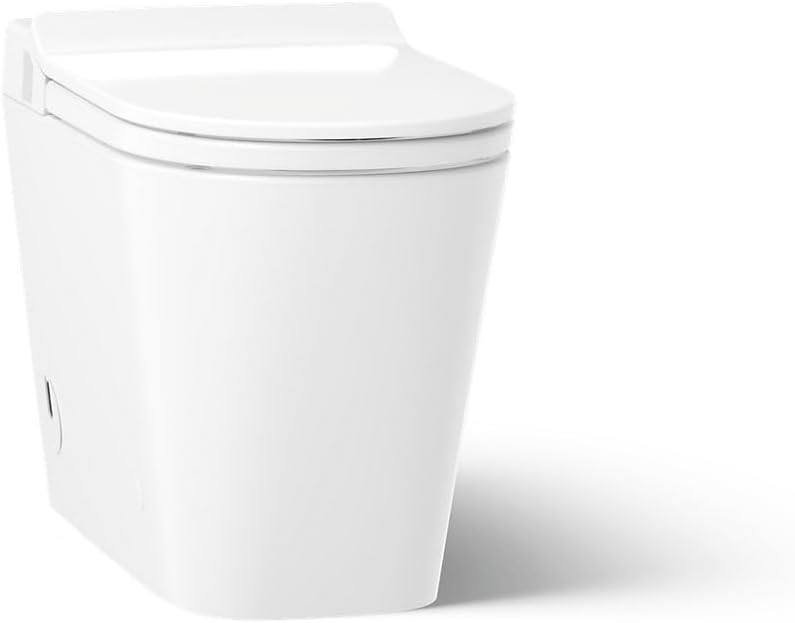
As an Amazon Associate we earn from qualifying purchases.
Official Manufacturer Manual
Kohler provides official product documentation through their online manual rather than downloadable PDF. Access setup guides, troubleshooting steps, and product specifications for your Kohler Numi.
Source: kohler.com
Need More Help? Kohler Support
Note: The contact information below connects you directly to Kohler's official customer support team, not Trunetto. They can help with warranty claims, device replacements, and advanced technical issues.


