

Why Is My GE CYNC Dimmer Switch Buzzing or Humming?
- LED bulbs incompatible with the dimmer
- Loose wiring connections at the switch
- Bulb load below the dimmer's minimum
Problem Description
Your GE CYNC dimmer switch produces a buzzing or humming sound when the lights are on, especially at lower brightness levels. The connected bulbs may also buzz. This is typically caused by LED bulb incompatibility or loose wiring connections.
Why This Happens in Real Homes
A buzzing or humming GE CYNC dimmer is almost always a bulb-compatibility problem, not a defective switch. Smart dimmers work by rapidly chopping the AC waveform to reduce brightness, and cheap or non-dimmable LEDs react to that chopping by physically vibrating - the buzz you hear can come from the switch, the bulbs, or both, and it's typically worst at lower brightness and disappears at full power. The first and most effective fix is putting genuinely dimmer-compatible, dimmable LEDs in the fixture, ideally all the same brand so they behave consistently.
Two wiring-side factors make buzzing worse. Loose connections at the switch let components vibrate audibly, so tightening every wire is worth doing, and confirming the ground is properly connected helps. And load matters: a dimmer driving too few watts (especially a no-neutral model, which needs a minimum load to self-power) or, conversely, overloaded with too many bulbs, tends to hum - so meeting the minimum load with compatible bulbs, or reducing the bulb count on an overloaded circuit, settles it. Raising the minimum brightness in the Cync app keeps the dimmer out of the low range where the buzz is loudest. If a specific bulb still buzzes after all that, swapping brands usually finds a quiet combination.
Symptoms
- Audible buzzing from the switch faceplate
- Humming increases when dimmed
- Connected bulbs buzz at certain levels
- Buzzing stops at full brightness
- Intermittent buzzing that comes and goes
- Vibration felt when touching the switch
- Flicker along with the buzz
- Worse with certain bulbs
Recognize these? Here's what usually causes it.
Common Causes
- LED bulbs incompatible with the dimmer
- Loose wiring connections at the switch
- Bulb load below the dimmer's minimum
- Ground wire not properly connected
- Too many bulbs overloading the dimmer
- Electromagnetic interference from nearby devices
- No-neutral dimmer straining a low LED load
- Cheap/non-dimmable LEDs in the fixture
Most fixes happen in the first 3 steps.
Always turn off the breaker before checking wiring. If buzzing is accompanied by a hot switch faceplate stop using the dimmer immediately and consult an electrician.
Tools & Requirements
These tools will help you complete this fix.

Level
9 Inch Torpedo Level Magnetic, Shock-Proof Small Lev...
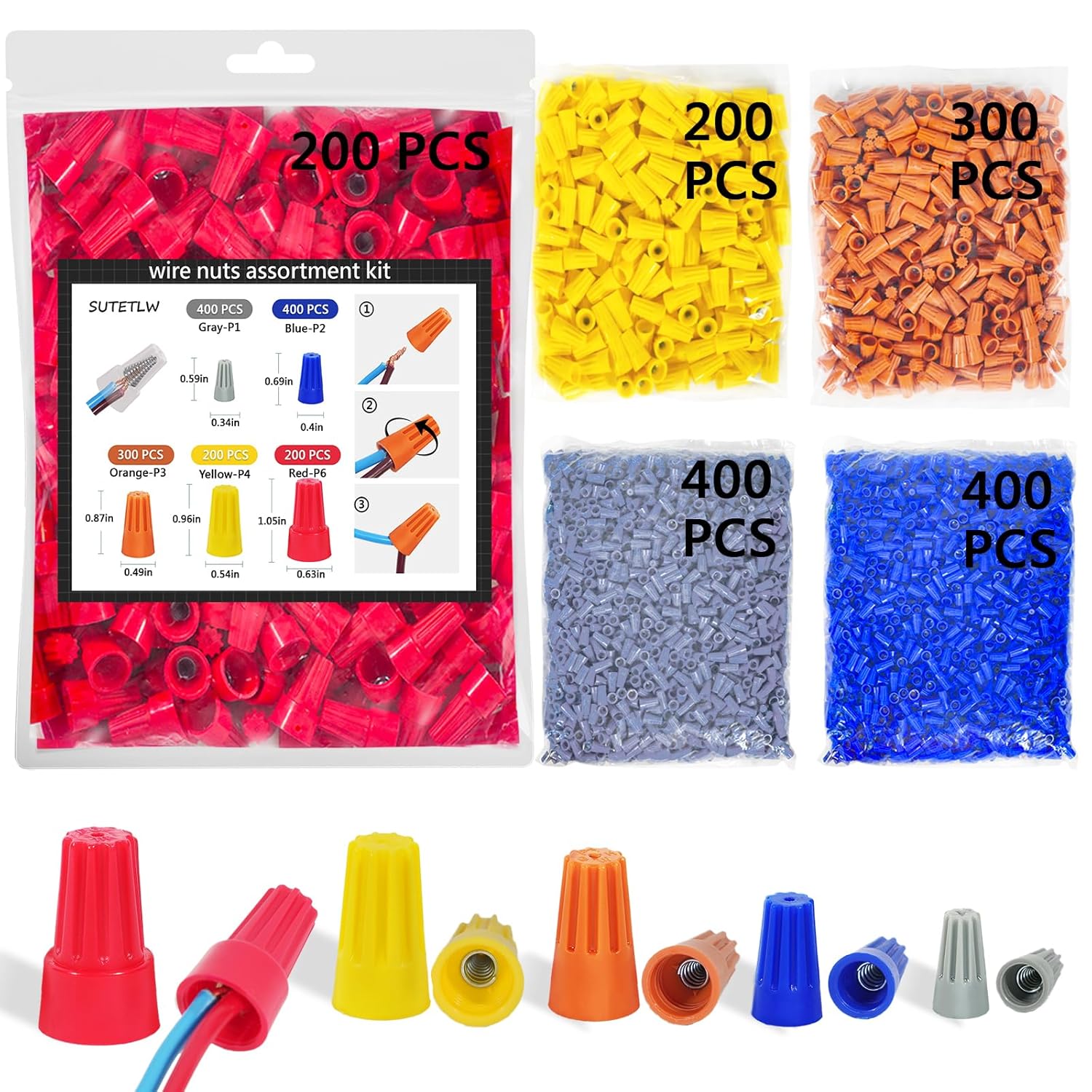
Wire nuts
Wire Nuts Assortment Kit 1500 PCS Insulating Insert ...
As an Amazon Associate we earn from qualifying purchases.
Step-by-Step Solution
Check Bulb Compatibility
Not all LED bulbs work well with smart dimmers. Check GE CYNC recommended bulb list. Bulbs from Philips, Cree, and GE Relax tend to work well. Replace any non-dimmable LEDs with dimmable rated bulbs as non-dimmable LEDs commonly cause buzzing.
Adjust Minimum Brightness
Open the CYNC app and select the dimmer. Look for brightness range or dim level settings. Increase the minimum brightness slightly. Some LED bulbs buzz at very low power levels but work fine at 15 percent and above.
Needed for this step
9 Inch Torpedo Level Magnetic, Shock-Proof Smal...
This helps complete the fix you are currently reading.
$6.99Check Wiring Connections
Turn off the circuit breaker. Remove the switch plate and pull the dimmer out carefully. Verify all wire nuts are tight and wires are fully inserted. Pay special attention to the ground wire as a loose ground commonly causes buzzing.
Needed for this step
Wire Nuts Assortment Kit 1500 PCS Insulating In...
This helps complete the fix you are currently reading.
$29.99Test with Different Bulbs
Install a single incandescent bulb temporarily. If the buzzing stops the issue is LED bulb compatibility. Then try different LED brands one at a time to find one that works silently with your CYNC dimmer.
Check Total Wattage Load
Add up the wattage of all bulbs on the dimmer circuit. Make sure the total does not exceed the dimmer maximum rating typically 300W for LED. Also make sure at least one bulb meets the minimum load requirement.
Quick Solutions
Still having issues? This is usually the deeper cause below.
If flickering only happens on dimming, the issue is almost always the dimmer's minimum-load setting, not the bulb — it's drawing less current than the dimmer expects.
Stick with one brand and model of LED bulb per dimmer circuit for the best dimming performance and least buzzing.
This issue almost always looks more complex than it is — the majority of cases trace back to a single setting, a stale credential, or a default that shipped wrong.
- LED bulbs incompatible with the dimmer
- Loose wiring connections at the switch
- Bulb load below the dimmer's minimum
- Ground wire not properly connected
- Too many bulbs overloading the dimmer
Before you go — try one of these (they fix most cases).
Official Manufacturer Manual
GE CYNC provides official product documentation through their online manual rather than downloadable PDF. Access setup guides, troubleshooting steps, and product specifications for your GE CYNC Dimmer Switch.
Source: gelighting.com
Need More Help? GE CYNC Support
Note: The contact information below connects you directly to GE CYNC's official customer support team, not Trunetto. They can help with warranty claims, device replacements, and advanced technical issues.

