

Why Is My Ecobee Fan Running on Its Own Without a Heating or Cooling Call?
- Fan minimum runtime setting configured to run fan X minutes per hour
- Ecobee Ventilate with Fresh Air feature on a schedule
- G wire connection shorting or independently energised at furnace
Problem Description
Your HVAC fan is running constantly or at regular intervals even when the Ecobee thermostat is not calling for heating or cooling. The fan runs in fan-only mode without any temperature differential requiring it. This is caused by the Ecobee fan minimum runtime setting being configured, the Ventilate with Fresh Air feature running on a schedule, or the G wire being independently energised by a wiring issue.
Why This Happens in Real Homes
The ecobee has a feature called Minimum Fan Runtime under the HVAC settings that forces the fan to run a certain number of minutes per hour even when there is no heating or cooling call. People set it to 20 minutes for air circulation and then forget about it, then call me saying the fan runs randomly. Check that setting first. The other cause is a wiring issue — if the G wire is getting phantom voltage from running next to the Y or W wire in the same cable bundle, the fan relay can engage on its own. Separate the G wire at the furnace control board and check for voltage with no thermostat call active. If you read voltage on G with no call, you have a short in the cable.
Symptoms
- HVAC fan runs continuously without any heating or cooling call
- Fan cycles on for short periods at regular intervals throughout the day
- Ecobee shows heat or cool off but fan indicator shows running
- Fan runtime is much higher than expected in Ecobee reports
- Fan was running occasionally before but now runs constantly
- Fan runs at night when no one is adjusting the temperature
Recognize these? Here's what usually causes it.
Common Causes
- Fan minimum runtime setting configured to run fan X minutes per hour
- Ecobee Ventilate with Fresh Air feature on a schedule
- G wire connection shorting or independently energised at furnace
- Fan Hold mode accidentally enabled in Ecobee settings
- Ecobee Follow Me feature adjusting comfort profile causing fan
- Circulation setting in Ecobee configured for high fan run percentage
Most fixes happen in the first 3 steps.
Do not disable all fan runtime settings if you have allergy sufferers in the home. Some circulation is beneficial for air quality. Reduce fan runtime to a reasonable level rather than eliminating it completely.
Step-by-Step Solution
Check fan setting mode
Open ecobee fan settings and verify the fan is not configured to run continuously or for extended minimum runtime per hour. Many 'random fan' complaints are scheduled circulation settings, not faults.
Review comfort profile overrides
Inspect active comfort settings and Smart Recovery behavior that can pre-run airflow for temperature balancing. These automation layers can start the fan before a visible heat/cool call.
Verify HVAC G-wire behavior
Confirm wiring on G terminal is stable and not shorting or cross-contacting adjacent conductors. A wiring fault can energize fan relay independently of thermostat intent.
Check third-party integrations
Temporarily disable Home Assistant, Alexa, or other automations that may be sending hidden fan commands. External control loops frequently cause recurring fan-only cycles.
Clear overrides and retest cycle
Cancel active holds, reboot ecobee, and monitor one full schedule period. If fan still runs unexpectedly with clean settings, HVAC control board diagnosis is next.
Quick Solutions
Still having issues? This is usually the deeper cause below.
If this comes back after following these steps, check whether a recent app or firmware update reset a default setting — the fix works, but the setting gets reverted silently.
Use the Ecobee energy reports to review actual fan runtime per day. A healthy system should run the fan between 4 and 8 hours per day in moderate weather depending on the home size.
This issue almost always looks more complex than it is — the majority of cases trace back to a single setting, a stale credential, or a default that shipped wrong.
- Fan minimum runtime setting configured to run fan X
- Ecobee Ventilate with Fresh Air feature on a schedule
- G wire connection shorting or independently energised at furnace
- Fan Hold mode accidentally enabled in Ecobee settings
- Ecobee Follow Me feature adjusting comfort profile causing fan
Before you go — try one of these (they fix most cases).
Most popular upgrades chosen by Ecobee Smart Thermostat owners.
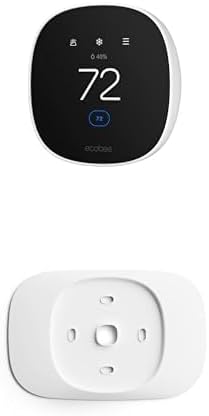
As an Amazon Associate we earn from qualifying purchases.
Official Manufacturer Manual
If you need the complete manufacturer documentation for advanced setup, wiring diagrams, or detailed specifications, you can download the official manual below. The manual includes full technical instructions directly from the manufacturer and may help if your issue requires deeper troubleshooting.
Download the Official Ecobee Smart Thermostat ManualSource: ecobee.com
Need More Help? Ecobee Support
Note: The contact information below connects you directly to Ecobee's official customer support team, not Trunetto. They can help with warranty claims, device replacements, and advanced technical issues.
How Does Ecobee Compare?
Before replacing your Ecobee device, see how it stacks up against alternatives in our full comparison guides.
Accessories owners commonly pair with Ecobee Smart Thermostat.

Ring Rechargeable Quick Release Battery Pack

Ring Chime Pro

SwitchBot Hub Mini Smart Remote - IR Universal Remote, Wi...
As an Amazon Associate we earn from qualifying purchases.


