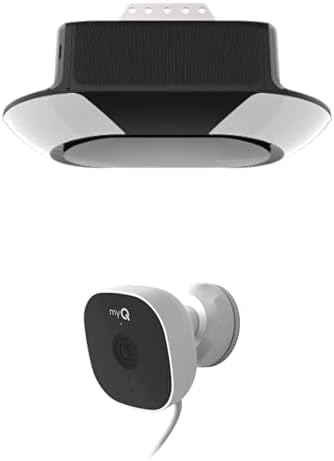
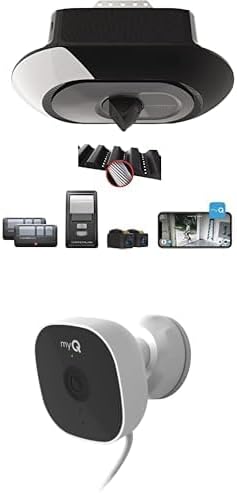
How to Install Chamberlain Chain Drive Garage Door Opener
- Check Installation Site
- Assemble Rail and Chain System
- Install Header Bracket
- Mount Motor Unit to Ceiling
- Adjust Chain Tension
- Install Safety Sensors
Most users complete this in under 4 minutes
Overview
Chamberlain Chamberlain Chain Drive Garage Door Opener setup takes under 15 minutes for most users — if you're stuck, the steps below target the specific points where installs stall.
This guide covers the installation of the Chamberlain chain drive garage door opener, including ceiling mounting, rail assembly, trolley installation, and built-in myQ WiFi configuration. Chamberlain chain drive openers include myQ connectivity for smartphone control and are suitable for one and two-car garages with standard 7 or 8-foot door clearance.
Why This Happens in Real Homes
Installing a Chamberlain chain drive opener suits standard one- and two-car garages with 7- or 8-foot door clearance, and the process mirrors the belt version — the difference is the chain, which needs proper tension. Begin by mounting the header bracket securely to framing above the door's highest point of travel, hang the motor from the ceiling so the rail is level and centered over the door, and connect the door arm to the top door section.
Assemble the rail and trolley per the manual and set the chain tension to spec: too loose and it slaps and jumps, too tight and it wears and strains the motor. Check that the door is balanced by hand before applying power, then set the up and down travel limits so it stops fully open and right at the floor, adjust the force, and align the photo-eye safety sensors at the base of the tracks until both LEDs are solid (the opener won't close otherwise). Finally, join myQ to your 2.4GHz WiFi in the app for smartphone control and alerts. Solid mounting, correct chain tension, set limits, aligned sensors, and 2.4GHz WiFi make for a reliable smart-connected install.
What's Included
- Installing a chain drive opener
- Rail/trolley assembly questions
- Ceiling mounting the motor
- Setting travel limits and force
- Safety sensor alignment
- myQ WiFi setup during install
- Programming the remote/keypad
- Door clearance / 7-8 ft questions
Got your materials ready? Here's what to check first.
Before You Start
- Header/wall bracket not mounted solidly above the door
- Motor unit not centered/level on the ceiling
- Rail or trolley assembled incorrectly
- Chain tension too loose or too tight
- Travel limits or force not set
- Photo-eye sensors misaligned (LEDs not solid)
- myQ not on 2.4GHz WiFi
- Door out of balance before installing
Don't skip this step — it breaks everything if you do
WARNING: Proper chain tension is critical. Over-tensioning can damage components and motor. Follow weight limits.
Tools & Requirements
These tools will help you complete this fix.

Drill optional
DEWALT 20V MAX Cordless Drill and Impact Driver, Pow...

Level
9 Inch Torpedo Level Magnetic, Shock-Proof Small Lev...

Screwdriver
STREBITO 155 in 1 Electric Screwdriver Set, Small El...
As an Amazon Associate we earn from qualifying purchases.
Installation Steps
Prepare Installation Site
Clear garage area, check door balance and weight, make sure minimum ceiling clearance of 2.5 inches, and locate electrical outlet within 6 feet.
Assemble Rail and Chain System
Connect rail sections, install drive sprocket and chain, route chain through trolley mechanism, and make sure proper chain engagement.
Install Header Bracket
Mount header bracket above garage door using lag bolts appropriate for door weight, make sure bracket is plumb and level.
Needed for this step
9 Inch Torpedo Level Magnetic, Shock-Proof Smal...
This helps complete the fix you are currently reading.
$6.99Mount Motor Unit to Ceiling
Install ceiling mounting brackets, lift motor unit into position, secure to brackets and connect to header bracket with provided hardware.
Adjust Chain Tension
Set proper chain tension using adjustment nuts, chain should be tight but allow 1/4 inch deflection when pressed at center point.
Install Safety Sensors
Mount safety reversal sensors 4-6 inches from ground on door tracks, align sensors, and run wire to motor unit terminal block.
Set Travel and Force Limits
Adjust up and down travel limit screws, set force adjustment for opening and closing, and test automatic reversal system.
Program and Test Controls
Program wall console and remote controls, test all safety features including manual release, and adjust settings for smooth operation.
Installation Tips
Still stuck? This is usually the deeper cause below.
Chain drive openers are reliable and cost-effective. Keep chain properly tensioned but not over-tight. Use appropriate fasteners for ceiling type.
Before you go — these Chamberlain guides fix most remaining issues.
Most popular upgrades chosen by Chamberlain Chain Drive Garage Door Opener owners.

Chamberlain B6713T Smart Advanced Corner LED Lighting-myQ...

Chamberlain C2405 MYQ Smart Garage Door Opener, Chain Dri...

Chamberlain B4603T MYQ Smart Garage Door Opener, Ultra Qu...
As an Amazon Associate we earn from qualifying purchases.
Official Manufacturer Manual
Chamberlain provides official product documentation through their online manual rather than downloadable PDF. Access setup guides, troubleshooting steps, and product specifications for your Chamberlain Chain Drive Garage Door Opener.
Source: chamberlaingroup.com
Need More Help? Chamberlain Support
Note: The contact information below connects you directly to Chamberlain's official customer support team, not Trunetto. They can help with warranty claims, device replacements, and advanced technical issues.
Accessories owners commonly pair with Chamberlain Chain Drive Garage Door Opener.

Chamberlain CIGCWC Smartphone Connectivity Kit for Chambe...

Mounting Bracket myQ Chamberlain Garage Smart Hub,Smart G...

CHAMBERLAIN myQ Smart Garage Door Video Keypad with Wide-...
As an Amazon Associate we earn from qualifying purchases.