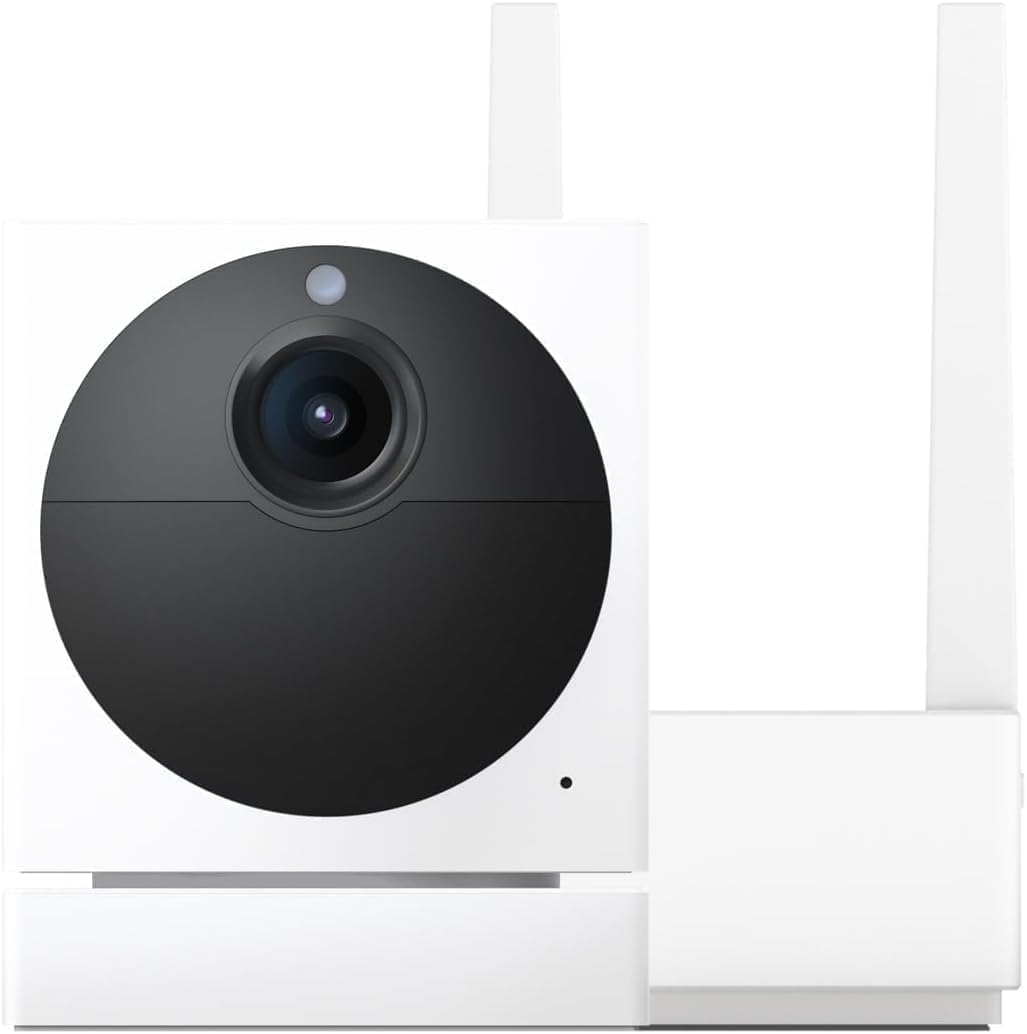
How Do I Enable RTSP Firmware on My Wyze Cam for Local Network Streaming?
- Standard Wyze firmware does not include RTSP streaming capability
- Need to flash special RTSP firmware version to enable the protocol
- Want to reduce dependency on Wyze cloud for privacy or reliability
Problem Description
You want to stream your Wyze camera feed locally on your network without relying on Wyze cloud servers. RTSP Real Time Streaming Protocol allows you to view the camera feed in VLC media player, record to a local NVR like Blue Iris, or integrate with Home Assistant. Wyze offers special RTSP firmware for the Wyze Cam v2 and v3 that enables this feature. It is not available on newer models. The RTSP feed works on your local network only and does not go through the cloud providing lower latency and better privacy.
Why This Happens in Real Homes
RTSP lets you stream locally to an NVR, Blue Iris, or Home Assistant without going through Wyze cloud. Wyze released official RTSP support for v3 and Pan v3 in February 2026 with firmware 4.36, but it has stability issues — streams drop after a few hours and need reconnecting. Older cameras like the v2 and Pan v1 have separate RTSP firmware that replaces the standard firmware entirely. The big gotcha is that running RTSP and Cam Plus at the same time introduces noticeable lag because the camera is encoding two separate streams on limited hardware.
Symptoms
- Want to view Wyze camera feed in VLC or other RTSP player
- Need to integrate Wyze camera with Home Assistant or local NVR
- Want to record locally without Wyze cloud subscription
- Concerned about cloud dependency and want local-only streaming
- Need lower latency video feed than what the Wyze app provides
- Want to use Wyze cameras with third-party recording software
Recognize these? Here's what usually causes it.
Common Causes
- Standard Wyze firmware does not include RTSP streaming capability
- Need to flash special RTSP firmware version to enable the protocol
- Want to reduce dependency on Wyze cloud for privacy or reliability
- Home automation setup requires RTSP camera input
- Local NVR system only accepts RTSP streams from cameras
- Want continuous local recording without Cam Plus subscription
Most fixes happen in the first 3 steps.
RTSP firmware may not receive updates as frequently as standard firmware. You may miss security patches and new features. Also running RTSP can increase the camera CPU load slightly which may reduce battery life on battery-powered models. RTSP is best suited for always-powered cameras.
Tools & Requirements
These tools will help you complete this fix.

Computer with SD card reader
UGREEN SD Card Reader - Portable USB 3.0 Dual Slot F...

MicroSD card 32GB or smaller
SANDISK 32GB High Endurance Video microSDHC Card wit...
As an Amazon Associate we earn from qualifying purchases.
Step-by-Step Solution
Download RTSP Firmware
For Wyze Cam v3 download the RTSP firmware from the Wyze support page. The file should be named demo_wcv3.bin. For Wyze Cam v2 the file is demo.bin. These are special firmware versions different from the standard firmware. Note that RTSP firmware may lag behind the standard firmware in features and security updates. Wyze does not offer RTSP firmware for Cam v4, OG, or Pan models.
Flash RTSP Firmware via SD Card
Format a microSD card 32GB or smaller as FAT32. Copy the RTSP firmware file to the root of the card. Unplug the camera. Insert the SD card. Hold the setup button while plugging in power. Hold for 3 to 6 seconds. The LED turns purple during flashing. Wait 3 to 5 minutes for the process to complete. The LED will turn yellow then flashing yellow when ready.
Needed for this step
UGREEN SD Card Reader - Portable USB 3.0 Dual S...
This helps complete the fix you are currently reading.
$7.99Enable RTSP in Camera Settings
After the camera reboots with RTSP firmware open the Wyze app. Go to the camera then tap the gear icon for Settings. You will see a new option called RTSP. Tap it and toggle RTSP to On. Set a username and password for the RTSP stream. The app will display the RTSP URL which will look like rtsp://username:password@camera-ip-address/live. Copy this URL.
Connect RTSP Stream to Your Player or NVR
Open VLC Media Player and go to Media then Open Network Stream. Paste the RTSP URL and click Play. The camera feed will appear with low latency. For Blue Iris add a new camera and enter the RTSP URL as the source. For Home Assistant add a camera integration with the RTSP stream URL. The stream runs on your local network only and does not consume internet bandwidth.
Alternative for Newer Cameras Using Docker Wyze Bridge
If you have a Wyze Cam v4, OG, or Pan that does not support RTSP firmware use Docker Wyze Bridge. This is a community project that runs in a Docker container on a local computer or NAS. It connects to your Wyze cameras through the Wyze API and re-streams them as RTSP on your local network. Install Docker then run the wyze-bridge container with your Wyze credentials. Each camera gets its own RTSP URL automatically.
Quick Solutions
Still having issues? This is usually the deeper cause below.
Camera issues that start suddenly almost always trace back to an upload bandwidth drop — run a speed test before assuming hardware failure.
Assign a static IP or DHCP reservation to your Wyze camera before setting up RTSP. If the camera IP changes the RTSP URL breaks and you must update it in every player or NVR that uses it. A static IP ensures the stream URL never changes.
Live view problems that start suddenly usually trace back to an upload speed drop — the camera itself is fine, the bandwidth path to the cloud isn't.
- Standard Wyze firmware does not include RTSP streaming capability
- Need to flash special RTSP firmware version to enable
- Want to reduce dependency on Wyze cloud for privacy
- Home automation setup requires RTSP camera input
- Local NVR system only accepts RTSP streams from cameras
Before you go — try one of these (they fix most cases).
Most popular upgrades chosen by Wyze Cam owners.

Wyze Cam v3, 1080P HD WiFi Wired Indoor/Outdoor Home Secu...
WYZE Cam v3, 1080P HD WiFi Wired Indoor/Outdoor Home Secu...

WYZE Cam OG Indoor/Outdoor 1080p Wi-Fi Smart Home Securit...
As an Amazon Associate we earn from qualifying purchases.
Official Manufacturer Manual
Wyze provides official product documentation through their online manual rather than downloadable PDF. Access setup guides, troubleshooting steps, and product specifications for your Wyze Cam.
Source: support.wyze.com
Need More Help? Wyze Support
Note: The contact information below connects you directly to Wyze's official customer support team, not Trunetto. They can help with warranty claims, device replacements, and advanced technical issues.
How Does Wyze Compare?
Before replacing your Wyze device, see how it stacks up against alternatives in our full comparison guides.