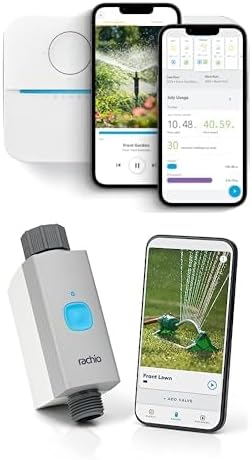
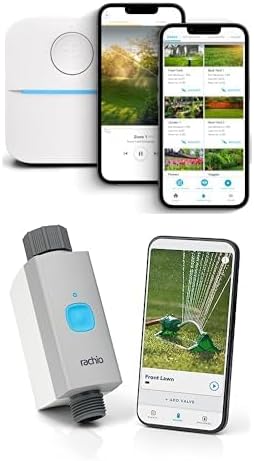
Why Does My Rachio 3 Weather Intelligence Keep Skipping Watering When My Lawn Needs It
- Weather station used is too far away
- Soil type configured incorrectly
- Climate intelligence over-predicting moisture
Problem Description
Your Rachio 3 Weather Intelligence Plus keeps skipping scheduled watering even when your lawn clearly needs water. The system claims rain was predicted or conditions are wet, but your grass is turning brown. Weather Intelligence is being too aggressive in skipping schedules.
Why This Happens in Real Homes
Weather Intelligence skipping when the lawn is dry is a data problem, not a broken controller, since the system is trusting a station or soil setting that says it rained. In real yards the assigned weather station is miles away in a different microclimate, or the soil type is set wrong so it over-predicts moisture. Pick a closer station or a personal weather station and correct the soil type.
Symptoms
- Skipping schedules when lawn is dry and brown
- Weather Intelligence says rain predicted but no rain comes
- Soil moisture estimation seems wrong
- More skips than actual watering days
- Lawn suffering while sprinklers stay off
- Weather station data seems inaccurate
Recognize these? Here's what usually causes it.
Common Causes
- Weather station used is too far away
- Soil type configured incorrectly
- Climate intelligence over-predicting moisture
- Forecast-based skip but forecast was wrong
- Vegetation type settings too conservative
- Historical rain data including areas that got rain but yours did not
Most fixes happen in the first 3 steps.
Overriding Weather Intelligence repeatedly defeats its purpose. Take time to calibrate settings properly rather than constantly overriding. Well-configured Weather Intelligence saves water while keeping lawns healthy.
Step-by-Step Solution
Change Weather Station
Rachio uses nearby weather stations for data. In the app, go to Controller Settings, Weather Intelligence, then Weather Station. Review available stations and select one closer to your location. Stations just a few miles away can have very different rainfall. Check which station reports conditions most like your yard.
Verify Soil Type Configuration
Go to each zone settings and check soil type. Sandy soil drains fast and needs more water. Clay holds water longer. If your clay soil is set as sandy, the system thinks it drains quickly and skips less than it should. Correct soil type affects watering calculations significantly.
Review Skip History
In the Rachio app, go to History and review recent skips. Tap each skip to see why it was triggered. If skips say Rain Predicted but rain did not come, the forecast-based skip is the issue. You can disable predictive features while keeping reactive skip (actual rain detected).
Adjust Zone-Level Settings
Each zone has settings for vegetation type, sun exposure, and slope. If set incorrectly, the system calculates wrong water needs. Grass in full sun needs more water than the system may estimate if you selected Partial Sun. Review and correct each zone parameter.
Disable Weather Intelligence Temporarily
If your lawn is suffering, temporarily disable Weather Intelligence in controller settings. Run your schedule manually or on a fixed schedule until conditions improve. This is not ideal long-term but prevents lawn damage while you troubleshoot settings.
Quick Solutions
Still having issues? This is usually the deeper cause below.
If this comes back after following these steps, check whether a recent app or firmware update reset a default setting — the fix works, but the setting gets reverted silently.
Use Rachio monthly Yard Reports to see how much water was actually applied versus skipped. This helps identify if skipping is too aggressive for your climate.
This issue almost always looks more complex than it is — the majority of cases trace back to a single setting, a stale credential, or a default that shipped wrong.
- Weather station used is too far away
- Soil type configured incorrectly
- Climate intelligence over-predicting moisture
- Forecast-based skip but forecast was wrong
- Vegetation type settings too conservative
Before you go — try one of these (they fix most cases).
Official Manufacturer Manual
Rachio provides official product documentation through their online manual rather than downloadable PDF. Access setup guides, troubleshooting steps, and product specifications for your Rachio 3 Smart Sprinkler Controller.
Source: support.rachio.com
Need More Help? Rachio Support
Note: The contact information below connects you directly to Rachio's official customer support team, not Trunetto. They can help with warranty claims, device replacements, and advanced technical issues.
How Does Rachio Compare?
Before replacing your Rachio device, see how it stacks up against alternatives in our full comparison guides.