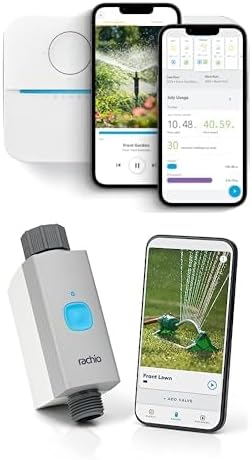
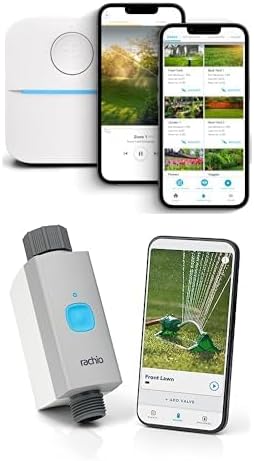
Why Are My Rachio 3 Zones Running at the Wrong Times Despite My Schedule
- Controller time zone set incorrectly
- Weather Intelligence adjusting schedule automatically
- Schedule start time is end-by not start-at
Problem Description
Your Rachio 3 sprinkler zones are running at times different from what you scheduled. The system may start watering hours earlier or later than expected, run in the middle of the night when scheduled for morning, or skip days entirely. Your schedule looks correct in the app but the actual watering behavior does not match.
Why This Happens in Real Homes
Zones running at the wrong time are almost always a clock, timezone, or start-time misunderstanding, not a schedule bug. In real yards the controller timezone is wrong, Weather Intelligence shifted the run, or the start time was read as end-by instead of start-at. Set the correct timezone, check whether the schedule uses end-time, and review any weather-based shifting.
Symptoms
- Zones start hours before or after scheduled time
- Watering at 3am when scheduled for 6am
- Some scheduled days skipped without explanation
- Schedule shows correctly but runs at wrong time
- Zones run at correct time for a few days then drift
- Time zone seems wrong in controller behavior
Recognize these? Here's what usually causes it.
Common Causes
- Controller time zone set incorrectly
- Weather Intelligence adjusting schedule automatically
- Schedule start time is end-by not start-at
- Multiple schedules overlapping and conflicting
- Seasonal adjustment modifying run times
- Standby mode partially enabled
Most fixes happen in the first 3 steps.
Making major schedule changes during an active watering window can cause unexpected behavior. Make edits when no zones are running and preferably at least an hour before the next scheduled start.
Step-by-Step Solution
Verify Time Zone Setting
Open the Rachio app, go to controller settings, and check the time zone. If incorrect, the controller will water at the wrong local time. The controller determines time zone from its location setting, so verify the address is correct. After correcting, wait for the next scheduled run to confirm fix.
Review Weather Intelligence Activity
Rachio Weather Intelligence can skip or shift watering based on forecasts. In the app, go to History and look for entries showing schedule adjustments. Weather Intelligence icons indicate why runs were modified. If this is causing unwanted changes, you can disable specific features like Rain Skip or Freeze Skip.
Check Schedule Start Time Type
Rachio offers different start time options: specific time, end by sunrise, or start before sunrise. If you set End by Sunrise, the system backs up the start time so all zones finish before dawn. This may make it seem like watering is starting at the wrong time when it is working as designed.
Look for Schedule Conflicts
If you have multiple schedules, they may be overlapping or interfering. Go to Schedules in the app and review each one. Check that enabled schedules are not set to run on the same days at conflicting times. Disable all schedules except one, test it, then re-enable others one at a time.
Disable Seasonal Shift Temporarily
Seasonal Shift adjusts run times based on time of year and evapotranspiration rates. In controller settings, find Seasonal Shift and turn it off. Run your schedule for a few days to see if timing is now correct. If so, decide whether to leave it off or accept the automatic adjustments.
Quick Solutions
Still having issues? This is usually the deeper cause below.
Schedules that skip randomly are usually a daylight-saving holdover — delete and recreate the schedule to clear the corrupted entry.
The Rachio app history shows detailed logs of why each zone ran including any Weather Intelligence adjustments. Review history for the problem days to understand exactly what the system decided and why.
Thermostat issues that keep returning are often caused by stale backup-battery memory holding old settings across power cycles without the user realising.
- Controller time zone set incorrectly
- Weather Intelligence adjusting schedule automatically
- Schedule start time is end-by not start-at
- Multiple schedules overlapping and conflicting
- Seasonal adjustment modifying run times
Before you go — try one of these (they fix most cases).
Official Manufacturer Manual
Rachio provides official product documentation through their online manual rather than downloadable PDF. Access setup guides, troubleshooting steps, and product specifications for your Rachio 3 Smart Sprinkler Controller.
Source: support.rachio.com
Need More Help? Rachio Support
Note: The contact information below connects you directly to Rachio's official customer support team, not Trunetto. They can help with warranty claims, device replacements, and advanced technical issues.
How Does Rachio Compare?
Before replacing your Rachio device, see how it stacks up against alternatives in our full comparison guides.