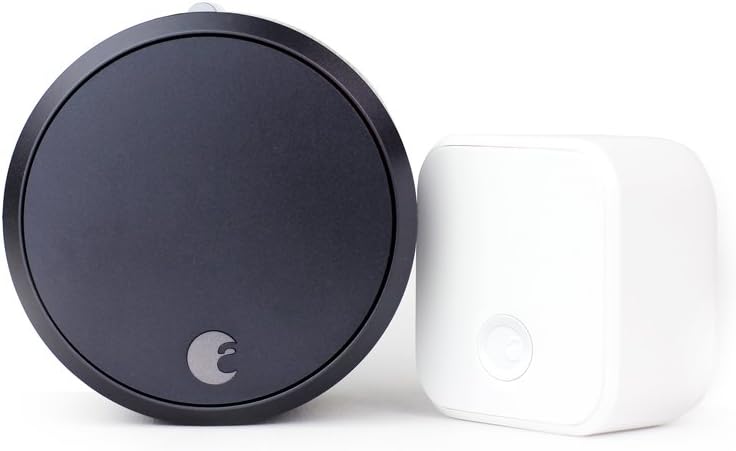
How to Install August Smart Lock Pro
- Verify deadbolt compatibility and remove the interior assembly
- Install the mounting plate and adapter
- Attach the August Smart Lock Pro body
- Install batteries and calibrate via the August app
- Set up the August Connect WiFi Bridge for remote access
- Connect to Z-Wave hub (optional) and set up DoorSense
Most users complete this in under 60 minutes
Overview
You are installing the August Smart Lock Pro (3rd Generation) — the larger cylindrical lock with a metal body that requires a separate August Connect WiFi Bridge for remote access. Unlike the newer WiFi Smart Lock, the Pro model connects via Bluetooth only and needs the Connect bridge plugged into an outlet near the door for WiFi functionality. The Pro has Z-Wave Plus built in for SmartThings and other Z-Wave hub integration. Installation is similar to the WiFi model — it replaces only the interior deadbolt assembly — but the Connect bridge adds an extra setup step.
Why This Happens in Real Homes
The August Smart Lock Pro is the enthusiast choice because of its Z-Wave Plus support and metal construction. However, the requirement for a separate Connect bridge is a common source of confusion — users expect WiFi connectivity out of the box and discover they need the bridge after installation. The Pro is being replaced by the newer WiFi Smart Lock in August lineup, but it remains popular for users who need Z-Wave integration with SmartThings or Hubitat. The bridge placement is critical: too far from the lock and Bluetooth drops, too far from the router and WiFi drops.
What's Included
- Motor-driven smart lock
- Smartphone keyless entry
- Retrofit installation
- Existing deadbolt upgrade
Got your materials ready? Here's what to check first.
Before You Start
- Keyless home entry
- Smart lock retrofit
- Smartphone access control
- Secure door automation
Don't skip this step — it breaks everything if you do
Keeps existing keys functional as backup. Motor calibration essential for proper operation. Check door alignment for smooth motor function.
Tools & Requirements
These tools will help you complete this fix.

Drill optional
DEWALT 20V MAX Cordless Drill and Impact Driver, Pow...

Level
9 Inch Torpedo Level Magnetic, Shock-Proof Small Lev...

Screwdriver
STREBITO 155 in 1 Electric Screwdriver Set, Small El...
As an Amazon Associate we earn from qualifying purchases.
Installation Steps
Verify deadbolt compatibility and remove the interior assembly
The August Smart Lock Pro fits standard single-cylinder deadbolts on doors 1-3/8 to 2-1/4 inches thick. Remove the two screws holding the interior thumb turn plate and pull off the plate and thumb turn. Leave the exterior deadbolt and tailpiece in place. The Pro model is larger and heavier than the WiFi model — verify there is enough clearance for the cylindrical body on the interior side of the door. If the deadbolt is close to the door handle, measure to confirm at least 3 inches of clearance between the two.
Install the mounting plate and adapter
Select the correct tailpiece adapter from the included set — match it to the metal bar shape visible through the door. The Pro mounting plate is similar to the WiFi model but has additional screw hole positions. Attach the adapter to the plate, align with the tailpiece, and secure with screws. Test the tailpiece rotation before mounting the lock body — turn the adapter with your fingers to verify smooth deadbolt operation.
Attach the August Smart Lock Pro body
The Pro lock body slides onto the mounting plate from the front. Align the tabs and press firmly until it clicks into the plate. The Pro is heavier than the WiFi model due to its metal construction — make sure the mounting plate screws are tight enough to support the weight. Test the lock by turning the exterior thumb turn: the deadbolt should extend and retract smoothly. If there is grinding or excessive resistance, loosen the mounting plate screws slightly — over-tightening is the most common cause of motor strain on August locks.
Install batteries and calibrate via the August app
Insert 4 AA batteries into the battery compartment on the back of the lock (twist the cover to open). The lock powers on with a chime. Open the August app, tap Set Up a Device, and select Smart Lock Pro. The app finds the lock via Bluetooth. Run the calibration wizard — lock and unlock the door when prompted so the lock learns the full rotation. The Pro does not have built-in WiFi — the app will work via Bluetooth when you are near the door, but for remote access you need the August Connect bridge.
Set up the August Connect WiFi Bridge for remote access
The August Connect is a small plug-in device that bridges Bluetooth to WiFi. Plug it into an outlet within 15 feet of the lock with line of sight if possible. In the August app, go to Lock Settings and tap Set Up Connect. The app will find the bridge and walk you through connecting it to your 2.4GHz WiFi. Once connected, you can control the lock remotely from anywhere. The Connect bridge also enables Alexa and Google Assistant voice control. Keep the bridge plugged in at all times — unplugging it disables remote access.
Connect to Z-Wave hub (optional) and set up DoorSense
The Smart Lock Pro has a built-in Z-Wave Plus radio. If you have a SmartThings hub, Hubitat, or other Z-Wave controller, pair the lock through your hub setup process: put the hub in Z-Wave inclusion mode, then in the August app go to Lock Settings and enable Z-Wave. The lock broadcasts its Z-Wave signal and the hub discovers it. This gives you local control and automation through your Z-Wave hub in addition to cloud control through August. Set up DoorSense by attaching the included magnet to the door frame aligned with the sensor on the mounting plate.
Needed for this step
DEWALT 20V MAX Cordless Drill and Impact Driver...
This helps complete the fix you are currently reading.
$139.00Installation Tips
Still stuck? This is usually the deeper cause below.
Smart Lock Pro retrofits over existing deadbolt without changing exterior appearance. Motor-driven operation with smartphone and key backup access.
Before you go — these August Home guides fix most remaining issues.
Most popular upgrades chosen by August Smart Lock Pro owners.
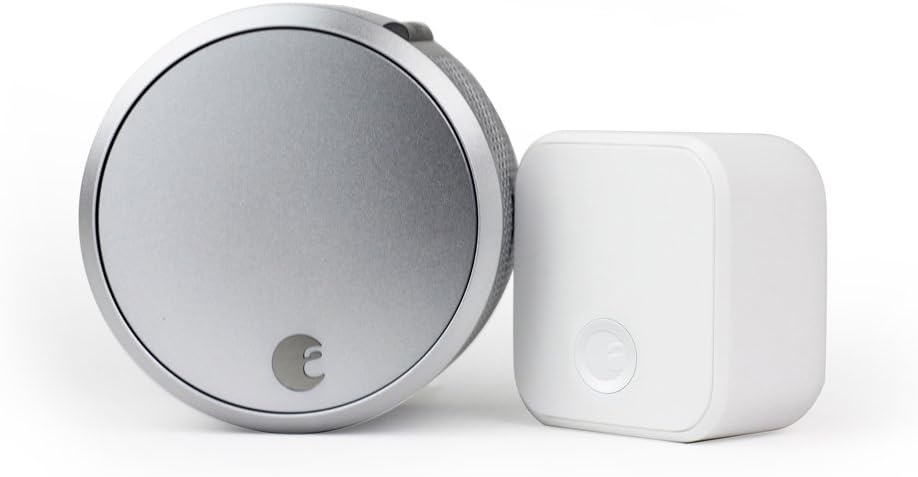
August Home Smart Lock Pro + Connect Hub - Wi-Fi Smart Lo...

August Home Smart Lock + Connect, Silver

August Home Connect Wi-Fi Bridge, Remote Access, Alexa In...
As an Amazon Associate we earn from qualifying purchases.
Official Manufacturer Manual
If you need the complete manufacturer documentation for advanced setup, wiring diagrams, or detailed specifications, you can download the official manual below. The manual includes full technical instructions directly from the manufacturer and may help if your issue requires deeper troubleshooting.
Download the Official August Smart Lock Pro ManualSource: august.com
Need More Help? August Home Support
Note: The contact information below connects you directly to August Home's official customer support team, not Trunetto. They can help with warranty claims, device replacements, and advanced technical issues.
How Does August Home Compare?
Before replacing your August Home device, see how it stacks up against alternatives in our full comparison guides.
Guide Improvements
- Updated June 18, 2026
Rewrote with Smart Lock Pro-specific steps including Z-Wave setup and Connect WiFi Bridge pairing
Source: SEO cannibalization fix