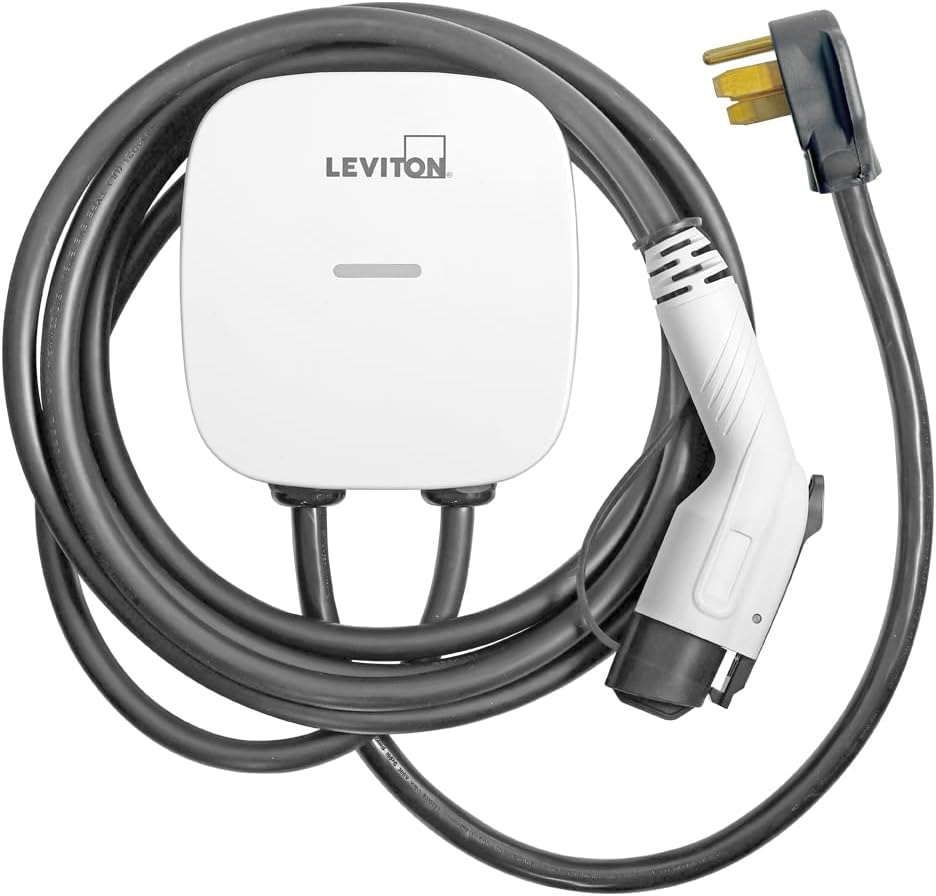
EV Charger App Not Starting Charging Session
- WiFi connectivity issues
- App authentication expired
- Charger firmware outdated
Problem Description
Your smart EV charger app fails to start charging sessions remotely or shows charging unavailable errors. The physical charger may work when activated manually but app-based remote start functionality doesn't work.
Why This Happens in Real Homes
An EV charger app that won't start a session usually has a connectivity or authentication problem — the charger dropped WiFi, the app login/token expired, or a scheduled/energy rule is blocking the start. The hardware is fine; the command isn't getting through.
Start by confirming the charger is online (its own indicator) and re-logging into the app to refresh authentication, then check for a schedule or time-of-use rule that's deferring the charge. Plugging in and starting from the charger itself isolates whether it's the app or the unit; most "won't start" cases are the app connection.
Symptoms
- App shows charger offline
- Start charging command fails
- Charging session won't begin remotely
- Charger responds to app but won't start
- Schedule charging not working
- Authentication errors in app
Recognize these? Here's what usually causes it.
Common Causes
- WiFi connectivity issues
- App authentication expired
- Charger firmware outdated
- Circuit breaker or GFCI tripped
- Vehicle not properly connected
- Time-of-use settings blocking charge
Most fixes happen in the first 3 steps.
Never attempt to force charging cable connections. Damaged charging cables can cause electrical hazards. Always ensure proper connection before troubleshooting.
Tools & Requirements
These tools will help you complete this fix.

Clean cloth
WHOOSH! Pro 16.9 fl oz Refillable TV Screen Cleaner ...

Replacement batteries
Duracell Coppertop Double AA Batteries with Power Bo...

Screwdriver
STREBITO 155 in 1 Electric Screwdriver Set, Small El...
As an Amazon Associate we earn from qualifying purchases.
Step-by-Step Solution
Verify Charger WiFi Connection
Check charger display or LED indicators for WiFi status. If offline restart charger by switching circuit breaker off for 30 seconds then on. Verify home WiFi network is working and charger is within range.
Re-authenticate App Connection
Log out of charger app completely then log back in. This refreshes authentication tokens that may have expired. Some chargers require periodic re-authentication for security reasons especially after firmware updates.
Check Vehicle Connection Status
Make sure charging cable is properly connected to vehicle and locked in place. Some chargers require vehicle to be in Park or Ready mode before remote charging can begin. Check vehicle charging settings and unlock if needed.
Review Time-of-Use Settings
Check charger schedule settings for time-of-use restrictions or utility rate optimization features. These may prevent charging during peak rate hours even when manually started through app.
Update Charger Firmware
Check charger app or web portal for available firmware updates. Many charging issues are resolved by firmware updates that improve app connectivity and add new vehicle compatibility.
Quick Solutions
Still having issues? This is usually the deeper cause below.
If drain continues after replacing batteries, check the event history — a stuck-open sensor or rapid polling loop burns through batteries in days.
Some EVs require specific charging modes or settings to accept remote charging commands. Consult vehicle manual for remote charging requirements.
This issue almost always looks more complex than it is — the majority of cases trace back to a single setting, a stale credential, or a default that shipped wrong.
- WiFi connectivity issues
- App authentication expired
- Charger firmware outdated
- Circuit breaker or GFCI tripped
- Vehicle not properly connected
Before you go — try one of these (they fix most cases).
Official Manufacturer Manual
Home Assistant provides official product documentation through their online manual rather than downloadable PDF. Access setup guides, troubleshooting steps, and product specifications for your Smart EV Charger.
Source: home-assistant.io
Need More Help? Home Assistant Support
Note: The contact information below connects you directly to Home Assistant's official customer support team, not Trunetto. They can help with warranty claims, device replacements, and advanced technical issues.
Accessories owners commonly pair with Smart EV Charger.

As an Amazon Associate we earn from qualifying purchases.