

Why Is My Levoit Air Purifier Making a Loud Grinding or Rattling Noise
- Filter not seated correctly, vibrating against the housing
- Foreign object fallen into the fan intake
- Fan motor bearing wearing out after long continuous use
Problem Description
Your Levoit air purifier has started making unusual loud noises including grinding, rattling, buzzing, or high-pitched whining sounds. The noise may be constant at all fan speeds or only appear at certain speed settings. The purifier may have been quiet previously and started making noise suddenly or gradually over time.
Why This Happens in Real Homes
Most sudden Levoit noises are mechanical and fixable in a couple of minutes, so start with the filter and the enclosure. A filter that isn't seated squarely - or is upside down, the wrong size, or still partly wrapped in plastic - vibrates against the housing and creates rattles and grinding, and it's the number-one cause of noise that appears right after a filter change. Reseat it correctly, remove any wrapper, and make sure the bottom cover and filter door are fully latched, since a loose door is a classic rattle source. Setting the unit on a flat, hard, level surface stops vibration that a soft or uneven surface amplifies.
If the filter and enclosure are right and it's still loud, look deeper. A foreign object - a coin, a bit of debris, a pet's toy - drawn into the intake will grind or click; power off, unplug, and check the fan area. Dust built up on the fan blades unbalances them and causes whining or vibration, so clean them if your model allows access. The one cause that isn't a quick fix is a worn motor bearing, which typically develops gradually into a persistent grinding or high-pitched whine that's present at all speeds; if the noise remains after ruling out the filter, foreign objects, latching, and surface, contact Levoit, as a failing bearing usually means service or replacement.
Symptoms
- Loud grinding or scraping sound when the fan runs
- High-pitched whine or whistle at higher speeds
- Rattling or vibration that worsens over time
- Noise started right after installing a new filter
- Buzzing at low speed but quiet at medium/high
- Clicking at startup that continues while running
- Noise constant at all speeds
- Unit vibrates against the surface it's on
Recognize these? Here's what usually causes it.
Common Causes
- Filter not seated correctly, vibrating against the housing
- Foreign object fallen into the fan intake
- Fan motor bearing wearing out after long continuous use
- Bottom cover or filter door not fully latched
- Filter installed upside down or wrong orientation
- Unit on an uneven surface amplifying vibration
- Plastic wrap left on the new filter fluttering in airflow
- Dust/debris on the fan blades causing imbalance
Most fixes happen in the first 3 steps.
Never operate the purifier without a filter installed for more than a brief diagnostic test. Running without a filter allows dust to accumulate directly on the motor and internal components, causing permanent damage.
Tools & Requirements
These tools will help you complete this fix.
As an Amazon Associate we earn from qualifying purchases.
Step-by-Step Solution
Check Filter Seating and Orientation
Turn off and unplug the purifier. Remove the bottom cover or side panel. Take the filter out completely and inspect it for damage, warping, or debris stuck to the outer mesh. Reinstall the filter ensuring the arrow markings on the filter match the airflow direction indicated inside the housing. The filter should sit flush with no gaps. A misaligned filter is the most common cause of new noise after a filter change.
Inspect for Foreign Objects
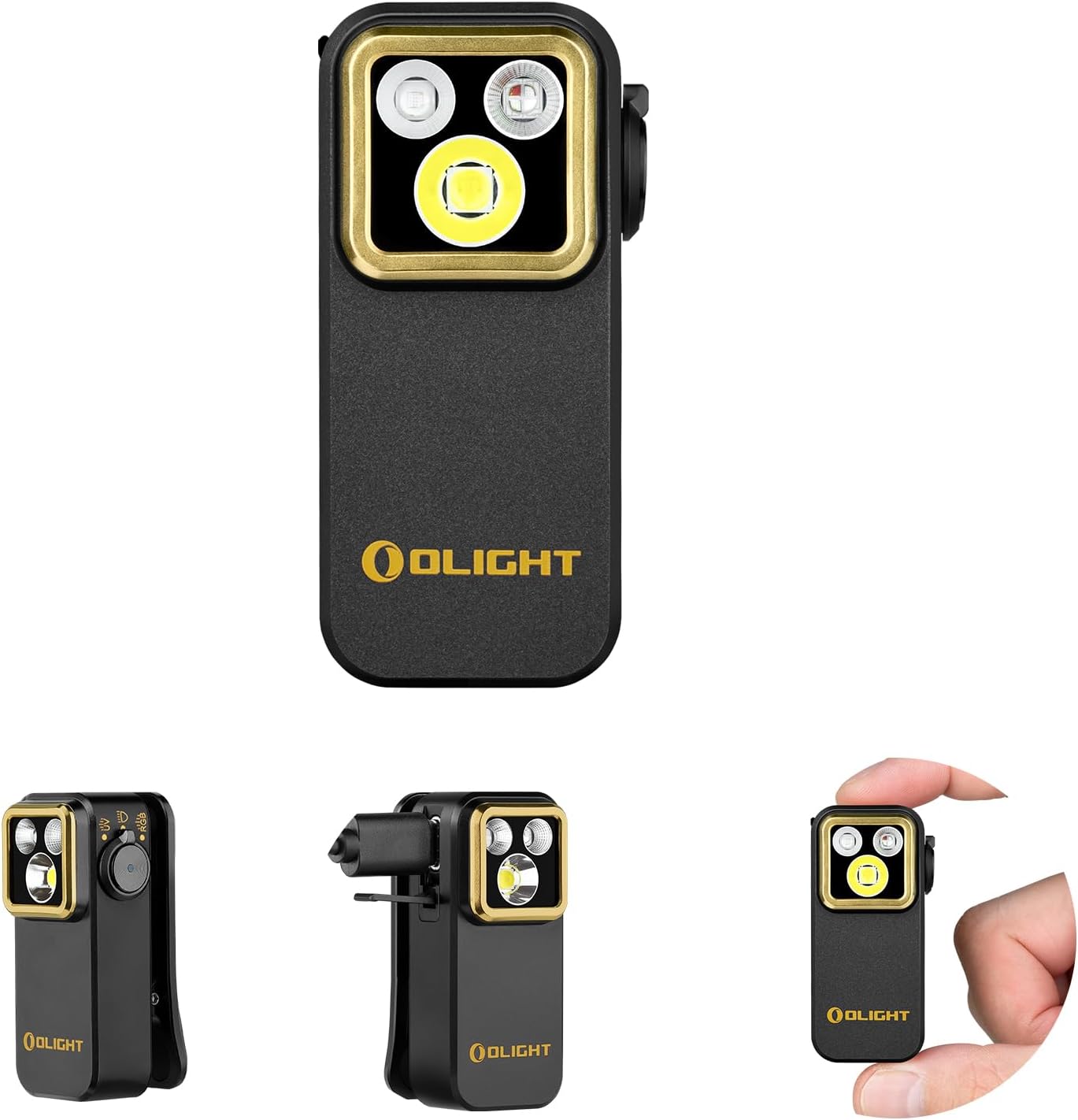
With the filter removed, look inside the fan chamber with a flashlight. Small items like paper clips, coins, hair ties, or pet toys can fall through the intake grille and hit the fan blades. Also check for loose pieces of filter material or packaging that may have broken off. Remove any debris carefully without touching the fan blades directly. Shake the unit gently upside down to dislodge anything stuck inside.
Needed for this step
OLIGHT Oclip Pro S EDC Flashlight Clip-on Light...
This helps complete the fix you are currently reading.
$39.99Secure All Panels and Covers
Make sure the bottom cover or filter access panel is fully closed and latched. On Levoit Core models, the bottom cover has alignment tabs that must click into place. If any tab is bent or broken, the cover will vibrate against the body creating a rattling sound. Press firmly on each edge of the cover until you hear or feel it click. Also check that the purifier body itself has no loose screws on the outer housing.
Test on a Flat Hard Surface
Place the purifier on a flat, hard surface like a table or hard floor. Soft surfaces like carpet, beds, or towels can amplify vibrations and create buzzing or humming sounds. Run the purifier at each speed setting. If the noise disappears on a hard surface, add a thin rubber mat under the purifier on softer surfaces to dampen vibration. Avoid placing the purifier near walls or furniture that can create resonance.
Diagnose Motor Issues
If the noise persists after all checks, the fan motor bearing may be worn. Run the purifier without the filter installed briefly to isolate the sound. If the grinding or whining comes from the motor itself, this is a hardware issue that cannot be fixed with cleaning or repositioning. Check your warranty status as Levoit covers motor defects for 2 years. Contact Levoit support with a video recording of the noise for faster diagnosis.
Quick Solutions
Still having issues? This is usually the deeper cause below.
If this comes back after following these steps, check whether a recent app or firmware update reset a default setting — the fix works, but the setting gets reverted silently.
Running the purifier 24/7 at maximum speed significantly reduces motor bearing lifespan. Use auto mode which adjusts fan speed based on air quality to extend the motor life.
This issue almost always looks more complex than it is — the majority of cases trace back to a single setting, a stale credential, or a default that shipped wrong.
- Filter not seated correctly, vibrating against the housing
- Foreign object fallen into the fan intake
- Fan motor bearing wearing out after long continuous use
- Bottom cover or filter door not fully latched
- Filter installed upside down or wrong orientation
Before you go — try one of these (they fix most cases).
Most popular upgrades chosen by Levoit Air Purifier owners.

As an Amazon Associate we earn from qualifying purchases.
Official Manufacturer Manual
Levoit provides official product documentation through their online manual rather than downloadable PDF. Access setup guides, troubleshooting steps, and product specifications for your Levoit Air Purifier.
Source: levoit.com
Need More Help? Levoit Support
Note: The contact information below connects you directly to Levoit's official customer support team, not Trunetto. They can help with warranty claims, device replacements, and advanced technical issues.
Accessories owners commonly pair with Levoit Air Purifier.

LEVOIT Evaporative Humidifiers for Bedroom Baby, Dual Air...

LEVOIT Smart Cool Mist Top Fill Humidifiers for Bedroom w...

LEVOIT Classic300S Ultrasonic Smart Top Fill Humidifier, ...
As an Amazon Associate we earn from qualifying purchases.


