

How Do I Connect SimpliSafe to Alexa and Google Home?
- No Interactive monitoring subscription active
- SimpliSafe skill or action not properly linked
- Voice PIN not configured in SimpliSafe app
Problem Description
You want to control your SimpliSafe security system using Alexa or Google Home voice commands. This guide covers linking your SimpliSafe account to voice assistants, setting up your voice PIN, and troubleshooting common integration problems. Voice control requires an Interactive monitoring plan.
Why This Happens in Real Homes
Voice control of SimpliSafe is limited by design and by plan: you can arm and check status by voice, but disarming is blocked or PIN-gated for security, and the integration needs an active Interactive/Fast Protect monitoring plan. Most "won't work" cases are no plan or the skill not linked.
Start by confirming you have an eligible monitoring subscription, then enable and link the SimpliSafe skill in Alexa or Google Home. Expect to arm and query by voice but not freely disarm — that's a deliberate security limit, not a bug.
Symptoms
- Need to arm SimpliSafe using voice commands
- Want to check system status via Alexa or Google
- Alexa says SimpliSafe is not responding
- Google Home cannot find SimpliSafe devices
- Voice commands work sometimes but not always
- Unsure which monitoring plan supports voice control
Recognize these? Here's what usually causes it.
Common Causes
- No Interactive monitoring subscription active
- SimpliSafe skill or action not properly linked
- Voice PIN not configured in SimpliSafe app
- Account credentials changed after initial linking
- SimpliSafe servers experiencing temporary outage
- Alexa or Google Home service disruption
Most fixes happen in the first 3 steps.
Anyone within earshot can attempt voice commands. Never share your voice PIN. If you suspect it is compromised, change it immediately in the SimpliSafe app under Settings > Voice Assistants.
Tools & Requirements
Step-by-Step Solution
Verify Monitoring Plan Requirements
Voice control requires SimpliSafe's Interactive monitoring plan or higher. Open the SimpliSafe app, tap Menu > Account > Monitoring Plan. If you have Self-monitoring or no plan, voice assistant integration will not work. You can upgrade your plan directly in the app or by calling SimpliSafe support. The Interactive plan also enables camera recording and unlimited cloud storage.
Configure Voice PIN in SimpliSafe
Before linking to voice assistants, set up your voice PIN. In the SimpliSafe app, go to Menu > Settings > Voice Assistants. Enable voice control and create a 4-digit voice PIN. This PIN prevents unauthorized voice commands — you will speak it each time you arm or disarm via Alexa or Google. Choose a PIN you can remember but that others would not guess.
Link SimpliSafe to Amazon Alexa
Open the Amazon Alexa app on your phone. Tap More > Skills & Games and search for SimpliSafe. Tap the SimpliSafe skill and select Enable to Use. Sign in with your SimpliSafe account credentials when prompted. After linking, test by saying Alexa, ask SimpliSafe to arm my system in away mode and then speak your voice PIN when prompted.
Link SimpliSafe to Google Home
Open the Google Home app. Tap the plus icon > Set up device > Works with Google. Search for SimpliSafe and tap it. Sign in with your SimpliSafe credentials to link your account. Once linked, test by saying Hey Google, arm my SimpliSafe and provide your voice PIN when asked. You can also ask Hey Google, is my SimpliSafe armed to check status.
Fix Connection Issues
If voice commands stop working, first verify your SimpliSafe system is online in the app. Then check if your SimpliSafe credentials have changed — if so, unlink and re-link the skill with updated credentials. In Alexa, go to Skills > SimpliSafe > Disable Skill, then re-enable. In Google Home, go to Settings > Works with Google > SimpliSafe > Unlink, then reconnect.
Quick Solutions
Still having issues? This is usually the deeper cause below.
If voice commands stopped working after relinking the account, check that the skill or action is still enabled — relinking sometimes disables it silently.
Create an Alexa routine like Alexa, goodnight that automatically arms your SimpliSafe in home mode. This saves you from saying the full command and PIN each night. Routines can also include turning off lights and locking smart locks.
This issue almost always looks more complex than it is — the majority of cases trace back to a single setting, a stale credential, or a default that shipped wrong.
- No Interactive monitoring subscription active
- SimpliSafe skill or action not properly linked
- Voice PIN not configured in SimpliSafe app
- Account credentials changed after initial linking
- SimpliSafe servers experiencing temporary outage
Before you go — try one of these (they fix most cases).
Most popular upgrades chosen by SimpliSafe Home Security System owners.

SimpliSafe Wireless Keypad - Touch-to-Wake Technology - C...
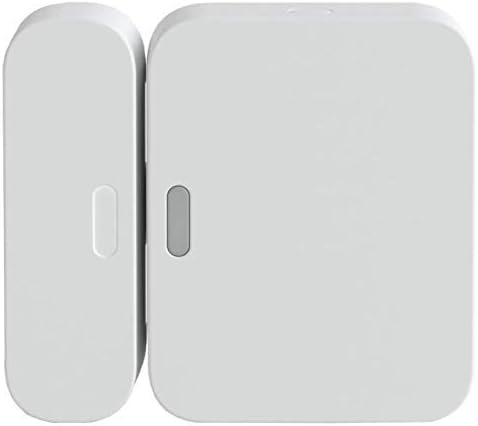
SimpliSafe Entry Sensor - Window and Door Protection - Co...

SimpliSafe 8 Piece Wireless Home Security System
As an Amazon Associate we earn from qualifying purchases.
Official Manufacturer Manual
If you need the complete manufacturer documentation for advanced setup, wiring diagrams, or detailed specifications, you can download the official manual below. The manual includes full technical instructions directly from the manufacturer and may help if your issue requires deeper troubleshooting.
Download the Official SimpliSafe Home Security System ManualSource: simplisafe.com
Need More Help? SimpliSafe Support
Note: The contact information below connects you directly to SimpliSafe's official customer support team, not Trunetto. They can help with warranty claims, device replacements, and advanced technical issues.
How Does SimpliSafe Compare?
Before replacing your SimpliSafe device, see how it stacks up against alternatives in our full comparison guides.
Accessories owners commonly pair with SimpliSafe Home Security System.

SimpliSafe 12 Piece Wireless Home Security System w/HD Ca...

SimpliSafe 11 Piece Wireless Home Security System Gen 3 w...

SimpliSafe Smart Alarm Wireless Indoor Security Camera
As an Amazon Associate we earn from qualifying purchases.


