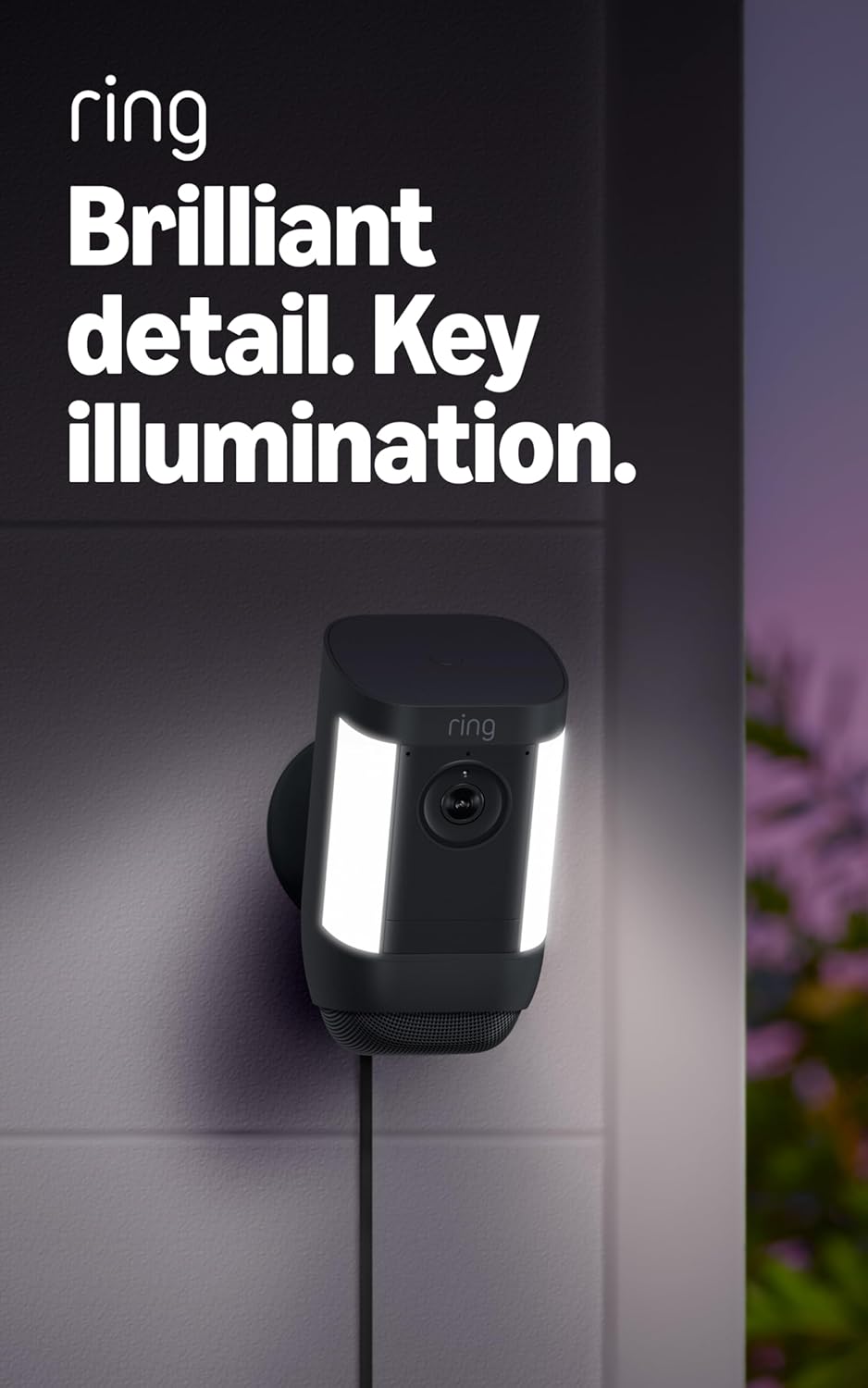
How Do I Set Up the Ring Spotlight Cam Solar Panel?
- Panel not getting several hours of direct sun
- Wrong panel angle or orientation
- Connector not seated or cable damaged
Problem Description
You are setting up the Ring solar panel to keep your Ring Spotlight Cam charged. Check solar panel compatibility first — not all Ring cameras use the same solar panel. The panel connects to the camera via a cable that plugs into the charging port on the back of the camera. Mount the panel where it gets 3-4 hours of direct sunlight daily.
Why This Happens in Real Homes
The Ring Solar Panel keeps a battery Spotlight Cam topped up — but it maintains rather than fast-charges, so on a busy camera or short winter days it can lose ground even in sun. It also only works with battery models, not plug-in cameras.
Start by aiming the panel at direct midday sun, south-facing and unshaded, and confirming the cable is fully seated and undamaged. If the battery still drops, the camera is recording more than the panel can replace — cut motion events, and give it a full manual charge so solar has less to do.
Symptoms
- Solar panel not charging the camera
- Battery still dropping with solar
- Which cameras the panel works with
- Panel placement questions
- Cable/connector issues
- Charge slow even in sun
- Panel angle unclear
- Winter charging problems
Recognize these? Here's what usually causes it.
Common Causes
- Panel not getting several hours of direct sun
- Wrong panel angle or orientation
- Connector not seated or cable damaged
- Camera recording more than solar can replace
- Panel only works with battery Ring cameras
- Panel dirty or shaded by plants
- Short winter days limiting charge
- Camera is the plug-in version (no battery)
Most fixes happen in the first 3 steps.
Security cameras should be installed at least 8 feet high to prevent tampering. Check local laws regarding recording audio and video. Never aim cameras at neighboring private property. Outdoor cameras should be rated IP65 or higher for weather resistance.
Tools & Requirements
These tools will help you complete this fix.

Clean microfiber cloth
MR.SIGA Microfiber Cleaning Cloth,Pack of 12,Size:12...

Ethernet cable
Jadaol Cat 6 Ethernet Cable 25 ft, 10Gbps Support Ca...

Level
9 Inch Torpedo Level Magnetic, Shock-Proof Small Lev...

Power adapter
JcBlaon Outlet Extender Surge Protector - 6 Outlet S...

Replacement batteries
Duracell Coppertop Double AA Batteries with Power Bo...
As an Amazon Associate we earn from qualifying purchases.
Step-by-Step Solution
Check solar panel compatibility
The Ring Solar Panel connects to battery-powered Ring cameras including the Spotlight Cam Battery. It provides trickle charging to extend battery life. The solar panel does not replace the battery — it supplements it. You still need a charged battery in the camera. The solar panel connects via a micro-USB or USB-C cable (check your camera model for the correct connector type).
Needed for this step
Jadaol Cat 6 Ethernet Cable 25 ft, 10Gbps Suppo...
This helps complete the fix you are currently reading.
$9.99Mount the solar panel for maximum sunlight
Mount the solar panel on a wall, fence, or eave where it receives at least 3-4 hours of direct sunlight daily. Face it south (in the northern hemisphere) and angle it at roughly your latitude angle. Avoid locations shaded by trees, buildings, or overhangs during peak sun hours (10 AM - 3 PM). Even partial shade significantly reduces charging output.
Connect the panel to the camera
Run the cable from the solar panel to the camera charging port. Route the cable neatly along walls or fences to prevent it from being pulled loose. The connection must be firm — a loose plug means intermittent charging. After connecting, check the Ring app — the camera device page should show a green or solar charging indicator confirming the panel is providing power.
Needed for this step
JcBlaon Outlet Extender Surge Protector - 6 Out...
This helps complete the fix you are currently reading.
$9.99Set realistic battery expectations with solar
The solar panel extends battery life but may not eliminate manual charging entirely. In ideal conditions (full sun, moderate camera usage at 10-20 events per day), the panel keeps the battery at 80-100%. In winter, cloudy climates, or with heavy camera use (50+ events per day), the panel slows the drain but cannot keep up. Plan for one or two manual charges per year even with the solar panel.
Fix the panel if the battery still drains
If the battery drops steadily despite the solar panel: check the panel surface for dirt, pollen, or bird droppings (clean with a damp cloth). Verify the cable is connected firmly and not damaged. Check if new tree growth or a seasonal change in sun angle is now shading the panel. Also check camera event count — a sudden increase in motion events (new construction nearby, seasonal animal activity) uses more power than the panel provides.
Needed for this step
MR.SIGA Microfiber Cleaning Cloth,Pack of 12,Si...
This helps complete the fix you are currently reading.
$13.99Quick Solutions
Still having issues? This is usually the deeper cause below.
If flickering only happens on dimming, the issue is almost always the dimmer's minimum-load setting, not the bulb — it's drawing less current than the dimmer expects.
Set up activity zones to monitor only the areas that matter like your front porch and driveway and exclude the street. This dramatically reduces false alerts while ensuring you never miss an actual event at your property.
This issue almost always looks more complex than it is — the majority of cases trace back to a single setting, a stale credential, or a default that shipped wrong.
- Panel not getting several hours of direct sun
- Wrong panel angle or orientation
- Connector not seated or cable damaged
- Camera recording more than solar can replace
- Panel only works with battery Ring cameras
Before you go — try one of these (they fix most cases).
Most popular upgrades chosen by Ring Spotlight Cam owners.

4 Channel 360° Dash Cam Front Rear Inside & Left Right,4K...

Ring Outdoor Cam (Stick Up Cam), Weather-resistant home o...
Ring Outdoor Cam (Stick Up Cam) | Weather-Resistant Outdo...
As an Amazon Associate we earn from qualifying purchases.
Official Manufacturer Manual
Ring provides official product documentation through their online manual rather than downloadable PDF. Access setup guides, troubleshooting steps, and product specifications for your Ring Spotlight Cam.
Source: ring.com
Need More Help? Ring Support
Note: The contact information below connects you directly to Ring's official customer support team, not Trunetto. They can help with warranty claims, device replacements, and advanced technical issues.
How Does Ring Compare?
Before replacing your Ring device, see how it stacks up against alternatives in our full comparison guides.
Accessories owners commonly pair with Ring Spotlight Cam.

SANDISK 64GB Extreme microSDXC UHS-I Memory Card with Ada...

SANDISK 128GB Ultra microSDXC UHS-I Memory Card with Adap...

SANDISK 64GB Ultra microSDXC UHS-I Memory Card with Adapt...
As an Amazon Associate we earn from qualifying purchases.