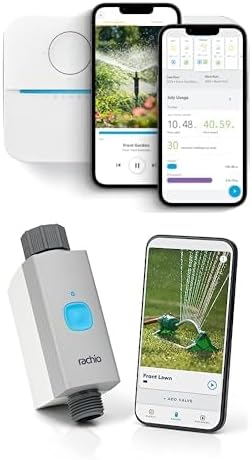
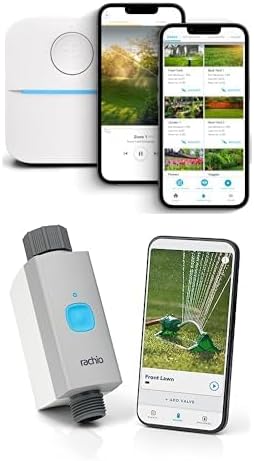
Why Is My Rachio 3 Rain Sensor Not Detected
- Sensor wires loose
- Wrong terminal used
- Sensor type setting incorrect
Problem Description
If the rain sensor is not detected, the wiring or sensor type settings may be incorrect. This guide verifies wiring and sensor configuration.
Why This Happens in Real Homes
If the rain sensor is not detected, the wiring or sensor type settings may be incorrect. This guide verifies wiring and sensor configuration. In day-to-day use, this usually looks like Rain sensor shows not detected; Schedules ignore rain; Sensor wired to controller.
Most cases trace back to Sensor wires loose; Wrong terminal used; Sensor type setting incorrect. The fix works best when you go step by step instead of changing multiple settings at once.
A practical order for this issue is: Check Wiring -> Remove Jumper -> Set Sensor Type -> Test Sensor. After each step, test the exact behavior that was failing so you can confirm what actually solved it.
Symptoms
- Rain sensor shows not detected
- Schedules ignore rain
- Sensor wired to controller
- Other zones work
- Recent wiring change
- Sensor test fails
Recognize these? Here's what usually causes it.
Common Causes
- Sensor wires loose
- Wrong terminal used
- Sensor type setting incorrect
- Sensor damaged
- Controller firmware outdated
- Bypass jumper left in
Most fixes happen in the first 3 steps.
Confirm the sensor is compatible with the controller before wiring.
Tools & Requirements
These tools will help you complete this fix.

As an Amazon Associate we earn from qualifying purchases.
Step-by-Step Solution
Check if the Rain Sensor is Wired Correctly
The Rachio 3 has two dedicated rain sensor terminals (S1 and S2) on the wiring panel inside the controller. Your rain sensor wires connect to these two terminals. Open the controller cover and verify the wires are securely seated in the S1 and S2 slots. If the wires were connected to the wrong terminals during installation (such as the common or zone terminals), the sensor will not be detected.
Verify Sensor Type in Rachio App
Open the Rachio app, go to Controller Settings > Rain Sensor. Make sure the rain sensor feature is enabled and set to the correct sensor type. The Rachio 3 supports normally closed (NC) and normally open (NO) rain sensors. Most Hunter and Orbit rain sensors are normally closed. If the type is set wrong, the Rachio interprets the sensor state backwards — it may think rain is always detected, or never detected.
Test the Rain Sensor Manually
Press the sensor disc on top of the rain sensor to simulate rain. When wet or compressed, the disc expands and triggers the switch inside. In the Rachio app, go to the Rain Sensor page and check if the status changes when you press the disc. If the status does not change, the sensor wiring or the sensor itself is faulty.
Check for Corrosion on Wiring
Rain sensor wiring runs outdoors and is exposed to moisture. Check the wire connections at the sensor and at the controller for corrosion, green oxidation, or water damage. Clean corroded connections with sandpaper or replace the wire nuts with waterproof connectors. A corroded connection creates an open circuit that the Rachio interprets as sensor not connected.
Replace the Rain Sensor
Rain sensor discs degrade over time (typically 3-5 years) and lose their ability to expand when wet. If the sensor does not trigger even when physically compressed, the internal switch or disc is worn out. Replace the rain sensor with a compatible model. Hunter Mini-Clik and Orbit sensors are widely compatible with the Rachio 3.
Quick Solutions
Still having issues? This is usually the deeper cause below.
If the sensor still misses events after repositioning, check whether a scheduled 'home' or 'away' mode is overriding the sensitivity setting silently.
Label sensor wires to avoid confusion during troubleshooting.
This issue almost always looks more complex than it is — the majority of cases trace back to a single setting, a stale credential, or a default that shipped wrong.
- Sensor wires loose
- Wrong terminal used
- Sensor type setting incorrect
- Sensor damaged
- Controller firmware outdated
Before you go — try one of these (they fix most cases).
Official Manufacturer Manual
Rachio provides official product documentation through their online manual rather than downloadable PDF. Access setup guides, troubleshooting steps, and product specifications for your Rachio 3 Smart Sprinkler Controller.
Source: support.rachio.com
Need More Help? Rachio Support
Note: The contact information below connects you directly to Rachio's official customer support team, not Trunetto. They can help with warranty claims, device replacements, and advanced technical issues.
How Does Rachio Compare?
Before replacing your Rachio device, see how it stacks up against alternatives in our full comparison guides.