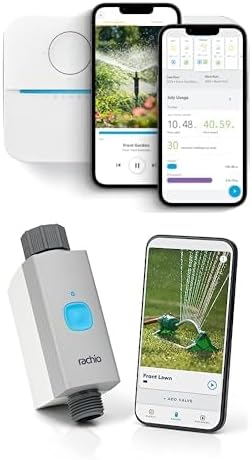
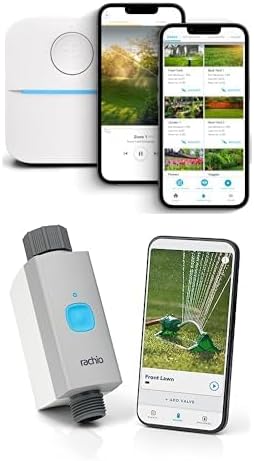
Why My Rachio 3 Zone Is Not Watering
- Valve wire loose
- Zone paused
- Rain Delay active
Problem Description
A zone may not water if the valve wiring is loose or the schedule is paused. This guide checks wiring, schedules, and controller status.
Why This Happens in Real Homes
A zone may not water if the valve wiring is loose or the schedule is paused. This guide checks wiring, schedules, and controller status. In day-to-day use, this usually looks like Zone does not start; Other zones run; Schedule active.
Most cases trace back to Valve wire loose; Zone paused; Rain Delay active. The fix works best when you go step by step instead of changing multiple settings at once.
A practical order for this issue is: Check Wiring -> Clear Delays -> Run Manual Test -> Inspect Valve. After each step, test the exact behavior that was failing so you can confirm what actually solved it.
Symptoms
- Zone does not start
- Other zones run
- Schedule active
- Controller online
- Valve recently serviced
- Zone shows skipped
Recognize these? Here's what usually causes it.
Common Causes
- Valve wire loose
- Zone paused
- Rain Delay active
- Valve solenoid failed
- Controller offline at run time
- Schedule misconfigured
Most fixes happen in the first 3 steps.
Avoid running zones while valve wires are disconnected.
Tools & Requirements
These tools will help you complete this fix.

As an Amazon Associate we earn from qualifying purchases.
Step-by-Step Solution
Check the Zone Wiring at the Controller
Open the Rachio 3 controller and check the wire connected to the zone that is not watering. The wire must be firmly seated in the correct zone terminal (1-8 or 1-16 depending on model). Also check the Common (C) wire — all zones share this wire, and if it is loose, no zones will run. Gently tug each wire to confirm it is secure.
Test the Zone Manually from the App
In the Rachio app, go to your controller and tap the zone that is not working. Tap Quick Run to start a manual 3-minute test. Walk out to the yard and check if the sprinkler heads on that zone pop up and spray. If nothing happens at the sprinkler heads but the app shows the zone as running, the issue is in the wiring or valve, not the controller.
Check the Valve Solenoid
Each zone has a solenoid valve (usually in a valve box buried in the yard). Locate the valve box for the problem zone. Listen for a clicking sound from the solenoid when you start the zone from the app. If you hear no click, the solenoid is not receiving power — check the wiring between the controller and the valve. If you hear a click but no water flows, the valve diaphragm may be stuck or clogged.
Manually Open the Valve
On top of each valve solenoid, there is a bleed screw or manual turn handle. Turn the solenoid a quarter turn counterclockwise to manually open the valve. If water flows when opened manually but not electrically, the solenoid coil has failed and needs replacement. Solenoids are replaceable without digging up the valve body — just unscrew the old one and screw in a new one.
Verify Zone is Enabled in the Rachio App
In the Rachio app, go to Zones and check that the problem zone is enabled (not disabled). A disabled zone is skipped during all schedules and Quick Runs. Also check if the zone has a rain delay or standby mode active that would prevent it from running. Clear any active delays and re-test.
Quick Solutions
Still having issues? This is usually the deeper cause below.
If this comes back after following these steps, check whether a recent app or firmware update reset a default setting — the fix works, but the setting gets reverted silently.
Label valve wires so each zone is easy to identify.
This issue almost always looks more complex than it is — the majority of cases trace back to a single setting, a stale credential, or a default that shipped wrong.
- Valve wire loose
- Zone paused
- Rain Delay active
- Valve solenoid failed
- Controller offline at run time
Before you go — try one of these (they fix most cases).
Official Manufacturer Manual
Rachio provides official product documentation through their online manual rather than downloadable PDF. Access setup guides, troubleshooting steps, and product specifications for your Rachio 3 Smart Sprinkler Controller.
Source: support.rachio.com
Need More Help? Rachio Support
Note: The contact information below connects you directly to Rachio's official customer support team, not Trunetto. They can help with warranty claims, device replacements, and advanced technical issues.
How Does Rachio Compare?
Before replacing your Rachio device, see how it stacks up against alternatives in our full comparison guides.