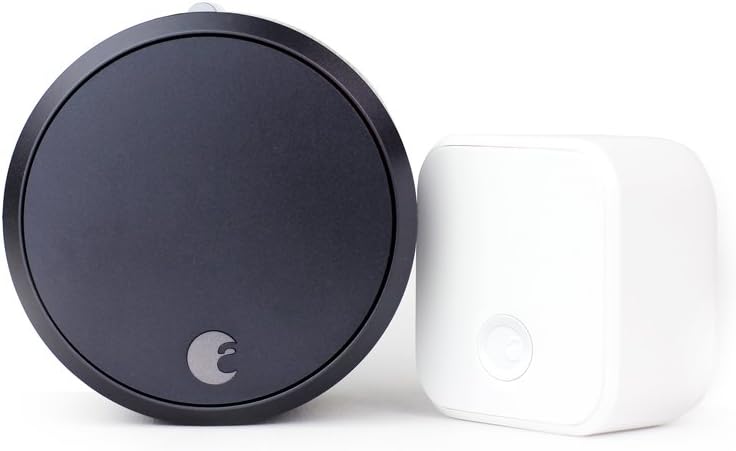
How to Install August Connect Wi-Fi Bridge
- Bridge Placement
- Power Connection
- Wi-Fi Network Setup
- Smart Lock Pairing
- Remote Access Configuration
- Connectivity Testing
Most users complete this in under 25 minutes
Overview
When a August Home August Connect drops offline, it's almost always a stale network session rather than hardware failure — the steps below fix the majority of cases in under five minutes.
This guide covers the installation of the August Connect WiFi Bridge, a plug-in module that adds remote access and WiFi connectivity to August Smart Locks that only support Bluetooth natively. After installing the Connect, the August app enables door status monitoring, remote lock and unlock, and access log viewing from anywhere.
Why This Happens in Real Homes
The August Connect WiFi bridge adds remote access and Alexa/Google control to a Bluetooth August lock, and installation is really about placement: it has to be plugged into an outlet with strong 2.4GHz WiFi that's also within Bluetooth range of the lock, since it bridges the two. Too far from either and it won't work.
Plug it into an outlet roughly midway between your router and the lock, connect it to a 2.4GHz network with the correct password (it won't join 5GHz), and pair it to the lock in the August app. Install any firmware update. Once it's online in a spot with good WiFi and Bluetooth reach, you get remote lock/unlock, notifications, and voice-assistant control.
What's Included
- Installing the August Connect bridge
- Won't connect to WiFi
- Bridge not found in the app
- Where to plug it in
- Pairing with the lock
- Bridge offline after setup
- 2.4GHz questions
- LED status confusion
Got your materials ready? Here's what to check first.
Before You Start
- Plugged in too far from the lock/router
- Connecting to 5GHz instead of 2.4GHz
- Bridge not in pairing mode
- Wrong WiFi password
- Weak signal at the chosen outlet
- Firmware update pending
- Router blocking the device
- Lock not paired to the bridge
Don't skip this step — it breaks everything if you do
Must stay within Bluetooth range of Smart Locks. Requires constant power and stable Wi-Fi connection for reliable remote access.
Tools & Requirements
Installation Steps
Bridge Placement
Position August Connect within Bluetooth range of Smart Locks (typically 30 feet) and near power outlet for continuous operation.
Power Connection
Plug August Connect into power outlet using included adapter. Bridge requires constant power for Wi-Fi connectivity and Smart Lock communication.
Wi-Fi Network Setup
Connect August Connect to home Wi-Fi network through August app setup process. Bridge creates connection between Smart Locks and internet.
Smart Lock Pairing
Pair August Connect with existing August Smart Locks through app. Bridge will establish communication with all compatible locks in range.
Remote Access Configuration
Configure remote access features including lock/unlock from anywhere, activity monitoring, and guest access management through internet connection.
Connectivity Testing
Test remote lock control, notification delivery, and activity monitoring to verify August Connect is properly bridging Smart Locks to internet.
Installation Tips
Still stuck? This is usually the deeper cause below.
August Connect enables remote access for Bluetooth-only Smart Locks. Required for internet connectivity and away-from-home control.
Before you go — these August Home guides fix most remaining issues.
Most popular upgrades chosen by August Connect owners.
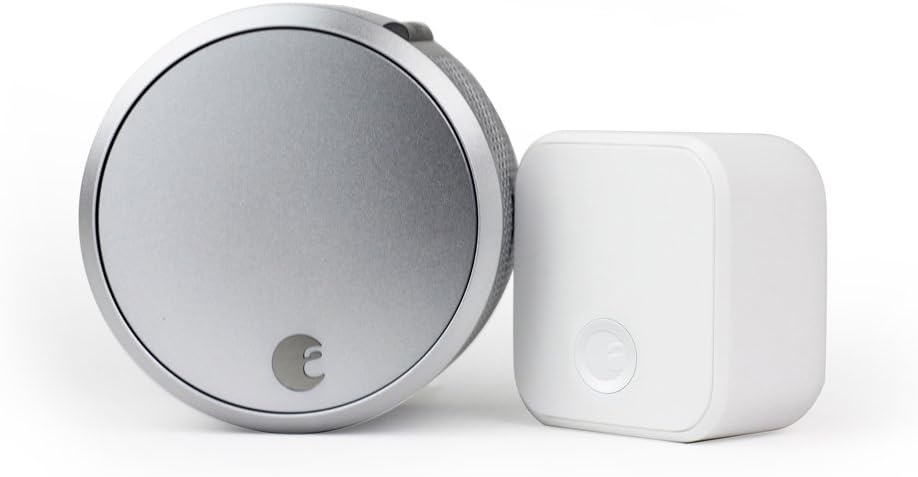
August Home Smart Lock Pro + Connect Hub - Wi-Fi Smart Lo...

August Home Smart Lock + Connect, Silver

August Home Connect Wi-Fi Bridge, Remote Access, Alexa In...
As an Amazon Associate we earn from qualifying purchases.
Official Manufacturer Manual
If you need the complete manufacturer documentation for advanced setup, wiring diagrams, or detailed specifications, you can download the official manual below. The manual includes full technical instructions directly from the manufacturer and may help if your issue requires deeper troubleshooting.
Download the Official August Connect ManualSource: august.com
Need More Help? August Home Support
Note: The contact information below connects you directly to August Home's official customer support team, not Trunetto. They can help with warranty claims, device replacements, and advanced technical issues.
How Does August Home Compare?
Before replacing your August Home device, see how it stacks up against alternatives in our full comparison guides.