

Why Does My Schlage Encode WiFi Drop Overnight
- Weak 2.4GHz signal at the door
- Router band steering changes
- DHCP lease expires overnight
Problem Description
Encode can drop WiFi overnight when signal strength or router settings change. This guide checks 2.4GHz stability, power saving settings, and reconnection steps to keep the lock online.
Why This Happens in Real Homes
Encode can drop WiFi overnight when signal strength or router settings change. This guide checks 2.4GHz stability, power saving settings, and reconnection steps to keep the lock online. In day-to-day use, this usually looks like Lock shows Offline each morning; App shows WiFi disconnected; Lock works via keypad but not app.
Most cases trace back to Weak 2.4GHz signal at the door; Router band steering changes; DHCP lease expires overnight. The fix works best when you go step by step instead of changing multiple settings at once.
A practical order for this issue is: Check Signal Strength -> Enable a 2.4GHz SSID -> Reserve the IP -> Replace Batteries. After each step, test the exact behavior that was failing so you can confirm what actually solved it.
Symptoms
- Lock shows Offline each morning
- App shows WiFi disconnected
- Lock works via keypad but not app
- WiFi signal weaker at night
- Router recently updated
- Battery drain increased
Recognize these? Here's what usually causes it.
Common Causes
- Weak 2.4GHz signal at the door
- Router band steering changes
- DHCP lease expires overnight
- Battery level too low
- Router firmware update
- Mesh node sleeping or rebooting
Most fixes happen in the first 3 steps.
Do not factory reset unless reconnection fails. It removes user codes and app settings.
Tools & Requirements
Step-by-Step Solution
Check Signal Strength
Open the Schlage Home app and review WiFi signal quality for the lock. Weak signal is the most common cause of overnight drops.
Enable a 2.4GHz SSID
If band steering is aggressive, create a dedicated 2.4GHz SSID and reconnect the lock to it.
Reserve the IP
Set a DHCP reservation for the lock in your router to avoid overnight IP changes.
Replace Batteries
Install fresh alkaline batteries if the lock shows low battery. Low power makes WiFi unstable.
Reconnect the Lock
In the app, remove the WiFi network and re-add the lock to the correct SSID. Verify it stays online overnight.
Quick Solutions
Still having issues? This is usually the deeper cause below.
This usually happens right after a router reboot or ISP change — the device rejoins the network but drops its cloud session silently.
Keep the lock within one mesh hop of the router for the most stable WiFi.
Most WiFi drop-offs happen right after a router reboot or ISP swap — the device reconnects to the network but silently loses its cloud registration.
- Weak 2.4GHz signal at the door
- Router band steering changes
- DHCP lease expires overnight
- Battery level too low
- Router firmware update
Before you go — try one of these (they fix most cases).
Most popular upgrades chosen by Schlage Encode Smart WiFi Deadbolt owners.
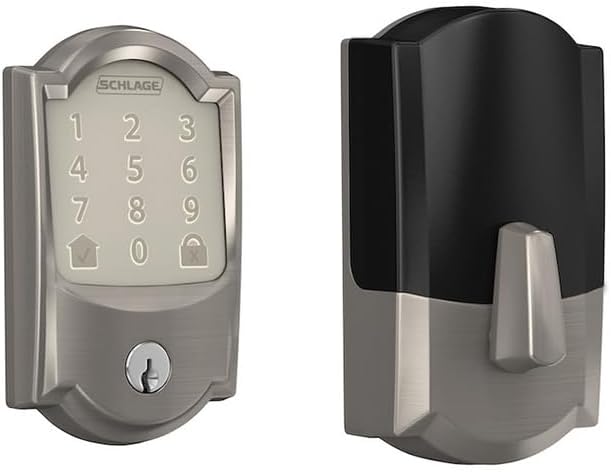
Schlage Residential BE489WBCCAM619 Camelot Encode Smart W...
Schlage Lock Company BE489WB CAM 716 Schlage Encode Smart...

Schlage Encode Smart WiFi Deadbolt Lock for Front Door - ...
As an Amazon Associate we earn from qualifying purchases.
Official Manufacturer Manual
If you need the complete manufacturer documentation for advanced setup, wiring diagrams, or detailed specifications, you can download the official manual below. The manual includes full technical instructions directly from the manufacturer and may help if your issue requires deeper troubleshooting.
Download the Official Schlage Encode Smart WiFi Deadbolt ManualSource: schlage.com
Need More Help? Schlage Support
Note: The contact information below connects you directly to Schlage's official customer support team, not Trunetto. They can help with warranty claims, device replacements, and advanced technical issues.
How Does Schlage Compare?
Before replacing your Schlage device, see how it stacks up against alternatives in our full comparison guides.


