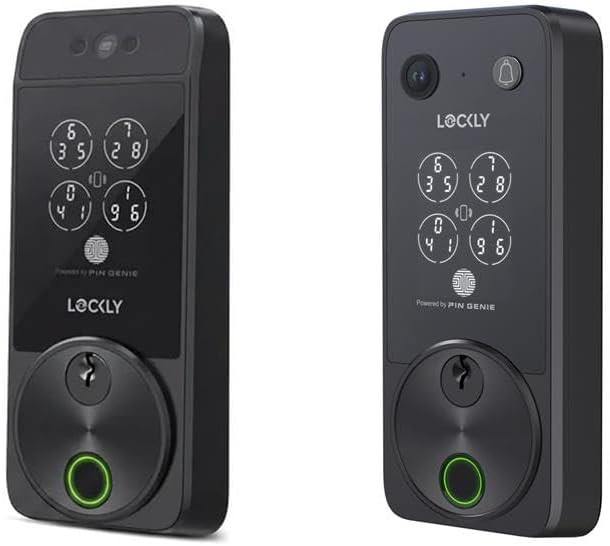
Why Is U-tec Not Connecting After WiFi Setup?
- Weak 2.4GHz signal at lock location
- Router band steering breaks IoT persistence
- DHCP lease instability
Problem Description
After WiFi setup succeeds, the lock still shows offline or cannot be controlled remotely. This usually indicates weak signal conditions, unsupported router behavior, or incomplete bridge/cloud handshake after onboarding.
Symptoms
- Lock appears setup but stays offline
- Remote unlock unavailable
- Status updates delayed or missing
- Works on Bluetooth only
- Offline after router reboot
- App asks to re-pair frequently
Recognize these? Here's what usually causes it.
Common Causes
- Weak 2.4GHz signal at lock location
- Router band steering breaks IoT persistence
- DHCP lease instability
- Bridge handshake incomplete
- Firewall or filtering policy conflict
- Outdated firmware on lock or bridge
Most fixes happen in the first 3 steps.
Do not factory-reset repeatedly without documenting network changes. Excess resets can hide the real root cause and waste provisioning time.
Tools & Requirements
These tools will help you complete this fix.
As an Amazon Associate we earn from qualifying purchases.
Step-by-Step Solution
Measure real signal quality
Check WiFi signal value from lock settings and confirm it remains in recommended stable range. Good phone signal does not guarantee good lock signal because lock radios are weaker. If signal fluctuates, improve placement or network layout before deeper troubleshooting.

Needed for this step
TP-Link WiFi Extender with Ethernet Port, Dual ...
This helps complete the fix you are currently reading.
$14.49Stabilize network profile
Use a dedicated 2.4GHz IoT SSID where possible and avoid aggressive router steering or experimental security modes. Make sure DHCP leases are stable and not expiring too quickly for low-traffic lock devices. Reserve an address if the router supports it.
Rebuild device handshake
Remove stale WiFi profile from lock settings, reset bridge path if applicable, and complete onboarding again from owner phone on the target network. This clears partial setup state that can leave lock listed in app but unreachable for remote commands.
Apply firmware consistency
Update both lock and bridge firmware to current versions, then reboot router, bridge, and lock in that order. Version mismatches can create false-online states where status appears normal but cloud command delivery fails intermittently.
Validate remote reliability
Test remote lock status and action across at least 12 hours including evening congestion periods. Confirm commands succeed consistently and status changes return promptly. If failures align with router events, inspect scheduled restarts or ISP modem instability.
Quick Solutions
Still having issues? This is usually the deeper cause below.
This usually happens right after a router reboot or ISP change — the device rejoins the network but drops its cloud session silently.
If you use mesh WiFi, pin IoT devices to the most stable nearby node instead of relying on automatic roaming behavior.
Most WiFi drop-offs happen right after a router reboot or ISP swap — the device reconnects to the network but silently loses its cloud registration.
- Weak 2.4GHz signal at lock location
- Router band steering breaks IoT persistence
- DHCP lease instability
- Bridge handshake incomplete
- Firewall or filtering policy conflict
Before you go — try one of these (they fix most cases).
Official Manufacturer Manual
U-tec provides official product documentation through their online manual rather than downloadable PDF. Access setup guides, troubleshooting steps, and product specifications for your U-tec WiFi Lock Connection.
Source: support.u-tec.com
Need More Help? U-tec Support
Note: The contact information below connects you directly to U-tec's official customer support team, not Trunetto. They can help with warranty claims, device replacements, and advanced technical issues.