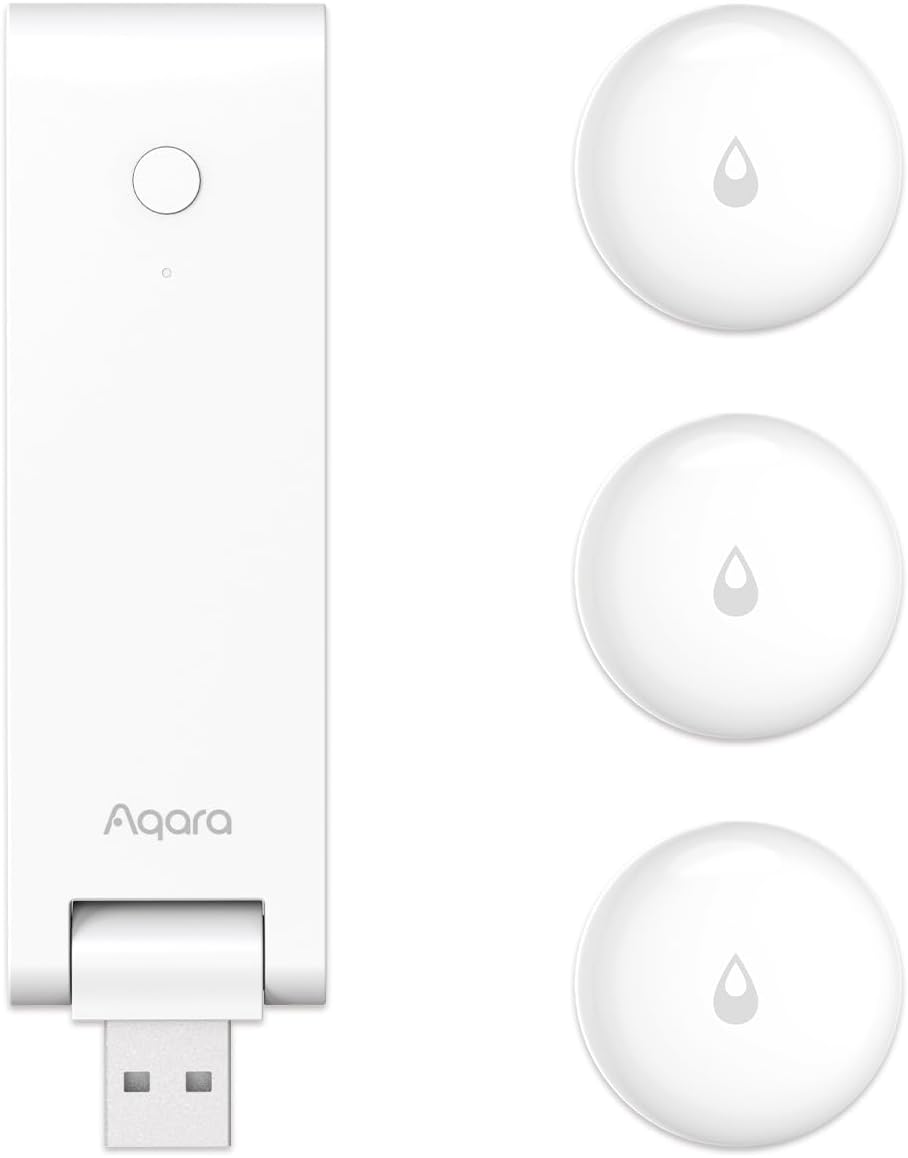
Why My Aqara Water Leak Sensor Keeps Triggering False Alarms
- Condensation bridging the sensor's metal contacts
- Dirty or corroded contacts triggering falsely
- Placed on an uneven or slick surface that pools moisture
Problem Description
False alarms often occur when moisture builds up or the sensor contacts are dirty. This guide cleans contacts and improves placement.
Why This Happens in Real Homes
False alarms often occur when moisture builds up or the sensor contacts are dirty. This guide cleans contacts and improves placement. In day-to-day use, this usually looks like Leak alerts with no water; Alerts after cleaning; Sensor on cold floor.
Most cases trace back to Condensation on floor; Contacts dirty; Placed on uneven surface. The fix works best when you go step by step instead of changing multiple settings at once.
A practical order for this issue is: Dry the Area -> Clean Contacts -> Improve Placement -> Check Hub. After each step, test the exact behavior that was failing so you can confirm what actually solved it.
Symptoms
- Leak alerts with no visible water
- Alerts right after mopping or cleaning
- Sensor sits on a cold floor and alerts
- Condensation present near the sensor
- Battery reads OK but it still false-alarms
- Hub online but repeated false leak alerts
- Alerts overnight when humidity rises
- Alerts only in one damp location
Recognize these? Here's what usually causes it.
Common Causes
- Condensation bridging the sensor's metal contacts
- Dirty or corroded contacts triggering falsely
- Placed on an uneven or slick surface that pools moisture
- Metal surface interference near the contacts
- Firmware outdated
- Battery low causing erratic readings
- High ambient humidity around the contacts
- Residual moisture from cleaning under the sensor
Most fixes happen in the first 3 steps.
Avoid placing the sensor under dripping pipes or condensation lines.
Tools & Requirements
These tools will help you complete this fix.
As an Amazon Associate we earn from qualifying purchases.
Step-by-Step Solution
Dry the Sensor Area Completely
Remove the Aqara water leak sensor from its current position and dry the floor underneath it thoroughly. Also dry the two metal contact probes on the bottom of the sensor with a cloth. Condensation from cold water pipes, humidity, or nearby appliances can trigger the sensor even without an actual leak. Place the sensor on a dry surface and monitor for false alarms.

Needed for this step
WHOOSH! Pro 16.9 fl oz Refillable TV Screen Cle...
This helps complete the fix you are currently reading.
$19.99Clean the Metal Contact Probes
The two metal contacts on the bottom of the sensor detect water by measuring conductivity between them. Mineral deposits, soap residue, or corrosion on these contacts can cause false readings. Wipe both contacts with a dry cloth or lightly with isopropyl alcohol on a cotton swab. Make sure both probes are clean and shiny.
Place on a Flat Non-Conductive Surface
The sensor must sit flat on the floor so both contact probes touch the surface evenly. Uneven surfaces can cause one probe to lift off the ground, creating intermittent false readings. If the floor surface is conductive (bare metal, wet concrete), place a thin piece of plastic or a coaster under the sensor to prevent false conductivity between the probes.
Check Hub Connectivity and Signal
A weak Zigbee connection between the sensor and the Aqara hub can cause the sensor to send duplicate or delayed alerts that appear as false alarms. In the Aqara app, check the sensor's signal quality. If signal is poor, move the hub closer or add a Zigbee repeater between the hub and the sensor location.
Test with Actual Water
After cleaning and repositioning, test the sensor by placing a few drops of water directly on the contact probes. The sensor should trigger an alert within seconds. If it triggers correctly with water and no longer triggers on a dry surface, the false alarm issue is resolved. If false alarms persist on a completely dry surface, the sensor may be defective.
Quick Solutions
Still having issues? This is usually the deeper cause below.
If the sensor still misses events after repositioning, check whether a scheduled 'home' or 'away' mode is overriding the sensitivity setting silently.
Use a small plastic stand to keep the sensor off cold tile.
False alarms cluster in two windows: the first two weeks of installation, and years later as sensors age. Rarely anything in between.
- Condensation bridging the sensor's metal contacts
- Dirty or corroded contacts triggering falsely
- Placed on an uneven or slick surface
- Metal surface interference near the contacts
- Firmware outdated
Before you go — try one of these (they fix most cases).
Official Manufacturer Manual
Aqara provides official product documentation through their online manual rather than downloadable PDF. Access setup guides, troubleshooting steps, and product specifications for your Aqara Water Leak Sensor.
Source: aqara.com
Need More Help? Aqara Support
Note: The contact information below connects you directly to Aqara's official customer support team, not Trunetto. They can help with warranty claims, device replacements, and advanced technical issues.
Accessories owners commonly pair with Aqara Water Leak Sensor.

Aqara Zigbee Door and Window Sensor, Wireless Contact Sen...

Aqara Zigbee Door and Window Sensor 3 Pack, Wireless Mini...
Aqara Zigbee Temperature and Humidity Sensor, Wireless Th...
As an Amazon Associate we earn from qualifying purchases.