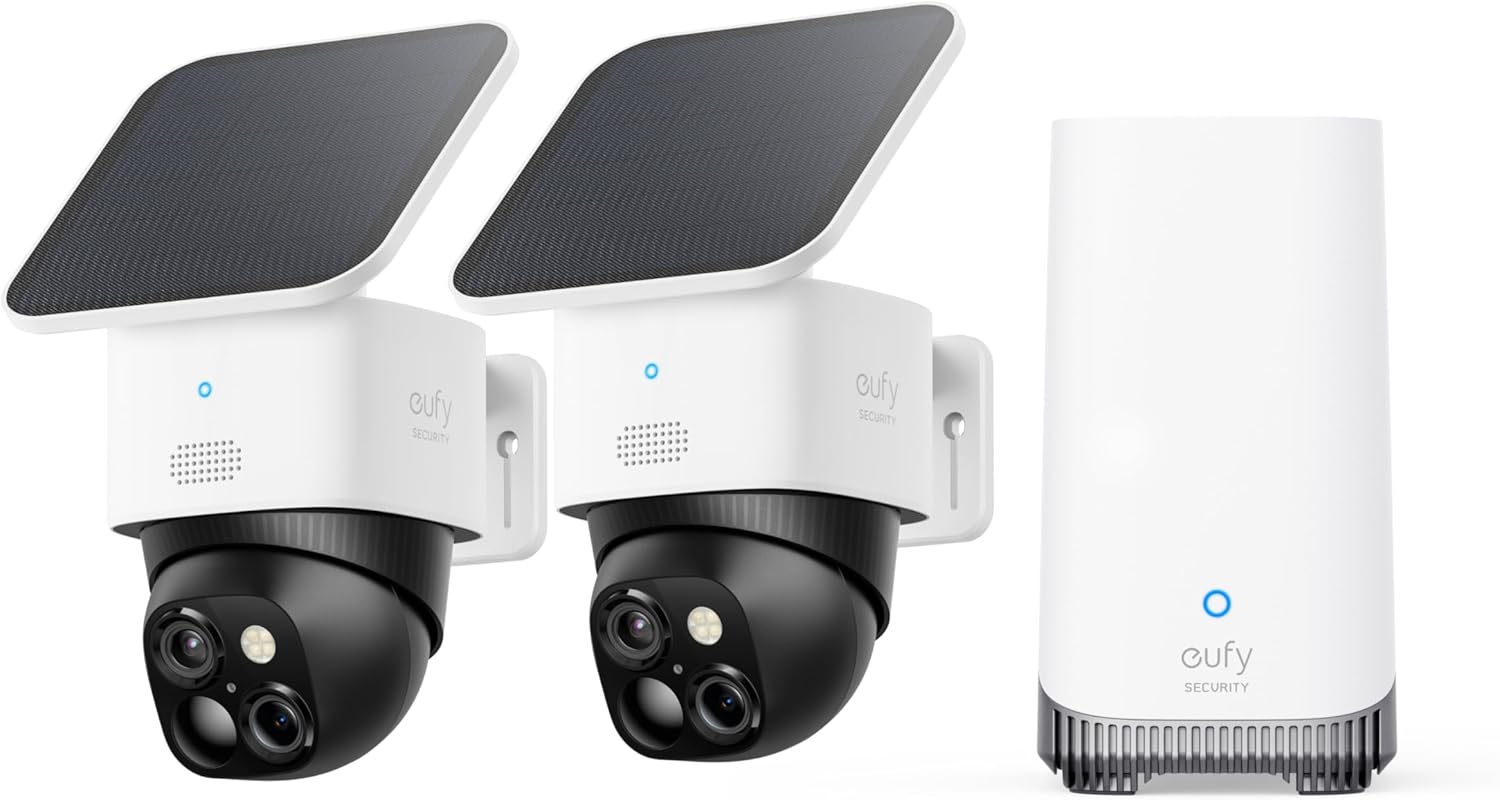
Why Is My eufy Outdoor Camera Battery Draining So Fast?
- High motion-trigger frequency (busy scene)
- Sensitivity/zones too broad
- Frequent live-view/streaming
Problem Description
Your eufy outdoor camera battery is draining much faster than expected. The biggest factor is motion event frequency — each trigger wakes the camera, records, and uploads. Check how many events are triggering per day in the eufy app. Reducing motion sensitivity and narrowing the detection zone extends battery life significantly.
Why This Happens in Real Homes
eufy outdoor camera battery life is driven almost entirely by how often the camera wakes up — every motion trigger, notification, and live-view session spins up the radio and camera, so a busy scene (a street, a swaying tree, high sensitivity) drains the battery far faster than the advertised months. Cold weather and weak WiFi make it worse.
Cut unnecessary wake-ups by tightening motion sensitivity and drawing activity zones away from constant movement, and limit long live-view sessions. Use a balanced power mode rather than max performance, and improve WiFi so the radio isn't straining. If you have a solar panel, aim it at direct sun. In winter, expect shorter life as the cold reduces battery capacity.
Symptoms
- Battery drains fast
- Frequent recharging
- Short runtime vs advertised
- Battery dies in days/weeks
- Drain worse in winter
- Drains despite low use
- New charge doesn't last
- Solar not keeping up
Recognize these? Here's what usually causes it.
Common Causes
- High motion-trigger frequency (busy scene)
- Sensitivity/zones too broad
- Frequent live-view/streaming
- Cold weather sapping the battery
- Power mode set to max performance
- Weak WiFi forcing radio retries
- Recording length/quality high
- Solar panel not getting enough sun
Most fixes happen in the first 3 steps.
Solar panels help but may not keep up with very high activity areas.
Tools & Requirements
These tools will help you complete this fix.

Clean cloth
WHOOSH! Pro 16.9 fl oz Refillable TV Screen Cleaner ...

Replacement batteries
Duracell Coppertop Double AA Batteries with Power Bo...

Screwdriver
STREBITO 155 in 1 Electric Screwdriver Set, Small El...
As an Amazon Associate we earn from qualifying purchases.
Step-by-Step Solution
Check motion event frequency
Battery drain is almost always caused by too many motion triggers. In the eufy app, go to the Events tab and count how many events the camera recorded in the last 24 hours. More than 20-30 events per day drains the battery quickly. Common culprits: trees blowing in the wind, passing cars, pet activity, flags or wind chimes in the camera view. Each event wakes the camera from sleep, records a clip, and goes back to sleep — this cycle is the primary power consumer.
Reduce motion sensitivity and set activity zones
In the eufy app, tap the camera > Settings > Motion Detection > Sensitivity. Lower the sensitivity from 7 to 3-4. Then set Activity Zones to exclude areas with constant movement (streets, sidewalks, tree lines). Draw zones only around areas you actually want to monitor — your walkway, porch, and driveway entrance. Reducing triggered events from 30 to 10 per day can double battery life.
Shorten recording clip length
Each motion event records a clip of a configurable length. Go to Settings > Recording Settings > Clip Length. Reduce from 60 seconds to 15-20 seconds. Most meaningful events (person approaching, package delivery, car parking) are captured within 15 seconds. Shorter clips reduce both the recording time and the WiFi transmission time, both of which consume battery.
Check the camera placement and temperature
Extreme temperatures reduce battery performance. Below 32°F (0°C), lithium battery capacity drops 20-40%. Below 14°F (-10°C), the camera may not operate at all. In hot climates above 100°F (38°C), the camera can overheat and reduce features to protect the battery. Mount the camera in a shaded location when possible. Also check that the camera is not pointed at a heat source (AC exhaust, dark roof surface reflecting sun) that triggers constant thermal motion alerts.
Use solar panel charging for outdoor cameras
eufy sells solar panels (model T8700) compatible with eufyCam 2, 2C, 2 Pro, 3, and 3C. The solar panel provides trickle charging through a USB cable connected to the camera. In direct sunlight for 3-4 hours daily, the solar panel offsets typical battery drain. Mount the panel facing south (in the Northern Hemisphere) with no shade obstruction. Even with a solar panel, reducing unnecessary motion events extends battery life beyond what solar alone can replenish during cloudy seasons.
Quick Solutions
Still having issues? This is usually the deeper cause below.
If drain continues after replacing batteries, check the event history — a stuck-open sensor or rapid polling loop burns through batteries in days.
Set up activity zones to monitor only the areas that matter like your front porch and driveway and exclude the street. This dramatically reduces false alerts while ensuring you never miss an actual event at your property.
App battery indicators run 15–20% behind actual charge levels — by the time the low warning appears, the device has been struggling for days.
- High motion-trigger frequency (busy scene)
- Sensitivity/zones too broad
- Frequent live-view/streaming
- Cold weather sapping the battery
- Power mode set to max performance
Before you go — try one of these (they fix most cases).
Most popular upgrades chosen by eufy Outdoor Camera owners.

eufy Security S220 SoloCam 4-Cam Pack with Homebase 3, So...

eufy Security SoloCam S340 with HomeBase 3, Solar Securit...

eufy Security 4K UHD Indoor Camera E30,360° Pan Tilt,AI A...
As an Amazon Associate we earn from qualifying purchases.
Official Manufacturer Manual
eufy Security provides official product documentation through their online manual rather than downloadable PDF. Access setup guides, troubleshooting steps, and product specifications for your eufy Outdoor Camera.
Source: eufy.com
Need More Help? eufy Security Support
Note: The contact information below connects you directly to eufy Security's official customer support team, not Trunetto. They can help with warranty claims, device replacements, and advanced technical issues.
How Does eufy Security Compare?
Before replacing your eufy Security device, see how it stacks up against alternatives in our full comparison guides.
Accessories owners commonly pair with eufy Outdoor Camera.

SANDISK 64GB Extreme microSDXC UHS-I Memory Card with Ada...

SANDISK 128GB Ultra microSDXC UHS-I Memory Card with Adap...

SANDISK 64GB Ultra microSDXC UHS-I Memory Card with Adapt...
As an Amazon Associate we earn from qualifying purchases.