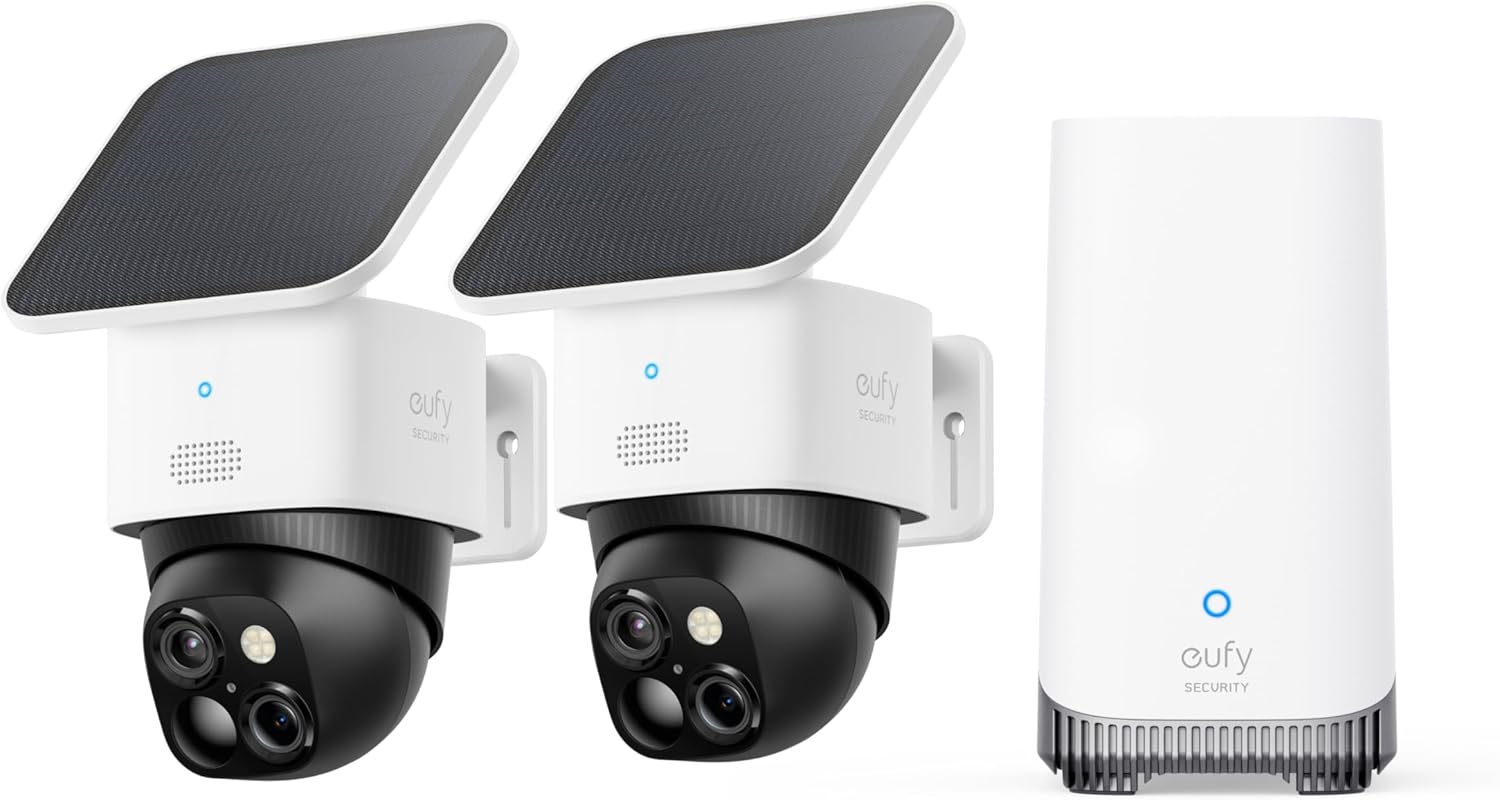
Why Did the eufy HomeBase 3 Firmware Update Break My Camera Recordings and Local Storage Archiving?
- Firmware update disrupted recording/archiving
- Cameras need re-syncing to the HomeBase
- Storage index corrupted by the update
Problem Description
After the eufy HomeBase 3 received a firmware update your camera recordings are broken. Local storage archiving is limited to only the current day and you cannot back up or access older recordings on the HomeBase internal storage or USB drive. eufy tech support has confirmed on Reddit that the firmware update to version 3.2.7.8 broke the archiving function on HomeBase 3. This is a major security issue because without cloud subscription the HomeBase local storage is the only way to retain camera footage. All cameras connected to the HomeBase 3 are affected including eufyCam 3, eufyCam 3C, and eufyCam S3 Pro.
Why This Happens in Real Homes
A HomeBase 3 firmware update that breaks camera recordings or local archiving is a known kind of regression — the update can disrupt the recording pipeline, drop the camera-to-HomeBase link, or leave the storage index in a bad state, so cameras stream but nothing saves. It's the update, not your cameras, that changed.
Start by installing the latest firmware, since eufy typically follows a bad build with a fix, then re-sync the cameras to the HomeBase and re-check the storage is recognized with free space (reformatting only as a last resort, after backing up anything critical). Re-enable any recording settings the update reset and power-cycle the base. If archiving still won't work, contact eufy support and reference the firmware version that broke it.
Symptoms
- Recordings broke after a HomeBase 3 firmware update
- Local archiving stopped
- Cameras not saving to the HomeBase
- Missing recordings since the update
- Storage not archiving
- Playback empty after update
- Worked before the update
- Recording errors post-update
Recognize these? Here's what usually causes it.
Common Causes
- Firmware update disrupted recording/archiving
- Cameras need re-syncing to the HomeBase
- Storage index corrupted by the update
- Storage device needs re-checking after update
- Settings reset by the update
- Follow-up firmware needed
- Camera-HomeBase link dropped
- Storage full or unrecognized
Most fixes happen in the first 3 steps.
The HomeBase 3 firmware archiving bug means your security footage may not be retained beyond the current day. If you rely on local storage for security evidence this is a critical gap. Enable cloud backup or manually download important recordings daily until eufy releases a fix.
Tools & Requirements
Step-by-Step Solution
Check for Patched Firmware
Open the eufy Security app and go to HomeBase settings then Firmware Update. eufy has acknowledged the archiving bug on Reddit and a patch may already be available. If a newer version than 3.3.0.3 is available install it immediately. The patch should restore the full archiving function and recording date indexing. If your HomeBase already shows the latest firmware and it is still the broken 3.6.x version you will need to wait for eufy to release the fix. Continue with the workarounds below in the meantime.
Restart HomeBase 3
Unplug both the power cable and the Ethernet cable from the HomeBase 3. Wait 60 full seconds. Plug the Ethernet cable back in first then the power cable. The HomeBase takes 3 to 5 minutes to fully boot and reconnect all cameras. After boot check the recording timeline in the eufy app. A restart forces the HomeBase to rebuild its storage index which may temporarily restore access to recordings that exist on the internal storage but were not being indexed correctly by the buggy firmware.
Format USB Backup Drive
If the USB drive backup is showing empty or incomplete the new firmware may have changed the file system format it expects. In the eufy app go to HomeBase settings then Storage Management then USB Storage. Tap Format. This erases the USB drive and reformats it for the current firmware version. After formatting set up a new backup schedule. Note that formatting erases all existing backup data on the USB drive so if you have important recordings on it connect it to a computer first and copy the DCIM folders before formatting.
Manually Save Critical Recordings
While the archiving bug persists manually download any critical security recordings before they are overwritten. In the eufy app go to Events and find the recording you need to save. Tap the recording to play it then tap the download button to save it to your phone. Do this daily for any important footage. The HomeBase 3 with the buggy firmware may overwrite recordings faster than normal because the storage management algorithm is broken. Treat this as an emergency data preservation step until eufy releases the firmware patch.
Enable Cloud Storage as Temporary Backup
If you do not have a eufy cloud subscription consider enabling the free trial or monthly plan as a temporary backup until the local storage firmware is patched. Go to the eufy app then your account settings then subscription options. Cloud recordings provide a secondary copy that is not affected by the HomeBase firmware bug. This ensures you have security footage even if the HomeBase continues to lose local recordings. Cancel the subscription after eufy patches the firmware and confirms local archiving is fully restored.
Quick Solutions
Still having issues? This is usually the deeper cause below.
Camera issues that start suddenly almost always trace back to an upload bandwidth drop — run a speed test before assuming hardware failure.
After any HomeBase 3 firmware update immediately check your recording timeline for the past 7 days. Verify that archiving to USB is working by running a manual backup. Do not assume local storage is working just because cameras show as online.
Firmware updates that wipe settings are more common than brands admit — many devices silently reset to factory defaults on an OTA push with no warning.
- Firmware update disrupted recording/archiving
- Cameras need re-syncing to the HomeBase
- Storage index corrupted by the update
- Storage device needs re-checking after update
- Settings reset by the update
Before you go — try one of these (they fix most cases).
Most popular upgrades chosen by eufy HomeBase 3 owners.

eufy Security S220 SoloCam 4-Cam Pack with Homebase 3, So...

eufy Security SoloCam S340 with HomeBase 3, Solar Securit...

eufy Security 4K UHD Indoor Camera E30,360° Pan Tilt,AI A...
As an Amazon Associate we earn from qualifying purchases.
Official Manufacturer Manual
eufy Security provides official product documentation through their online manual rather than downloadable PDF. Access setup guides, troubleshooting steps, and product specifications for your eufy HomeBase 3.
Source: eufy.com
Need More Help? eufy Security Support
Note: The contact information below connects you directly to eufy Security's official customer support team, not Trunetto. They can help with warranty claims, device replacements, and advanced technical issues.
How Does eufy Security Compare?
Before replacing your eufy Security device, see how it stacks up against alternatives in our full comparison guides.
Accessories owners commonly pair with eufy HomeBase 3.

SANDISK 64GB Extreme microSDXC UHS-I Memory Card with Ada...

SANDISK 128GB Ultra microSDXC UHS-I Memory Card with Adap...

SANDISK 64GB Ultra microSDXC UHS-I Memory Card with Adapt...
As an Amazon Associate we earn from qualifying purchases.