How Does the Nanoleaf Elements Wood Look Work?
- Elements are warm-white only (not RGB color)
- Expecting full color like Shapes
- Wood-look finish over the panels
Problem Description
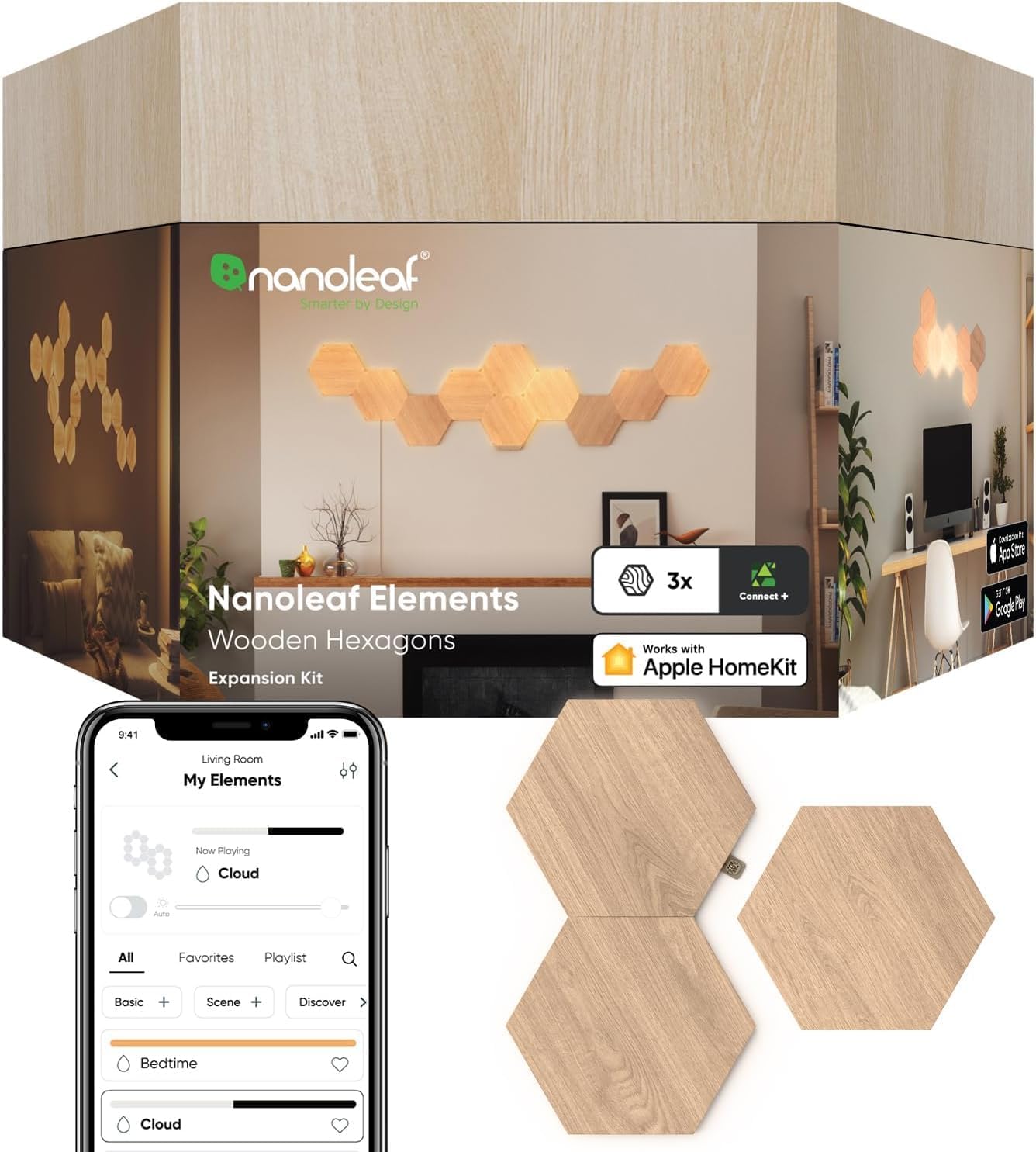
You want to understand what makes Nanoleaf Elements different from other Nanoleaf panels. Elements have a wood-grain textured face that looks like decorative wall art when off. When lit, the light glows through the wood pattern creating a warm ambient effect. They connect via Thread for responsive smart home integration.
Why This Happens in Real Homes
Nanoleaf Elements are distinct from the rest of the lineup in two ways: a textured wood-look finish and a warm-white-only light (no RGB color). That's by design — they're meant for a cozy, natural ambiance rather than the vivid color effects of Shapes, Canvas, or Lines, so scenes are warm-to-neutral white tones and gentle motion rather than rainbow color.
If you want the wood aesthetic and warm mood lighting, Elements deliver exactly that; if you're expecting color-changing scenes, that's what the color panels are for. Explore the warm-white scenes and adjust the white tone and brightness to taste. Knowing Elements are warm-white by nature avoids the disappointment of expecting color from them.
Symptoms
- Understanding Elements' wood look
- Color/white tone questions
- How it differs from color panels
- Scene/effect questions
- Warm-white range
- Design/aesthetic questions
- Brightness questions
- Compatibility with other lines
Recognize these? Here's what usually causes it.
Common Causes
- Elements are warm-white only (not RGB color)
- Expecting full color like Shapes
- Wood-look finish over the panels
- Scenes are warm-white tones/motion
- Different aesthetic goal
- Mixing-with-color-panels expectation
- Brightness/tone preference
- Understanding the product line
Most fixes happen in the first 3 steps.
Do not attempt to open or modify the light hardware. Smart lights contain electronic components that can be damaged by moisture or physical tampering. Always power off at the wall switch before removing or repositioning a smart light.
Tools & Requirements
Step-by-Step Solution
Understand what makes Elements different
Nanoleaf Elements panels have a textured wood-grain veneer on the front face that diffuses the light underneath. When turned off, they look like decorative wooden hexagon tiles on your wall. When turned on, the warm white light glows through the wood texture, creating an organic ambient effect. They are designed for living rooms, bedrooms, and offices where a subtle aesthetic matters more than vivid RGB colors.
Know the light capabilities
Elements produce warm to cool white light ranging from 1500K (candlelight warm) to 4000K (neutral daylight). There are no RGB colors. Each panel has individually addressable corner zones, allowing the light to flow and shift across the surface in organic patterns. This creates a gentle, natural-looking light movement — think firelight or sunlight through leaves, not a disco effect.
Choose the right wall and room
The wood-look texture works best against neutral wall colors — white, beige, gray, or soft pastels. Against a dark or heavily patterned wall, the panels blend in when off and the light effect is less noticeable. The texture is a veneer over plastic, not real wood, so it is lightweight. In a room with existing wood furniture or accents, the Elements complement the decor naturally.
Use the Thread border router feature
The Elements controller doubles as a Thread border router if your firmware is version 8.5.2 or higher. This means it extends Thread mesh networking to other Thread-enabled devices in your home (like Nanoleaf Essentials bulbs or Eve accessories). You get this benefit automatically just by having Elements connected to your network — no extra configuration needed.
Maintain the wood-look surface
Dust the panels periodically with a dry microfiber cloth. Do not use wet cloths or cleaning sprays — the wood-grain veneer can warp or peel if exposed to moisture. The veneer is durable under normal conditions but can be scratched by abrasive materials. If a panel is damaged, expansion packs let you replace individual panels without removing the entire layout.
Quick Solutions
Still having issues? This is usually the deeper cause below.
If this comes back after following these steps, check whether a recent app or firmware update reset a default setting — the fix works, but the setting gets reverted silently.
Group your smart lights by room in the app and assign clear names like Kitchen Ceiling and Bedroom Lamp. This makes voice commands more reliable and lets you create scenes that control multiple lights at once with a single command.
This issue almost always looks more complex than it is — the majority of cases trace back to a single setting, a stale credential, or a default that shipped wrong.
- Elements are warm-white only (not RGB color)
- Expecting full color like Shapes
- Wood-look finish over the panels
- Scenes are warm-white tones/motion
- Different aesthetic goal
Before you go — try one of these (they fix most cases).
Most popular upgrades chosen by Nanoleaf Elements owners.

As an Amazon Associate we earn from qualifying purchases.
Official Manufacturer Manual
Nanoleaf provides official product documentation through their online manual rather than downloadable PDF. Access setup guides, troubleshooting steps, and product specifications for your Nanoleaf Elements.
Source: nanoleaf.me
Need More Help? Nanoleaf Support
Note: The contact information below connects you directly to Nanoleaf's official customer support team, not Trunetto. They can help with warranty claims, device replacements, and advanced technical issues.
How Does Nanoleaf Compare?
Before replacing your Nanoleaf device, see how it stacks up against alternatives in our full comparison guides.