

Why Is My Schlage Encode Keypad Not Responding After a Battery Change
- Battery pack not fully seated
- Batteries inserted in the wrong orientation
- Mixed old and new or mixed battery brands
Problem Description
After swapping batteries, Schlage Encode keypads sometimes fail to respond. This guide walks through contact reseating, firmware state resets, and interior cover alignment so the keypad returns to normal without a factory reset.
Why This Happens in Real Homes
Encode keypads sometimes go dead right after a battery change because the new pack didn't seat cleanly or the lock didn't re-initialize — the electronics briefly lost power and need a clean restart with properly oriented, matched batteries. It's rarely a failed lock.
Take the battery pack out, check every AA is the right way around and that they're a fresh matched set of alkalines, then reseat the pack firmly and wait for the keypad to wake. If it stays dark, pull power for about 30 seconds to force a re-initialize and clean the contacts. A lock that's still unresponsive after that can be factory reset and re-added in the Schlage Home app.
Symptoms
- Keypad dead after a battery change
- No response after swapping batteries
- Buttons don't light or beep
- Lock unresponsive post-swap
- Codes rejected after new batteries
- Lock works by key only
- Keypad intermittently dead
- Needs a reset after batteries
Recognize these? Here's what usually causes it.
Common Causes
- Battery pack not fully seated
- Batteries inserted in the wrong orientation
- Mixed old and new or mixed battery brands
- Lock needs a power-cycle to re-initialize
- Weak or wrong battery type used
- Battery contacts dirty or bent
- Firmware glitch after power loss
- Reset button accidentally pressed
Most fixes happen in the first 3 steps.
Do not mix old and new batteries in the Schlage Encode. Uneven voltage causes random keypad failures and premature battery warnings.
Tools & Requirements
These tools will help you complete this fix.

Dry cloth
WHOOSH! Pro 16.9 fl oz Refillable TV Screen Cleaner ...

Phillips screwdriver
Klein Tools 85076 Screwdriver Set, Made in USA, Slot...
As an Amazon Associate we earn from qualifying purchases.
Step-by-Step Solution
Remove and Reseat Batteries
Remove the battery holder and inspect each cell for correct orientation. Wipe contacts with a dry cloth. Reinsert cells firmly. Bad contact is the most common cause of a dark keypad after a swap. Confirm the holder clicks fully back into the compartment.
Needed for this step
WHOOSH! Pro 16.9 fl oz Refillable TV Screen Cle...
This helps complete the fix you are currently reading.
$19.99Reseat Interior Cover
The interior cover bridges control ribbon and battery contacts. Remove it and reseat firmly without forcing. A slightly cocked cover can lose keypad power without showing any visible sign. A fully seated cover should be flush on all edges with no light gap.
Full Power Cycle
Remove all batteries and wait 60 seconds. This clears any stuck firmware state caused by a brief power drop during the swap. Reinsert the full battery set and watch for the normal startup tone. If tone plays, test the keypad immediately for response.
Try Premium Batteries
If the keypad remains dark, install a fresh premium alkaline set from a fresh package. Weak or partially drained cells can pass the startup tone but fail to drive the keypad backlight. Always use matched cells from a single pack for best results.
Re-Pair If Required
If the lock responds mechanically but never pairs to Schlage Home after these steps, run the factory reset sequence per the manual. Re-add the lock in the app. Persistent keypad failures after fresh batteries and reset warrant a Schlage support case.
Quick Solutions
Still having issues? This is usually the deeper cause below.
If drain continues after replacing batteries, check the event history — a stuck-open sensor or rapid polling loop burns through batteries in days.
Keep a spare full battery set in a nearby drawer. Fresh cells on hand shorten repair time and avoid tempting the use of weak leftovers.
App battery indicators run 15–20% behind actual charge levels — by the time the low warning appears, the device has been struggling for days.
- Battery pack not fully seated
- Batteries inserted in the wrong orientation
- Mixed old and new or mixed battery brands
- Lock needs a power-cycle to re-initialize
- Weak or wrong battery type used
Before you go — try one of these (they fix most cases).
Most popular upgrades chosen by Schlage Encode Smart WiFi Deadbolt owners.
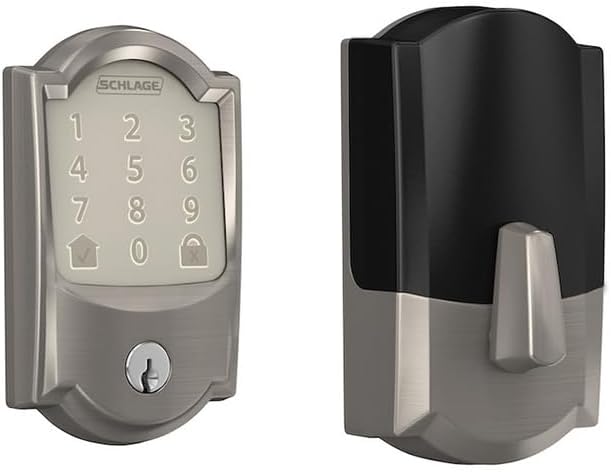
Schlage Residential BE489WBCCAM619 Camelot Encode Smart W...
Schlage Lock Company BE489WB CAM 716 Schlage Encode Smart...

Schlage Encode Smart WiFi Deadbolt Lock for Front Door - ...
As an Amazon Associate we earn from qualifying purchases.
Official Manufacturer Manual
If you need the complete manufacturer documentation for advanced setup, wiring diagrams, or detailed specifications, you can download the official manual below. The manual includes full technical instructions directly from the manufacturer and may help if your issue requires deeper troubleshooting.
Download the Official Schlage Encode Smart WiFi Deadbolt ManualSource: schlage.com
Need More Help? Schlage Support
Note: The contact information below connects you directly to Schlage's official customer support team, not Trunetto. They can help with warranty claims, device replacements, and advanced technical issues.
How Does Schlage Compare?
Before replacing your Schlage device, see how it stacks up against alternatives in our full comparison guides.


