Why Won't My Eve Energy Outlet Respond?
- Apple home hub offline (no relay for remote/automations)
- Bluetooth out of range of the hub/phone
- Thread mesh gap or border router offline
Problem Description
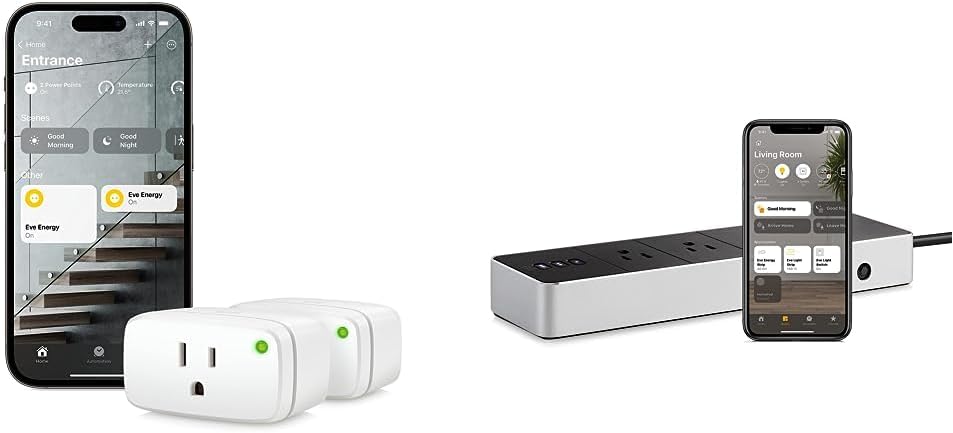
Your Eve Energy smart outlet is not responding to commands in the Apple Home app. Check the physical power connection first — the Eve Energy plugs into a wall outlet and the device you want to control plugs into the Eve Energy. The LED on the front indicates status. This guide covers checking power, Bluetooth/Thread connectivity, and re-pairing.
Why This Happens in Real Homes
'No Response' on an Eve Energy in Apple Home means your Apple home hub can't currently reach the plug - the plug itself is usually fine. Because Eve devices ride Bluetooth or Thread rather than WiFi, and rely on an Apple home hub (HomePod, HomePod mini, or Apple TV) to relay to the cloud, the fault is almost always in that path. Start by confirming the home hub is online and on the same network, and if the plug is Bluetooth-only, that it's within range of a hub. If it's a Thread device, a border router that's offline or a mesh gap breaks the path, so restarting the Thread border router and checking Thread status in Home helps.
Rule out the obvious too: the Eve Energy is a mains plug, so if the wall outlet lost power (a tripped GFCI or breaker), the plug goes dark and unresponsive. Beyond connectivity, a stale HomeKit state can cause a stubborn No Response that a home-hub restart clears, and keeping iOS, the Eve app, and the plug firmware updated resolves compatibility drops. If the plug works when you're home on the same network but not remotely, that's specifically the home hub or your remote-access path, not the plug. When all else is right, removing and re-adding the plug re-establishes a clean pairing.
Symptoms
- Plug shows No Response in Apple Home
- Doesn't respond to app or Siri commands
- Works locally at home but not remotely
- Status doesn't update
- Front LED off or not indicating
- Dropped off after a hub or network change
- Responds intermittently
- Connected device won't switch on/off
Recognize these? Here's what usually causes it.
Common Causes
- Apple home hub offline (no relay for remote/automations)
- Bluetooth out of range of the hub/phone
- Thread mesh gap or border router offline
- Plug lost power (tripped outlet/GFCI)
- HomeKit database/pairing state stale
- iOS or Eve app out of date
- Home hub on a different network/VLAN
- Plug firmware needs updating
Most fixes happen in the first 3 steps.
Never exceed the smart plug maximum wattage rating listed on the device or packaging. Do not use smart plugs with space heaters, high-wattage appliances, or devices that must not be interrupted like medical equipment. Smart plugs are not designed for outdoor use unless specifically rated for it.
Tools & Requirements
Step-by-Step Solution
Check physical power connection
Make sure the Eve Energy is fully plugged into the wall outlet and the outlet has power. The small LED on the Eve Energy should glow — if completely dark, the outlet may be switched off or on a tripped circuit. Try plugging a lamp into the same outlet to verify power. The Eve Energy draws minimal standby power (about 0.5W) but needs a live outlet to operate.
Check Bluetooth or Thread connectivity
Older Eve Energy models (before 2021) use Bluetooth only — your iPhone or home hub must be within 30 feet. Newer models support Thread, which creates a mesh network through HomePod mini or Apple TV 4K border routers. In the Eve app, check the device info — if it shows Thread, the connection routes through the mesh. If it shows Bluetooth, range matters more. A device showing No Response in HomeKit usually means the home hub lost contact.
Power cycle the Eve Energy
Unplug the Eve Energy from the wall outlet. Wait 10 seconds. Plug it back in. The LED should turn on and the device reconnects to your home hub within 30-60 seconds. Check the Home app — the device should change from No Response to its normal on/off status. Power cycling clears temporary firmware states that cause the plug to stop responding to commands.
Restart your home hub
If the Eve Energy shows No Response but you can see it in the Eve app when nearby: the problem is with your home hub (HomePod, HomePod mini, or Apple TV). Restart the home hub: for HomePod, unplug it for 10 seconds and plug back in. For Apple TV, go to Settings > System > Restart. After the hub restarts, all HomeKit accessories reconnect within 2-3 minutes. Check the Eve Energy status after the hub is back online.
Remove and re-add the accessory
If the plug remains unresponsive after power cycling both the plug and the hub: remove it from HomeKit. In the Home app, long press the Eve Energy tile > Remove Accessory. Then re-add it: open the Eve app > Add Accessory > scan the HomeKit code on the plug. Re-pair it. This creates a fresh connection. Recreate any automations that used this plug (turning on at sunset, energy monitoring schedules, etc.).
Quick Solutions
Still having issues? This is usually the deeper cause below.
If this comes back after following these steps, check whether a recent app or firmware update reset a default setting — the fix works, but the setting gets reverted silently.
Use smart plugs with energy monitoring to track exactly how much electricity each appliance uses. Set up Away Mode schedules that randomly toggle lamps on and off to make your home look occupied when you are traveling.
Range tests in open air are useless for predicting real-world Z-Wave performance — a single concrete wall or appliance can cut effective range by more than half.
- Apple home hub offline (no relay for remote/automations)
- Bluetooth out of range of the hub/phone
- Thread mesh gap or border router offline
- Plug lost power (tripped outlet/GFCI)
- HomeKit database/pairing state stale
Before you go — try one of these (they fix most cases).
Most popular upgrades chosen by Eve Energy owners.

Eve Energy (Matter) 3 Pack – Smart Plug, 100% Privacy, au...

Eve Motion - Smart Motion Sensor with Light Sensor, IPX3 ...

Eve Energy Strip - Smart Triple Outlet & Power Meter for ...
As an Amazon Associate we earn from qualifying purchases.
Official Manufacturer Manual
Eve provides official product documentation through their online manual rather than downloadable PDF. Access setup guides, troubleshooting steps, and product specifications for your Eve Energy.
Source: evehome.com
Need More Help? Eve Support
Note: The contact information below connects you directly to Eve's official customer support team, not Trunetto. They can help with warranty claims, device replacements, and advanced technical issues.
Accessories owners commonly pair with Eve Energy.

Sengled Alexa Light Bulb, S1 Auto Pairing with Alexa Devi...

Sengled Smart Light Bulbs, Color Changing Alexa/Bluetooth...

Ring Rechargeable Quick Release Battery Pack
As an Amazon Associate we earn from qualifying purchases.