

Why Does My Dyson Show an "E" Error Code on the Display?
- Internal software glitch after a power event
- Power supply interruption / plug not firmly connected
- Room temperature below ~41F (5C)
Problem Description
Your Dyson air purifier is displaying an "E" error code on its screen, indicating a general fault or malfunction that prevents normal operation. This code often requires specific troubleshooting steps to identify and resolve the underlying issue.
Why This Happens in Real Homes
An 'E' code on a Dyson purifier is a general fault indicator rather than a single specific failure, which is why Dyson's own guidance is a checklist rather than one fix. The most common triggers are a power event (a surge or interruption that glitched the machine) and simple environmental conditions the machine won't run in - notably a room colder than about 41F (5C), since these units won't operate reliably below that. The first move is always to unplug the machine for a minute and power it back on, which clears a large share of transient E codes.
If the code returns, work Dyson's checklist: confirm the plug is firmly seated in a working outlet, make sure the machine isn't obstructed and has clearance around its intake and outlet, and check the filter - an exhausted or improperly seated filter can trigger a fault. Updating the firmware through the app resolves some software-related E codes. Because 'E' is deliberately generic, a code that survives a power cycle, a warm room, a seated filter, and clear airflow points to an internal fault (power board, motor, or sensor) that Dyson support needs to diagnose - so that's the right escalation rather than guessing at parts.
Symptoms
- 'E' error code on the display
- Unit stops operating
- Fan does not turn on
- No response from the controls
- Happens after a power surge
- Error code is persistent
- Machine won't start
- Error returns after a restart
Recognize these? Here's what usually causes it.
Common Causes
- Internal software glitch after a power event
- Power supply interruption / plug not firmly connected
- Room temperature below ~41F (5C)
- Machine obstructed / airflow blocked
- Filter exhausted or not seated
- Fan motor issue
- Overheating
- Firmware corruption
Most fixes happen in the first 3 steps.
An "E" error code often signifies an internal issue. Attempting to repair the device yourself can void the warranty and may be unsafe. Always contact Dyson for assistance with persistent error codes.
Tools & Requirements
These tools will help you complete this fix.

Power adapter
JcBlaon Outlet Extender Surge Protector - 6 Outlet S...
As an Amazon Associate we earn from qualifying purchases.
Step-by-Step Solution
Power Cycle the Device
The first and most common solution is to perform a hard reset. Unplug your Dyson air purifier from the wall outlet for at least 60 seconds. Then, plug it back in and turn it on. This can clear temporary electronic glitches that may trigger an "E" error code.
Needed for this step
JcBlaon Outlet Extender Surge Protector - 6 Out...
This helps complete the fix you are currently reading.
$9.99Check Power Supply and Cable
Make sure the power cable is securely connected to both the air purifier and the wall outlet. Try plugging the device into a different wall outlet to rule out a faulty socket. Inspect the power cable for any signs of damage or fraying. Do not use extension cords.
Make sure Proper Airflow
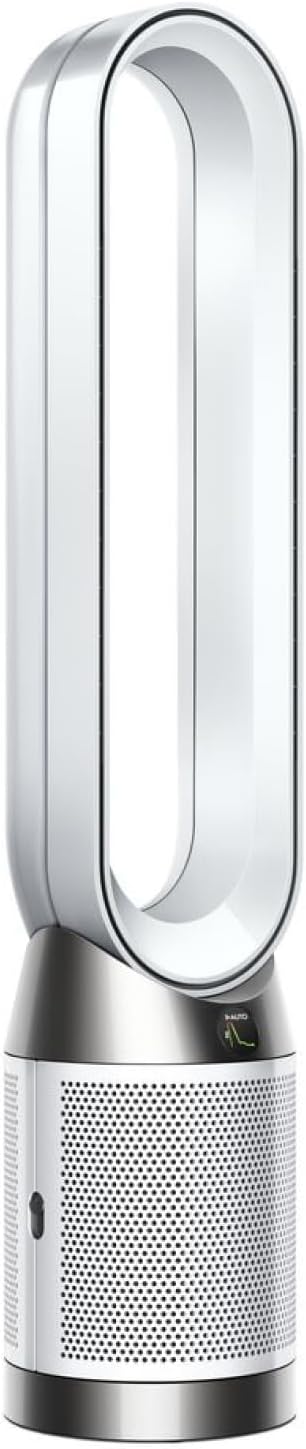
Make sure there are no obstructions around the air intake (the small holes at the base) or the air outlet (the loop amplifier). The device needs at least 6 inches of clearance on all sides for proper ventilation. Overheating due to poor airflow can sometimes cause an error.
Reseat the Filters
Turn off and unplug the purifier. Remove the outer covers and then remove the HEPA and carbon filters. Inspect them for any damage or blockages. Reinsert the filters, ensuring they are correctly aligned and seated. Secure the covers and power the device back on.
Contact Dyson Support
If the "E" error code persists after trying all the above steps, it likely indicates an internal hardware fault that requires professional service. Contact Dyson customer support with the purifier"s serial number and the specific error code displayed. Do not attempt to disassemble the unit yourself.
Quick Solutions
Still having issues? This is usually the deeper cause below.
If the keypad rejects valid codes, a lockout timer may be running — five failed entries locks most keypads silently for 5–10 minutes.
Note down the exact error code displayed on the screen (e.g., E1, E2) if available, as this will help Dyson support diagnose the issue more quickly.
Battery-related failures are almost always flagged too late — the device degrades silently for days before the app catches up to what's actually happening.
- Internal software glitch after a power event
- Power supply interruption / plug not firmly connected
- Room temperature below ~41F (5C)
- Machine obstructed / airflow blocked
- Filter exhausted or not seated
Before you go — try one of these (they fix most cases).
Most popular upgrades chosen by Dyson Air Purifier owners.
As an Amazon Associate we earn from qualifying purchases.
Official Manufacturer Manual
Dyson provides official product documentation through their online manual rather than downloadable PDF. Access setup guides, troubleshooting steps, and product specifications for your Dyson Air Purifier.
Source: dyson.com
Need More Help? Dyson Support
Note: The contact information below connects you directly to Dyson's official customer support team, not Trunetto. They can help with warranty claims, device replacements, and advanced technical issues.
Accessories owners commonly pair with Dyson Air Purifier.

Ring Rechargeable Quick Release Battery Pack

Ring Chime Pro

SwitchBot Hub Mini Smart Remote - IR Universal Remote, Wi...
As an Amazon Associate we earn from qualifying purchases.

