

Why Does My Dyson Air Purifier Show Incorrect Filter Life?
- Filter reset not held after replacement to register it
- App not updated before checking filter life
- Usage-hours counter not synced after a firmware update
Problem Description
Your Dyson air purifier is showing incorrect filter life remaining after replacing the filter. The Dyson app or display shows 100 percent when the filter is nearly exhausted, shows 0 percent immediately after installing a new filter, or the filter life percentage does not change over time. This occurs when the filter reset process is not completed correctly or the purifier firmware has not registered the replacement.
Why This Happens in Real Homes
Your Dyson air purifier is showing incorrect filter life remaining after replacing the filter. The Dyson app or display shows 100 percent when the filter is nearly exhausted, shows 0 percent immediately after installing a new filter, or the filter life percent.. In real usage this appears as Dyson app shows 100 percent filter life immediately after replacement, Filter life percentage has not changed in weeks of heavy use, and App shows 0 percent filter life right after installing new filter
The pattern in this case points to Filter reset button not held after replacement to register new filter, App not updated before checking filter life after replacement, and Filter life counter tied to usage hours not synced after firmware update. The repair usually holds when done in order: Complete the Filter Reset After Replacement, then Update Firmware and MyDyson App, then Clear App Cache to Refresh Filter Data. After applying the fix, validate behavior with repeated command tests and at least one full automation cycle to confirm stability.
Symptoms
- App shows 100% filter life right after replacement
- Filter life % hasn't changed in weeks of heavy use
- App shows 0% right after installing a new filter
- Replace-filter notification right after changing it
- Display panel and app show different filter life
- Filter life resets itself randomly
- Reduced performance despite a fresh filter
- Filter alert won't clear
Recognize these? Here's what usually causes it.
Common Causes
- Filter reset not held after replacement to register it
- App not updated before checking filter life
- Usage-hours counter not synced after a firmware update
- Non-genuine filter causing an RFID/sensor mismatch
- App cache showing a stale filter percentage
- Machine WiFi disconnected, blocking sync to the cloud
- Filter not fully seated
- Wrong filter model for the machine
Most fixes happen in the first 3 steps.
Only use Dyson genuine replacement filters. Third-party filters can void your warranty and may expose the motor to higher airflow resistance causing overheating over time.
Step-by-Step Solution
Check if the correct filter type is registered
Dyson purifiers track filter life based on which filter the purifier thinks is installed. If you replaced the filter with a third-party alternative or a different Dyson filter model, the purifier may not recognize it and show an incorrect life reading. In the Dyson Link or MyDyson app, go to your purifier settings and check the filter type. If it shows the wrong filter, reset the filter life counter (covered in the next step). Dyson Pure Cool models (TP04, TP07) use a combined HEPA + carbon filter. The HP series uses separate filters with different lifespans.
Reset the filter life counter after replacement
After physically replacing the filter, you must reset the counter in the app — it does not auto-detect a new filter. In the MyDyson app, go to your purifier > Settings > Filter Life > Reset. On the purifier itself, press and hold the power button for 6 seconds (on some models, hold the oscillation button instead). The display will show a filter icon reset animation. If you skip this step after a filter change, the purifier continues counting from the old filter hours and shows 0% life remaining even though the new filter is fresh.
Check the running hours versus actual usage
Dyson calculates filter life based on running hours and fan speed — higher speeds use more of the filter life. If you run the purifier on Auto mode in a dusty environment, it frequently runs at high speed and the filter depletes faster than the estimated 12 months. In the MyDyson app, check the actual remaining percentage. If it dropped to 0% in 4-5 months, you either have very poor air quality (construction, wildfire smoke, pet dander) or the sensor is detecting particles and running the fan at high speed frequently. This is normal — the 12-month estimate assumes moderate use at medium speed.
Clean the pre-filter and sensors
Dyson purifiers have a pre-filter mesh on the outer shroud that catches large particles. If this is clogged, the internal sensors detect poor air quality and run the fan at maximum speed constantly, which accelerates filter life depletion. Wipe the outer mesh with a dry cloth or vacuum it with a brush attachment. Also clean the air quality sensor inlet — a small rectangular slot on the lower-left side of the purifier base (when facing the front display). Use a dry cotton swab to gently clean inside this slot. A dirty sensor reads artificially high particle counts and triggers unnecessary high-speed fan operation.
Replace the filter if the life counter is accurate
If the counter shows 0% and you have been running the purifier heavily for 6+ months, the filter genuinely needs replacement. Dyson HEPA filters cannot be washed or cleaned — they must be replaced. The carbon filter (on models with a separate carbon layer) also cannot be regenerated. Order the correct replacement filter for your specific model from Dyson or Amazon. After installing the new filter, reset the counter in the app. Run the purifier in Auto mode for 5 minutes and check the air quality reading — a new filter should bring the reading down to Good within a few minutes if your environment is clean.
Quick Solutions
Still having issues? This is usually the deeper cause below.
If this comes back after following these steps, check whether a recent app or firmware update reset a default setting — the fix works, but the setting gets reverted silently.
Register your Dyson purifier in the MyDyson app right after purchase. Registered machines receive automatic filter replacement reminders based on actual usage hours tracked by the app.
This issue almost always looks more complex than it is — the majority of cases trace back to a single setting, a stale credential, or a default that shipped wrong.
- Filter reset not held after replacement to register it
- App not updated before checking filter life
- Usage-hours counter not synced after a firmware update
- Non-genuine filter causing an RFID/sensor mismatch
- App cache showing a stale filter percentage
Before you go — try one of these (they fix most cases).
Most popular upgrades chosen by Dyson Air Purifier owners.
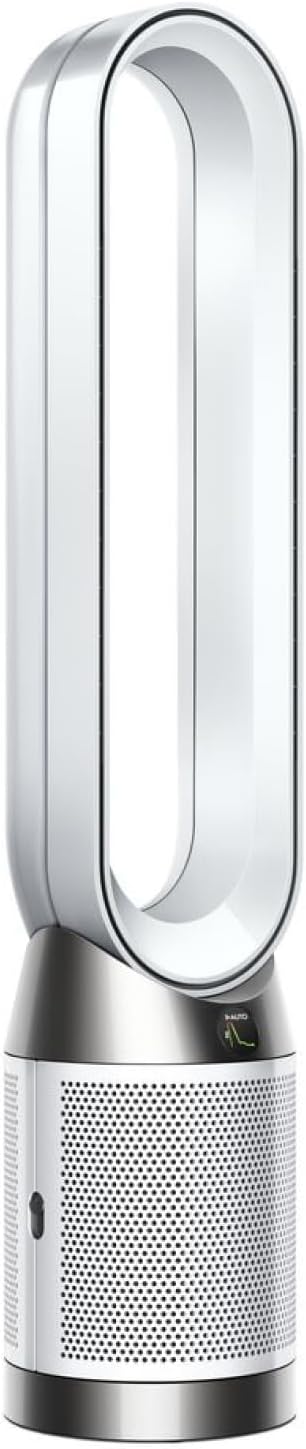
As an Amazon Associate we earn from qualifying purchases.
Official Manufacturer Manual
Dyson provides official product documentation through their online manual rather than downloadable PDF. Access setup guides, troubleshooting steps, and product specifications for your Dyson Air Purifier.
Source: dyson.com
Need More Help? Dyson Support
Note: The contact information below connects you directly to Dyson's official customer support team, not Trunetto. They can help with warranty claims, device replacements, and advanced technical issues.
Accessories owners commonly pair with Dyson Air Purifier.

Ring Rechargeable Quick Release Battery Pack

Ring Chime Pro

SwitchBot Hub Mini Smart Remote - IR Universal Remote, Wi...
As an Amazon Associate we earn from qualifying purchases.

