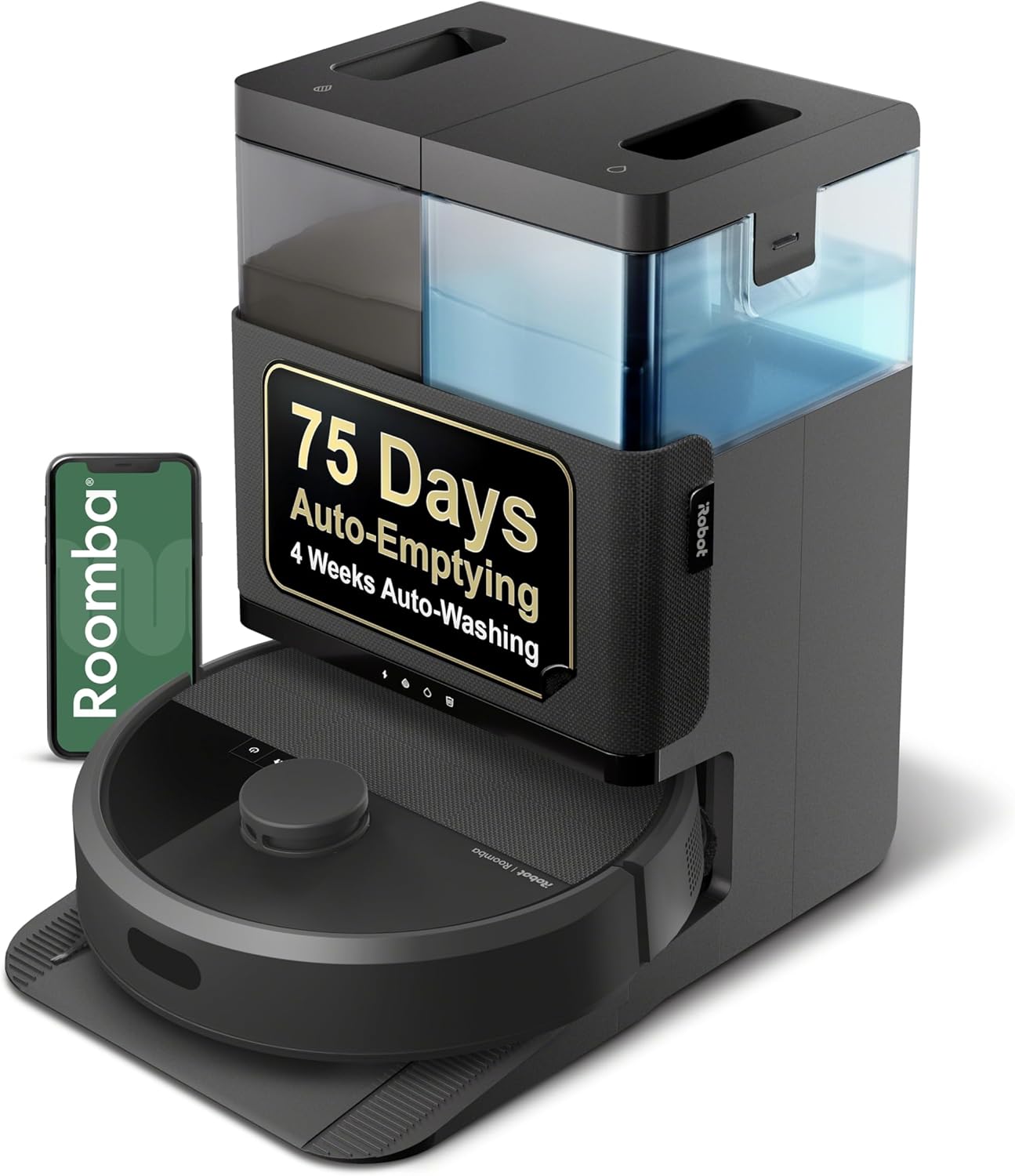
Roomba Clean Base Not Auto-Emptying? Why It Won't Start the Cycle
- Auto-empty is turned off in the iRobot Home app
- The robot isn't fully docked or is misaligned on the base
- The robot's bin isn't seated correctly
Problem Description
Your Roomba docks on the Clean Base but the automatic dustbin emptying never starts - the base doesn't run its evacuation cycle at all, and the bin stays full. This is about why the empty cycle won't trigger (settings, docking, and seating), rather than a clog stopping debris from coming out. This guide gets the auto-empty cycle firing again (for a base that runs but doesn't clear the bin, see the clog guide).
Why This Happens in Real Homes
When the Clean Base stops auto-emptying, the airflow path between the robot's bin and the bag is blocked somewhere — most often a full bag, a bag that isn't seated on its port, or a clog of hair and debris in the evac port on the robot's underside. The base can't pull the bin empty if that channel is obstructed.
Open the Clean Base, replace the bag if it's full (and confirm a new one is pushed fully onto the cardboard collar), then check the robot's bottom evacuation port and the base's tube for a clog of hair or a wad of debris. Make sure the robot seats fully on the dock so the ports line up. A power-cycle of the base clears a sensor that wrongly thinks the bag is full.
Symptoms
- The base never runs its empty cycle after cleaning
- The robot docks but you never hear the evacuation
- The bin stays full even though it's docked
- Auto-empty stopped working after an app or map change
- It docks slightly crooked or doesn't seat fully
- No evacuation event shows in the app history
- It charges on the base but never empties
- Only happens with one robot on a multi-robot account
Recognize these? Here's what usually causes it.
Common Causes
- Auto-empty is turned off in the iRobot Home app
- The robot isn't fully docked or is misaligned on the base
- The robot's bin isn't seated correctly
- Dirty charging/communication contacts between robot and base
- The Clean Base bag is full or missing (some models won't run)
- A map/settings change reset the auto-empty preference
- The base needs a power-cycle
- The robot doesn't recognize this dock
Most fixes happen in the first 3 steps.
Never reach into the Clean Base evacuation port while plugged in. The suction motor can activate unexpectedly from the app or robot docking and the strong suction can injure fingers.
Tools & Requirements
These are for the steps in this guide, prioritized by fit, rating, availability, and current value.

As an Amazon Associate we earn from qualifying purchases.
Step-by-Step Solution
Turn On Auto-Empty in the App
Open the iRobot Home app, go to the robot's settings (Automatic Dirt Disposal / Empty Bin), and confirm auto-empty is enabled. A map edit, factory reset, or app update can switch it off. This is the first thing to check - the base won't run a cycle it's told not to.
Confirm the Robot Docks Fully
The empty cycle only fires when the robot is docked squarely. Make sure nothing blocks the dock, the base is against a wall on hard floor, and the robot drives all the way on. If it stops short or crooked, the evacuation port doesn't line up and the cycle won't start.
Reseat the Robot's Bin
If the dustbin isn't fully clicked into the robot, the base can't evacuate it and may skip the cycle. Remove the bin and push it back in until it clicks firmly, then re-dock and watch for the empty.
Clean the Contacts
The robot and base talk through metal charging/communication contacts. If they're dusty or filmed over, the base may not know the robot is home to empty it. Wipe the contacts on both the robot and the dock with a dry cloth (or lightly with isopropyl alcohol), let dry, and re-dock.
Still stuck? Ask Trunetto about this exact issue.
Check the Bag Isn't Full or Missing
Many Clean Base models won't run the empty cycle if the bag is full or not detected. Open the base lid and confirm a genuine iRobot bag is installed and not full; replace it if needed. A missing or full-bag sensor can silently stop the whole cycle.
Power-Cycle the Clean Base
Unplug the Clean Base for about 10 seconds and plug it back in. This restarts the base's electronics and clears a stuck state that prevents it from initiating the evacuation, then re-dock the robot.
Manually Trigger an Empty
In the iRobot Home app, use the Empty Bin command (or the button on some bases) to force an evacuation while the robot is docked. If it empties on command, the cycle works and the issue was the automatic trigger - re-check the auto-empty setting and docking.
Re-Confirm After Map Changes
If it broke right after editing your map or adding a robot, the auto-empty preference likely reset. Go back into the robot's settings and re-enable Empty Bin, then run a short clean and confirm an evacuation event appears in the app history.
Quick Solutions
Still having issues? This is usually the deeper cause below.
If this comes back after following these steps, check whether a recent app or firmware update reset a default setting — the fix works, but the setting gets reverted silently.
Decision point
If the fix does not hold, check the matching replacement before another reset cycle.
This is the most relevant replacement path for this iRobot Roomba Clean Base guide. Use it only if the steps above failed, the issue returns, or the part cost is too close to replacing the device.

Prime · in stock · standard · 5.7k reviews
Check Replacement PriceReplace Clean Base disposal bags every 30 to 60 days depending on usage. Running with an overfull bag forces the motor to work harder and can burn it out prematurely.
This issue almost always looks more complex than it is — the majority of cases trace back to a single setting, a stale credential, or a default that shipped wrong.
- Auto-empty is turned off in the iRobot Home app
- The robot isn't fully docked or is misaligned on
- The robot's bin isn't seated correctly
- Dirty charging/communication contacts between robot and base
- The Clean Base bag is full or missing (some
Before you go — try one of these (they fix most cases).
Most popular upgrades chosen by iRobot Roomba Clean Base owners.
As an Amazon Associate we earn from qualifying purchases.
Official Manufacturer Manual
iRobot provides official product documentation through their online manual rather than downloadable PDF. Access setup guides, troubleshooting steps, and product specifications for your iRobot Roomba Clean Base.
Source: homesupport.irobot.com
Need More Help? iRobot Support
Note: The contact information below connects you directly to iRobot's official customer support team, not Trunetto. They can help with warranty claims, device replacements, and advanced technical issues.
How Does iRobot Compare?
Before replacing your iRobot device, see how it stacks up against alternatives in our full comparison guides.
Compatible accessories that support the setup in this guide, not random checkout recommendations.

As an Amazon Associate we earn from qualifying purchases.