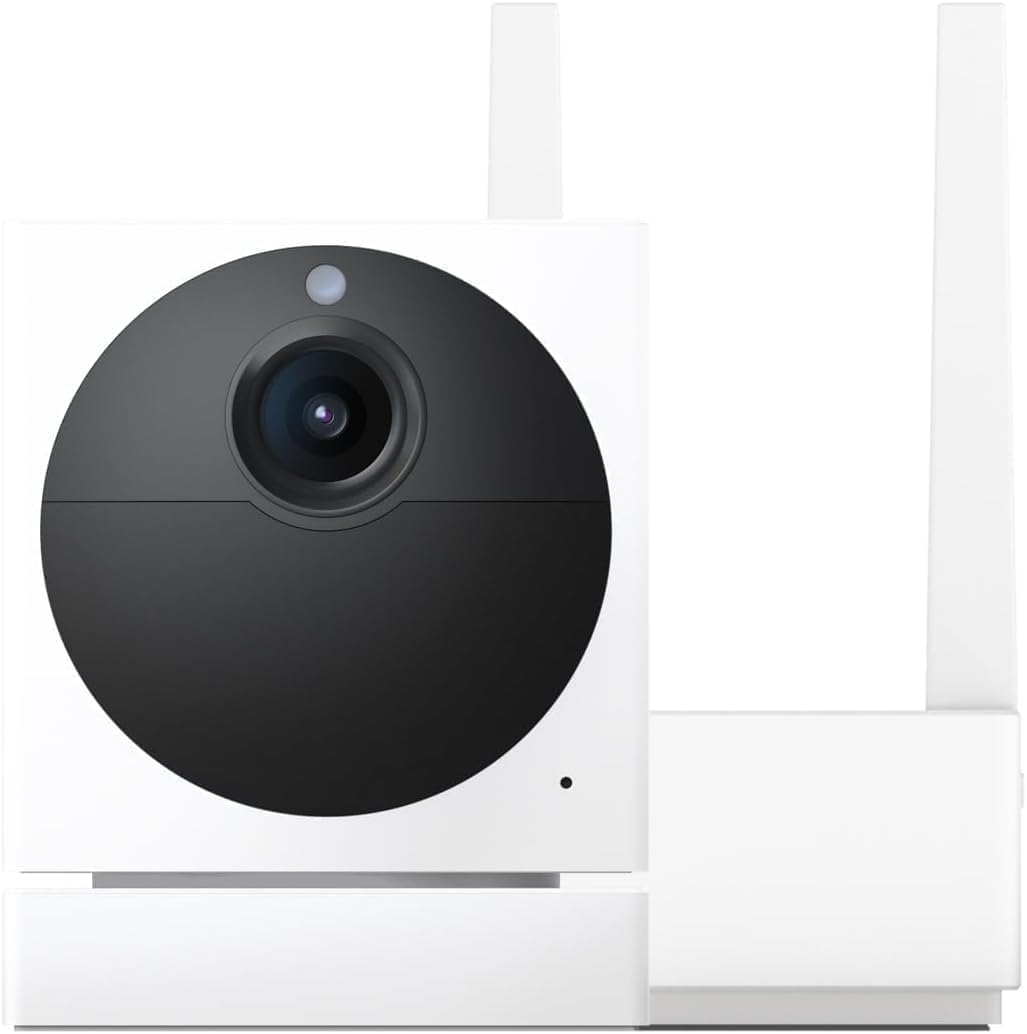
Why Does My Wyze Cam Keep Restarting or Power Cycling on Its Own?
- USB power adapter not providing sufficient amperage for the camera
- USB cable too long or too thin causing voltage drop under load
- Power strip or extension cord overloaded reducing available power
Problem Description
Your Wyze Cam restarts or reboots on its own every few minutes or hours. The camera goes offline briefly the LED cycles through startup colors and then it comes back online. This creates gaps in recordings, missed motion events, and unreliable live view. The most common cause is a power supply issue either a weak USB adapter, a long or thin USB cable, or a shared power strip that cannot deliver sufficient current. Temperature extremes can also cause thermal shutdown and restart cycles.
Why This Happens in Real Homes
A Wyze camera rebooting every few minutes is almost always a power problem. These cameras are extremely sensitive to voltage drops on the USB connection. Start with the cable — swap in a different micro-USB or USB-C cable depending on the model. If that does not fix it, try a different power adapter. Long cable runs over 10 feet cause enough voltage drop to trigger restarts, so use a thicker 22AWG cable for those distances. The other cause people miss is thermal shutdown. A camera mounted in direct afternoon sun in summer can overheat and reboot in a cycle. Add a shade or relocate it.
Symptoms
- Camera LED cycles through boot colors every few minutes
- Camera goes offline in Wyze app then reappears automatically
- Recordings have regular gaps at consistent intervals
- Camera restarts when switching to night vision mode
- Camera works for a few hours then reboots and repeats the cycle
- Wyze app shows device offline notification followed quickly by device online
Recognize these? Here's what usually causes it.
Common Causes
- USB power adapter not providing sufficient amperage for the camera
- USB cable too long or too thin causing voltage drop under load
- Power strip or extension cord overloaded reducing available power
- Camera overheating in direct sunlight causing thermal shutdown
- Camera firmware bug causing periodic restart in specific conditions
- Micro-USB connector loose or damaged from weather exposure
Most fixes happen in the first 3 steps.
Do not use USB quick charge adapters with Wyze cameras. Quick Charge adapters can deliver higher voltages like 9V or 12V before negotiating down to 5V. If the negotiation fails the higher voltage can damage the camera. Use a standard 5V-only USB adapter.
Tools & Requirements
These tools will help you complete this fix.
As an Amazon Associate we earn from qualifying purchases.
Step-by-Step Solution
Test with a Different USB Power Adapter
Replace the current USB adapter with the original Wyze adapter or a quality 5V 2A rated adapter. Many generic adapters claim 2A but deliver less under load. An underpowered adapter causes the camera to restart when it draws peak current during IR LED activation, video encoding, or WiFi transmission. If the restarts stop with a better adapter the old adapter was the problem.
Replace the USB Cable
USB cables longer than 10 feet or very thin cables cause voltage drop. The camera needs 5V at the connector but a long cable may deliver only 4.5V or less which triggers restarts. Use the original cable that came with the camera or a high quality cable 6 feet or shorter with 24 AWG power wires. If the camera is far from the outlet use a weatherproof outdoor extension cord to bring the outlet closer rather than using a longer USB cable.

Needed for this step
Amazon Basics USB-A to Micro USB Charging Cable...
This helps complete the fix you are currently reading.
$8.09Eliminate Power Strip and Extension Cords
Plug the camera USB adapter directly into a wall outlet. Power strips and extension cords add resistance and shared load. If other devices on the same strip draw power simultaneously the camera may not get enough current. For outdoor cameras consider installing a weatherproof outdoor outlet near the mounting location to provide dedicated clean power.
Check for Overheating
Wyze cameras in direct sunlight especially dark-colored models can overheat in summer. The camera has thermal protection that shuts it down when the internal temperature exceeds safe limits. After cooling it restarts and the cycle repeats. Add a small sun shade above the camera. White or light-colored camera skins reflect heat. Mounting under an eave or porch roof provides natural shade and protection from rain.
Update Firmware and Check USB Connector
Open the Wyze app go to the camera settings and check for firmware updates. Some firmware versions have bugs that cause periodic restarts. Update to the latest stable version. Also inspect the micro-USB port on the camera for corrosion, bent pins, or debris. Outdoor cameras are especially prone to connector corrosion from moisture. Clean with a dry toothbrush and apply a tiny amount of dielectric grease to prevent future corrosion.
Quick Solutions
Still having issues? This is usually the deeper cause below.
If drain continues after replacing batteries, check the event history — a stuck-open sensor or rapid polling loop burns through batteries in days.
If you use Wyze cameras outdoors invest in weatherproof USB cable pass-throughs and silicone covers for the USB connections. Moisture entering the USB port is the number one cause of outdoor camera power issues and eventual connector failure.
Battery-related failures are almost always flagged too late — the device degrades silently for days before the app catches up to what's actually happening.
- USB power adapter not providing sufficient amperage for the
- USB cable too long or too thin
- Power strip or extension cord overloaded reducing available power
- Camera overheating in direct sunlight causing thermal shutdown
- Camera firmware bug causing periodic restart in specific conditions
Before you go — try one of these (they fix most cases).
Most popular upgrades chosen by Wyze Cam owners.

Wyze Cam v3, 1080P HD WiFi Wired Indoor/Outdoor Home Secu...
WYZE Cam v3, 1080P HD WiFi Wired Indoor/Outdoor Home Secu...

WYZE Cam OG Indoor/Outdoor 1080p Wi-Fi Smart Home Securit...
As an Amazon Associate we earn from qualifying purchases.
Official Manufacturer Manual
Wyze provides official product documentation through their online manual rather than downloadable PDF. Access setup guides, troubleshooting steps, and product specifications for your Wyze Cam.
Source: support.wyze.com
Need More Help? Wyze Support
Note: The contact information below connects you directly to Wyze's official customer support team, not Trunetto. They can help with warranty claims, device replacements, and advanced technical issues.
How Does Wyze Compare?
Before replacing your Wyze device, see how it stacks up against alternatives in our full comparison guides.