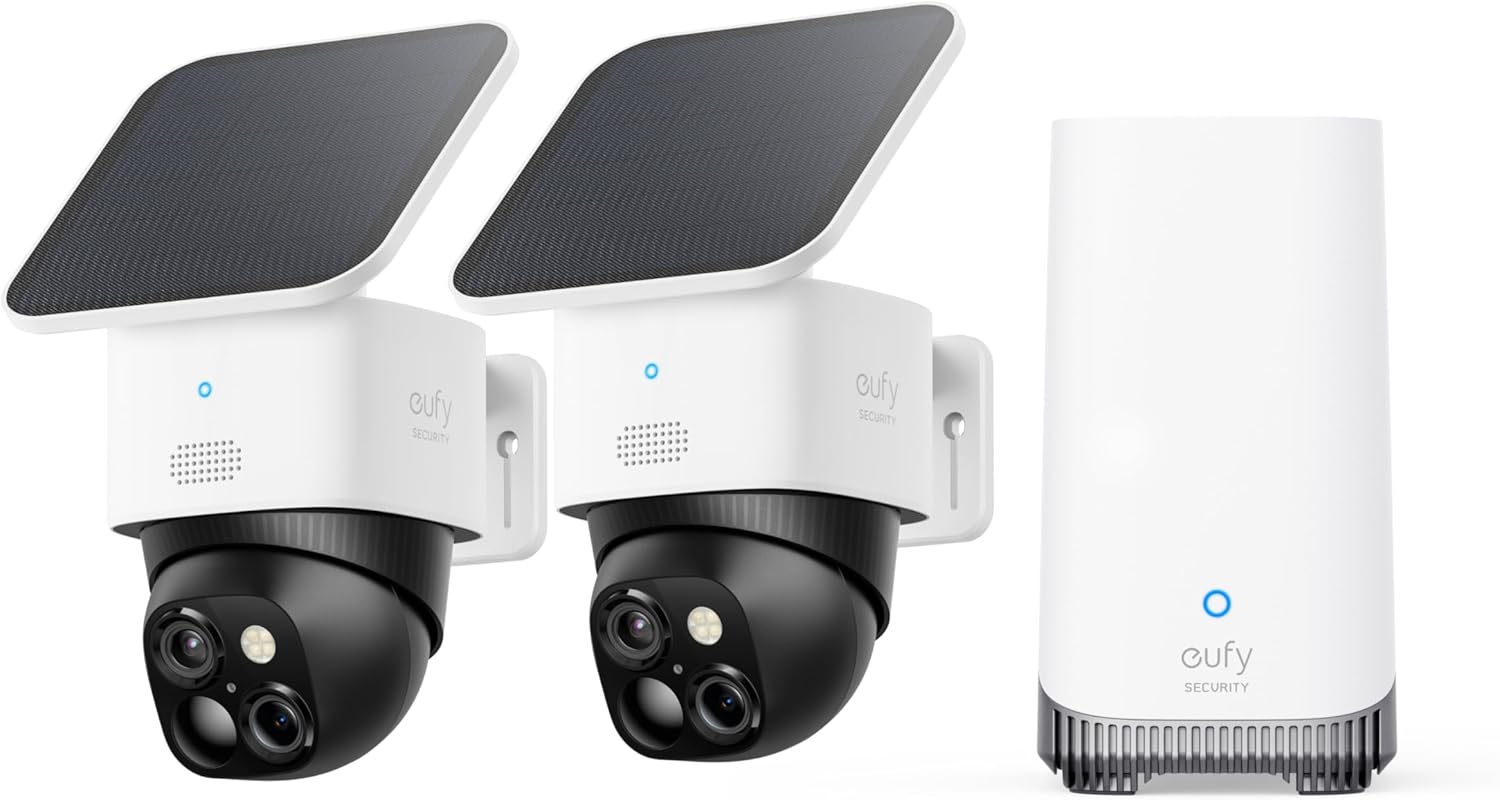
Why Is My eufy HomeBase Storage Full?
- 16GB internal storage filled (HomeBase 2)
- Rolling overwrite not enabled
- Too many/high-quality recordings
Problem Description
Your eufy HomeBase internal storage is full and can no longer save new recordings. Check storage usage in the eufy Security app under the HomeBase settings. The HomeBase stores video clips locally (16GB built-in on most models). When full, old clips must be deleted or the storage expanded with a USB hard drive connected to the USB port on the back.
Why This Happens in Real Homes
The HomeBase 2 has a fixed 16GB of internal storage, which fills faster than people expect with several cameras or high-quality/continuous recording — and once full, it can't save new events. The HomeBase 3 avoids this by supporting an expandable drive, but the same habits still fill it.
Enable rolling overwrite so the oldest footage is automatically deleted to make room, and cut the load: lower recording resolution or length, switch from continuous to motion-only recording, and shorten the retention period. Delete old clips you don't need. On a HomeBase 3, adding a larger drive gives you far more headroom. Managing quality and retention is what keeps a local-storage system from filling up.
Symptoms
- HomeBase storage full
- Can't record new events
- Storage-full warning
- Old clips not overwriting
- Recording stopped
- No space for new footage
- Missing recent recordings
- Storage maxed out
Recognize these? Here's what usually causes it.
Common Causes
- 16GB internal storage filled (HomeBase 2)
- Rolling overwrite not enabled
- Too many/high-quality recordings
- Long retention period set
- Continuous recording filling space
- No expandable storage (HB2)
- Many cameras sharing the base
- Old footage not cleared
Most fixes happen in the first 3 steps.
Consider HomeBase 3 with external drive for long-term storage needs.
Tools & Requirements
These tools will help you complete this fix.

As an Amazon Associate we earn from qualifying purchases.
Step-by-Step Solution
Check storage usage in the eufy app
Open the eufy Security app. Tap your HomeBase. Go to Storage Management. The app shows total storage, used storage, and percentage remaining. The HomeBase 2 has 16GB of internal eMMC storage. The HomeBase 3 also has 16GB built-in but supports external USB drives. At default settings (10-30 second clips per event), 16GB stores approximately 60-90 days of events for 2-3 cameras before filling up.
Enable automatic overwrite of oldest recordings
By default, the HomeBase overwrites the oldest recordings when storage is full — this is the continuous loop recording mode. Check this setting in the eufy app > HomeBase > Storage Management > Auto Overwrite. If this is off, recording stops when storage is full. Turn it on to keep recording indefinitely. The oldest footage is deleted first to make room for new events.
Delete recordings manually to free space
In the eufy app, go to the Events tab. Filter by date range or camera. Select events you no longer need and delete them. You can also select Delete All for a specific time period. If you want to keep important recordings, download them to your phone first (tap the event > Download icon) before deleting from the HomeBase. Once deleted from the HomeBase, recordings are gone permanently — there is no cloud backup unless you have eufy cloud subscription.
Reduce recording length and frequency to slow storage fill
In the eufy app, go to each camera > Settings > Recording Settings. Reduce the clip length from 60 seconds to 15-30 seconds. Also adjust motion sensitivity downward to reduce the number of events recorded. Each 30-second 2K clip is approximately 15-20MB. Reducing sensitivity from 7 to 4 can cut event count in half while still catching meaningful activity. These changes extend how long storage lasts before filling.
Add external storage to HomeBase 3
If you have a HomeBase 3, plug a USB 3.0 external hard drive (up to 16TB) into the back USB port. The eufy app formats and uses it for primary storage. A 2TB drive stores approximately 6-12 months of continuous events from 4+ cameras. For HomeBase 2, external storage is not supported — your only options are reducing clip length/frequency or accepting auto-overwrite of older footage.
Quick Solutions
Still having issues? This is usually the deeper cause below.
If this comes back after following these steps, check whether a recent app or firmware update reset a default setting — the fix works, but the setting gets reverted silently.
Place your hub in a central location in your home, elevated off the floor and away from your WiFi router by at least 3 feet. This provides the best Zigbee and Z-Wave signal coverage to all corners of your house.
This issue almost always looks more complex than it is — the majority of cases trace back to a single setting, a stale credential, or a default that shipped wrong.
- 16GB internal storage filled (HomeBase 2)
- Rolling overwrite not enabled
- Too many/high-quality recordings
- Long retention period set
- Continuous recording filling space
Before you go — try one of these (they fix most cases).
Most popular upgrades chosen by eufy HomeBase owners.

As an Amazon Associate we earn from qualifying purchases.
Official Manufacturer Manual
eufy Security provides official product documentation through their online manual rather than downloadable PDF. Access setup guides, troubleshooting steps, and product specifications for your eufy HomeBase.
Source: eufy.com
Need More Help? eufy Security Support
Note: The contact information below connects you directly to eufy Security's official customer support team, not Trunetto. They can help with warranty claims, device replacements, and advanced technical issues.
How Does eufy Security Compare?
Before replacing your eufy Security device, see how it stacks up against alternatives in our full comparison guides.
Accessories owners commonly pair with eufy HomeBase.

Amazon Smart Plug, Works with Alexa, Simple Setup, Endles...

TP-Link WiFi Extender with Ethernet Port, Dual Band 5GHz/...

Kasa Smart Plug, Matter Compatible, Energy Monitoring, Co...
As an Amazon Associate we earn from qualifying purchases.