

Why Do My Govee LED Strip Lights Have Sections That Are Wrong Color
- Loose connection between strip segments
- Controller signal degraded on long strip runs
- Power supply insufficient for full strip length
Problem Description
Some sections of your Govee LED strip show the wrong color or a different shade than the rest. One section might be pink when the rest is red or some LEDs show white while others show blue. On RGBIC strips individual segments are independently controlled and section color errors usually indicate a connection or controller issue not dead LEDs.
Why This Happens in Real Homes
Sections showing the wrong color usually mean a loose connection between strip segments or a controller/data issue — the color data travels down the strip, so a bad joint makes everything past it wrong.
Start by reseating the connectors between segments and at the controller, checking for a damaged or kinked spot. If colors are wrong from one point onward, that joint or a damaged section is the break; confirm the strip length/type is set correctly in the app so the controller drives the right number of LEDs.
Symptoms
- One section shows different color than rest
- Random LEDs stuck on white or wrong shade
- Color gradient has visible jumps or gaps
- Section goes dark while rest works fine
- Colors look correct in app but wrong on strip
- Strip flickers only in certain sections
- A section goes dark while the rest works
- Colors are correct in the app but wrong on the strip
Recognize these? Here's what usually causes it.
Common Causes
- Loose connection between strip segments
- Controller signal degraded on long strip runs
- Power supply insufficient for full strip length
- IC chip damaged on affected segment
- Strip bent too sharply at problem section
- App firmware out of sync with strip controller
- A loose connector between segments
- Voltage drop or an underpowered long run
Most fixes happen in the first 3 steps.
Do not cut RGBIC strips unless they have marked cut lines. Cutting between IC segments destroys the addressable color control for the remaining strip.
Tools & Requirements
These are for the steps in this guide, prioritized by fit, rating, availability, and current value.
As an Amazon Associate we earn from qualifying purchases.
Step-by-Step Solution
Confirm strip model supports segmented color zones
Verify your Govee strip is RGBIC/segment-capable where required, because non-segment models cannot display independent section colors correctly.
Check orientation and segment mapping in app
Make sure strip direction and start point match app configuration, since reversed mapping often makes specific zones display the wrong intended color.
Recalibrate scene settings and color order profile
Recreate affected scenes and verify RGB order assumptions, because imported or stale scene profiles can preserve incorrect zone assignments.
Inspect power stability across full strip length
Check adapter output and connector integrity for voltage drop, since insufficient power can distort color rendering toward strip endpoints.

Needed for this step
JcBlaon Outlet Extender Surge Protector - 6 Out...
This helps complete the fix you are currently reading.
$9.99Test static primaries by section and compare results
Run red, green, and blue static tests across each segment to isolate hardware vs mapping issues before deciding on strip replacement.
Reseat the Segment Connectors
A section showing the wrong color or going dark is usually a loose or dirty connector between segments. Separate the strip at that joint and press the connector firmly back together, checking the arrows/pads line up so data flows through.
Check for Voltage Drop on Long Runs
On a long strip the far end loses voltage, so colors shift (often toward red/white) or dim past a certain point. Shorten the run, split it, or add power injection at the far end so the whole length gets full voltage.
Test Static Primaries by Section
Set the whole strip to solid red, then green, then blue and watch each section. A section that renders one primary wrong points at a damaged IC or a bad connector there - reseat or, on a modular strip, replace that segment.
Quick Solutions
Still having issues? This is usually the deeper cause below.
If flickering only happens on dimming, the issue is almost always the dimmer's minimum-load setting, not the bulb — it's drawing less current than the dimmer expects.
Decision point
If the fix does not hold, check the matching replacement before another reset cycle.
This is the most relevant replacement path for this Govee LED Strip Lights guide. Use it only if the steps above failed, the issue returns, or the part cost is too close to replacing the device.
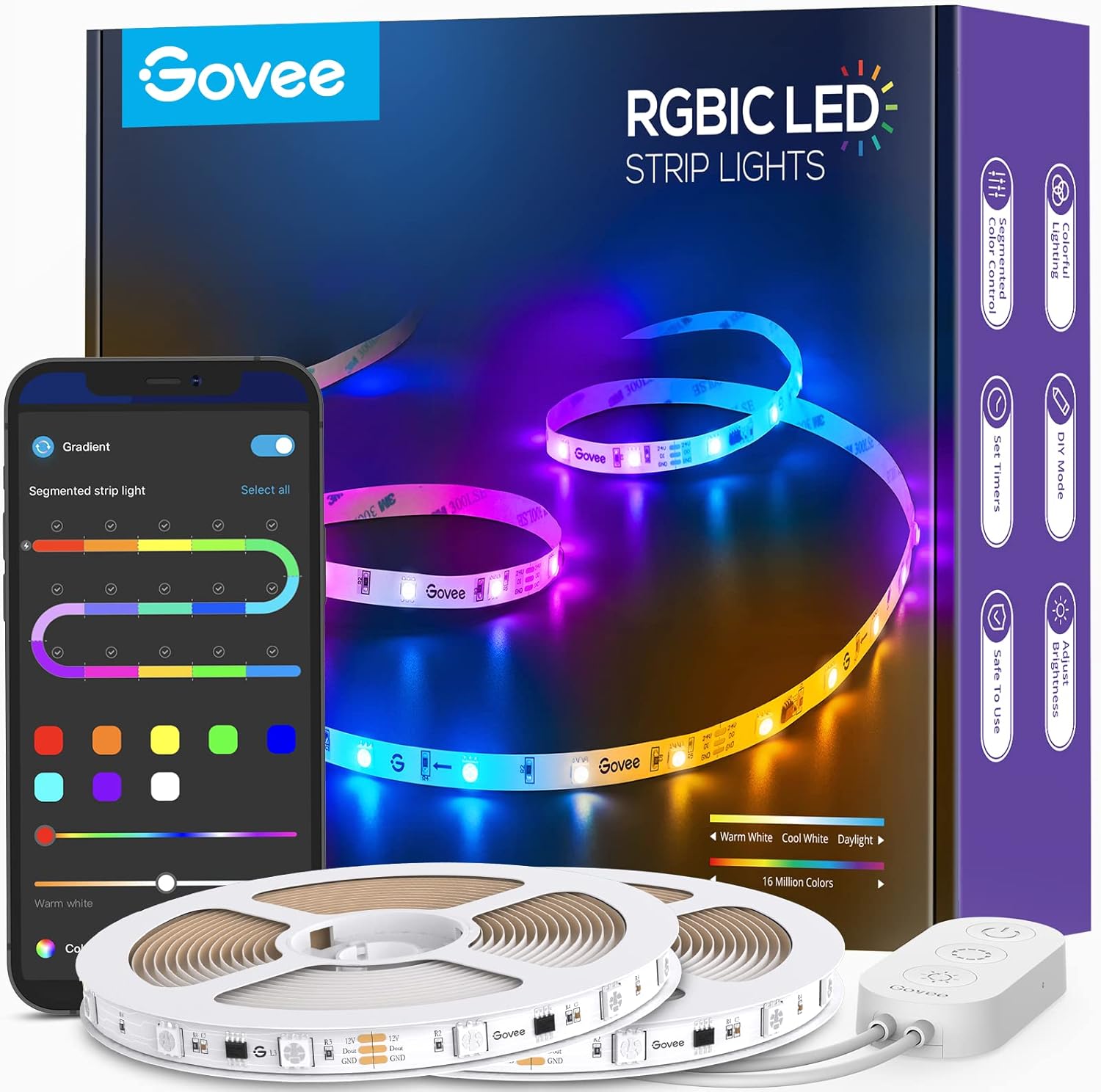
Prime · in stock · standard · 19k reviews
Check Current DealWhen installing RGBIC strips use the adhesive clips included instead of bending the strip around corners. Clips maintain a gentle curve that protects the IC chips.
Battery-related failures are almost always flagged too late — the device degrades silently for days before the app catches up to what's actually happening.
- Loose connection between strip segments
- Controller signal degraded on long strip runs
- Power supply insufficient for full strip length
- IC chip damaged on affected segment
- Strip bent too sharply at problem section
Before you go — try one of these (they fix most cases).
Most popular upgrades chosen by Govee LED Strip Lights owners.
Compare replacement options
Govee 65.6ft RGBIC LED Strip Lights, Color Ch...
- Connection fit
- Wi-Fi · Bluetooth
- Product role
- Smart lighting
- Ecosystems
- Alexa · Google Home
- Connectivity
- Wi-Fi · Bluetooth
- Setup
- Not specified
- Features
- Breathtaking RGBIC Effects: With built-in IC chips, the smart LED strip lights can ... · More Length, More Impact: 65.6ft RGBIC led strip lights provides multiple design op... · Segmented Color Control: Each color changing led lighting strip is divided into 15 ...
- Price
- $41.99 vs $64.99 list
- Reviews
- 4.6 stars · 19k reviews
- Buying signal
- Limited time deal
- Delivery
- Prime · in stock · standard
Govee 32.8ft LED Strip Lights RGBIC App Contr...
- Connection fit
- Bluetooth
- Product role
- Smart lighting
- Ecosystems
- Not specified
- Connectivity
- Bluetooth
- Setup
- Not specified
- Features
- RGBIC Technology: With built-in IC chips, the LED strips can display more than one ... · More Colors. Better Control: Customize each of the 15 segments on a single strip an... · Full-Featured App: The Govee Home app grants you advanced control of your strip lig...
- Price
- $27.99 vs $39.99 list
- Reviews
- 4.6 stars · 19k reviews
- Buying signal
- Limited time deal
- Delivery
- Prime · in stock · standard
Govee Strip Light with Skyline Kit, 13.1ft Sm...
- Connection fit
- Wi-Fi · Matter · Bluetooth
- Product role
- Smart lighting
- Ecosystems
- Alexa · Google Home · SmartThings
- Connectivity
- Wi-Fi · Matter · Bluetooth
- Setup
- Not specified
- Features
- Large-Area Floating Wall Washing: Unique design loads the LED strip light with the ... · LuminBlend Control System: Equipped with a self-developed 16-bit chip and a powerfu... · DIY with Segmented Control: Features one IC chip per every 6 lamp beads, with each ...
- Price
- $99.99
- Reviews
- 4.6 stars · 161 reviews
- Buying signal
- Prime · in stock · standard
- Delivery
- Prime · in stock · standard
Govee 65.6ft RGBIC LED Strip Lights, Color Changing LED S...

Govee 32.8ft LED Strip Lights RGBIC App Control, Smart LE...

Govee Strip Light with Skyline Kit, 13.1ft Smart LED Stri...
As an Amazon Associate we earn from qualifying purchases.
Official Manufacturer Manual
Govee provides official product documentation through their online manual rather than downloadable PDF. Access setup guides, troubleshooting steps, and product specifications for your Govee LED Strip Lights.
Source: govee.com
Need More Help? Govee Support
Note: The contact information below connects you directly to Govee's official customer support team, not Trunetto. They can help with warranty claims, device replacements, and advanced technical issues.
How Does Govee Compare?
Before replacing your Govee device, see how it stacks up against alternatives in our full comparison guides.
Compatible accessories that support the setup in this guide, not random checkout recommendations.
GoveeLife Freezer Thermometer Alarm, Smart Bluetooth Temp...
Useful add-on
Govee Warm White LED Strip Lights, Bright 300 LEDs, 3000K...
Useful add-on
Govee White LED Strip Lights, Upgraded 16.4ft Dimmable LE...
Useful add-onAs an Amazon Associate we earn from qualifying purchases.


