What's the Difference Between Govee RGBIC and RGB?
- RGB shows one color at a time (whole strip)
- RGBIC controls color per segment
- RGBIC generally cannot be cut
Problem Description
You want to understand the difference between Govee RGB and RGBIC strips, or why yours behaves a certain way (only one color at a time, or can't be cut). RGB strips show a single color across the whole strip; RGBIC strips have addressable ICs that let different segments show different colors at once — which also affects cutting and effects.
Why This Happens in Real Homes
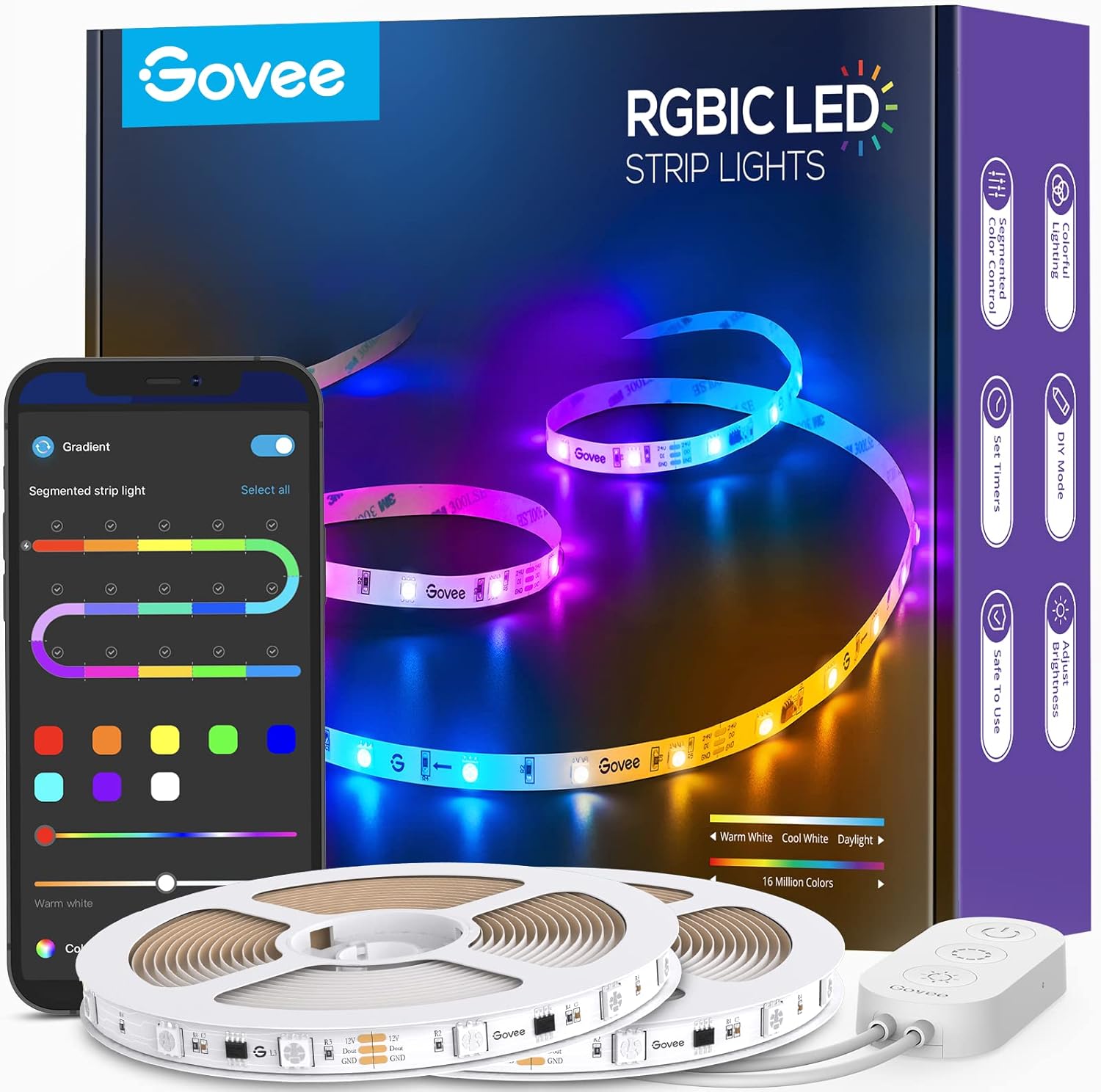
The difference is simple but decides what you can do: a standard RGB strip shows one color across its whole length at a time, while RGBIC ("IC" = integrated control chips) can display many colors along the strip at once, enabling the flowing rainbow and segment effects Govee is known for. RGBIC also generally can't be cut, whereas RGB can.
So if your strip only ever shows a single color, it's RGB and that's expected — multi-color zones and chasing effects need RGBIC. Choose by the effects you want: RGBIC for dynamic per-segment looks, RGB for simpler, cuttable single-color lighting.
Symptoms
- Unsure RGB vs RGBIC
- Strip only shows one color
- Cannot do multi-color effects
- Cannot cut the strip
- Which should I buy?
- Effects look different than expected
- Zones not available
- Segment control missing
Recognize these? Here's what usually causes it.
Common Causes
- RGB shows one color at a time (whole strip)
- RGBIC controls color per segment
- RGBIC generally cannot be cut
- Expecting RGBIC effects from an RGB strip
- Model/type confusion
- App features differ by type
- Segment count differs
- Different price/capability
Most fixes happen in the first 3 steps.
Do not attempt to open or modify the light hardware. Smart lights contain electronic components that can be damaged by moisture or physical tampering. Always power off at the wall switch before removing or repositioning a smart light.
Step-by-Step Solution
Understand RGB — one color at a time
Standard Govee RGB strips have red, green, and blue LEDs controlled by a single chip. The entire strip shows one color at a time. When you select blue, every LED on the strip turns blue. When you select a rainbow scene, the whole strip cycles through colors together, not individually. RGB strips are simpler, cheaper, and cuttable at any marked interval.
Understand RGBIC — multiple colors simultaneously
Govee RGBIC strips have an integrated circuit (IC) chip that controls individual LED segments independently. This means different sections of the strip can show different colors at the same time — one end can be red while the middle is blue and the other end is green. The IC chip is what makes this possible, and it is the key hardware difference from standard RGB.
Know the cutting difference
RGB strips can be cut at any marked cut point and both pieces continue to work. RGBIC strips generally cannot be cut because cutting breaks the IC data chain. Only specific RGBIC models are designed with cuttable IC segments. This is the most common buyer regret — people buy RGBIC for the multi-color feature and then cannot cut it to fit their space.
Compare the visual effects
RGBIC strips produce far more impressive visual effects — flowing color gradients, color chases, rainbow waves, and music-reactive multi-zone displays. RGB strips are limited to single-color fades, breathing effects, and color cycling. If you want your LED strip to look like a dynamic light show, RGBIC is the clear choice. If you just want solid accent lighting in one color, RGB is sufficient and cheaper.
Choose based on your use case
For TV backlighting, gaming setups, and accent walls where visual impact matters, RGBIC is worth the premium. For under-cabinet lighting, closet lighting, or simple accent strips where you want a single color and may need to cut to fit, standard RGB is more practical. RGBIC strips also draw slightly more power due to the IC chips, though the difference is negligible for most installations.
Quick Solutions
Still having issues? This is usually the deeper cause below.
If this comes back after following these steps, check whether a recent app or firmware update reset a default setting — the fix works, but the setting gets reverted silently.
Group your smart lights by room in the app and assign clear names like Kitchen Ceiling and Bedroom Lamp. This makes voice commands more reliable and lets you create scenes that control multiple lights at once with a single command.
This issue almost always looks more complex than it is — the majority of cases trace back to a single setting, a stale credential, or a default that shipped wrong.
- RGB shows one color at a time (whole strip)
- RGBIC controls color per segment
- RGBIC generally cannot be cut
- Expecting RGBIC effects from an RGB strip
- Model/type confusion
Before you go — try one of these (they fix most cases).
Most popular upgrades chosen by Govee LED Strip owners.

Govee 32.8ft LED Strip Lights RGBIC App Control, Smart LE...
Govee 65.6ft RGBIC LED Strip Lights, Color Changing LED S...

Govee Smart Wi-Fi RGBIC LED Strip Lights & Light Bars, Dr...
As an Amazon Associate we earn from qualifying purchases.
Official Manufacturer Manual
Govee provides official product documentation through their online manual rather than downloadable PDF. Access setup guides, troubleshooting steps, and product specifications for your Govee LED Strip.
Source: govee.com
Need More Help? Govee Support
Note: The contact information below connects you directly to Govee's official customer support team, not Trunetto. They can help with warranty claims, device replacements, and advanced technical issues.
How Does Govee Compare?
Before replacing your Govee device, see how it stacks up against alternatives in our full comparison guides.
Accessories owners commonly pair with Govee LED Strip.
As an Amazon Associate we earn from qualifying purchases.