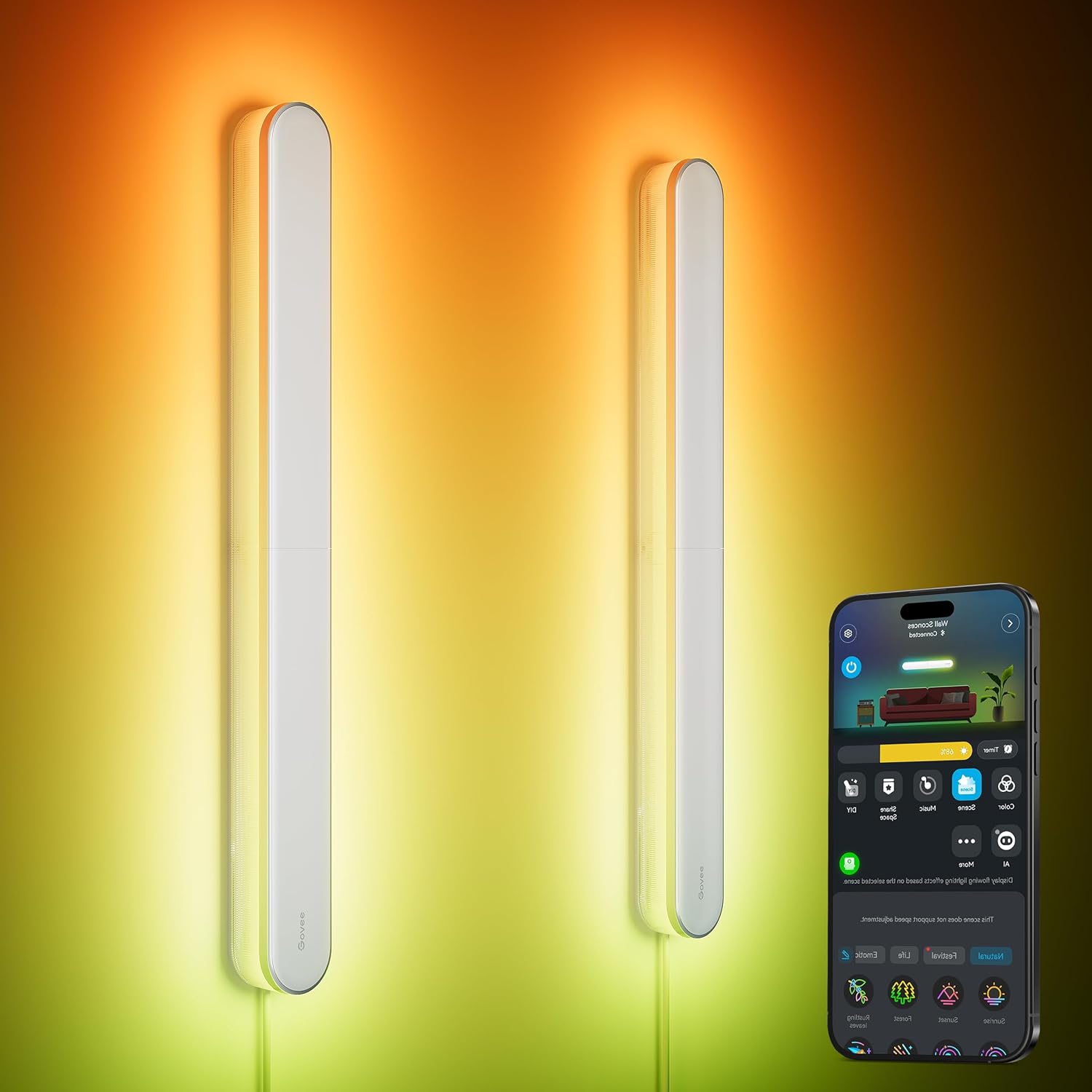
Govee Wall Sconces Not Syncing in Group Presets
- A firmware bug affecting group synchronization
- The Govee Home app has a glitch in group control logic
- Poor WiFi signal to one or more devices in the group
Problem Description
When you group multiple Govee wall sconces together in the Govee Home app, they fail to sync correctly when applying complex, multi-color scenes or presets. While they work for single-color commands, the group does not respond properly to dynamic or gradient effects.
Why This Happens in Real Homes
Wall sconces that won't sync as a group are usually a firmware or connectivity issue — a group-sync bug, or one sconce with a weak connection that can't keep in step, so the group falls out of sync.
Start by checking each sconce works individually and is on current firmware, then rebuild the group in the app. Make sure all are on the same 2.4GHz network with good signal; one member on a weak link is the common reason a group drifts out of sync, and a firmware update often fixes sync bugs.
Symptoms
- Grouped sconces do not sync colors for animated scenes
- Only one light in the group responds to the preset
- Lights in the group show different, incorrect colors
- The group works fine for a single static color
- The issue is specific to group control, not individual
- Re-grouping the devices does not solve the problem
Recognize these? Here's what usually causes it.
Common Causes
- A firmware bug affecting group synchronization
- The Govee Home app has a glitch in group control logic
- Poor WiFi signal to one or more devices in the group
- The specific scene is not compatible with group control
- The devices in the group have mismatched firmware versions
- The group was created incorrectly in the app
Most fixes happen in the first 3 steps.
Do not attempt to factory reset all your lights unless instructed by Govee support, as you will have to set up each light and all your scenes from scratch.
Step-by-Step Solution
Check Firmware and WiFi for All Sconces
In the Govee Home app, check each wall sconce individually. Go to the device settings for each one and verify that they are all updated to the latest firmware version. Mismatched firmware can cause sync issues. Also, check the WiFi signal strength for each device on its settings page to rule out a weak connection to one of the units.
Power Cycle the Entire Group
Unplug all of the wall sconces that are part of the group from their power source. Wait for at least 60 seconds to make sure they fully power down. Then, plug them all back in. This can resolve temporary glitches in the device's memory that may be affecting their ability to sync correctly as a group.
Delete and Recreate the Group
Open the Govee Home app and go to the My Devices tab. Find the group you created for your sconces, go into its settings, and delete it. Once deleted, create a new group from scratch by tapping the '+' icon, selecting Group, and adding the wall sconces back into a new group. Give the new group a different name to avoid confusion.
Test with Basic and Complex Scenes
With the new group, first test a simple command, like turning all lights red. If that works, try a simple animated scene. Then, try the complex, multi-color preset that was failing before. This helps determine if the issue is with all group commands or only specific, complex scenes, which could indicate a bug with that particular effect.
Contact Govee Support with Details
If the group still fails to sync for complex scenes after recreating the group and updating firmware, it is likely a software bug. Contact Govee support. Explain the issue is specific to group sync for multi-color scenes and provide the names of the scenes that fail. Mention that single-color control works. This information will help them identify and fix the bug.
Quick Solutions
Still having issues? This is usually the deeper cause below.
If pairing fails after multiple attempts, the device may still be registered to a previous account — factory-reset it before trying to add it to a new one.
When creating groups, ensure all devices are the exact same model. Grouping different models of Govee lights can sometimes lead to unexpected behavior with advanced scenes.
Pairing failures almost always come down to distance during the initial handshake — manufacturers seriously understate how close you actually need to be.
- A firmware bug affecting group synchronization
- The Govee Home app has a glitch in group
- Poor WiFi signal to one or more devices in
- The specific scene is not compatible with group control
- The devices in the group have mismatched firmware versions
Before you go — try one of these (they fix most cases).
Most popular upgrades chosen by Govee Wall Sconces owners.

As an Amazon Associate we earn from qualifying purchases.
Official Manufacturer Manual
Govee provides official product documentation through their online manual rather than downloadable PDF. Access setup guides, troubleshooting steps, and product specifications for your Govee Wall Sconces.
Source: govee.com
Need More Help? Govee Support
Note: The contact information below connects you directly to Govee's official customer support team, not Trunetto. They can help with warranty claims, device replacements, and advanced technical issues.
How Does Govee Compare?
Before replacing your Govee device, see how it stacks up against alternatives in our full comparison guides.
Accessories owners commonly pair with Govee Wall Sconces.
As an Amazon Associate we earn from qualifying purchases.