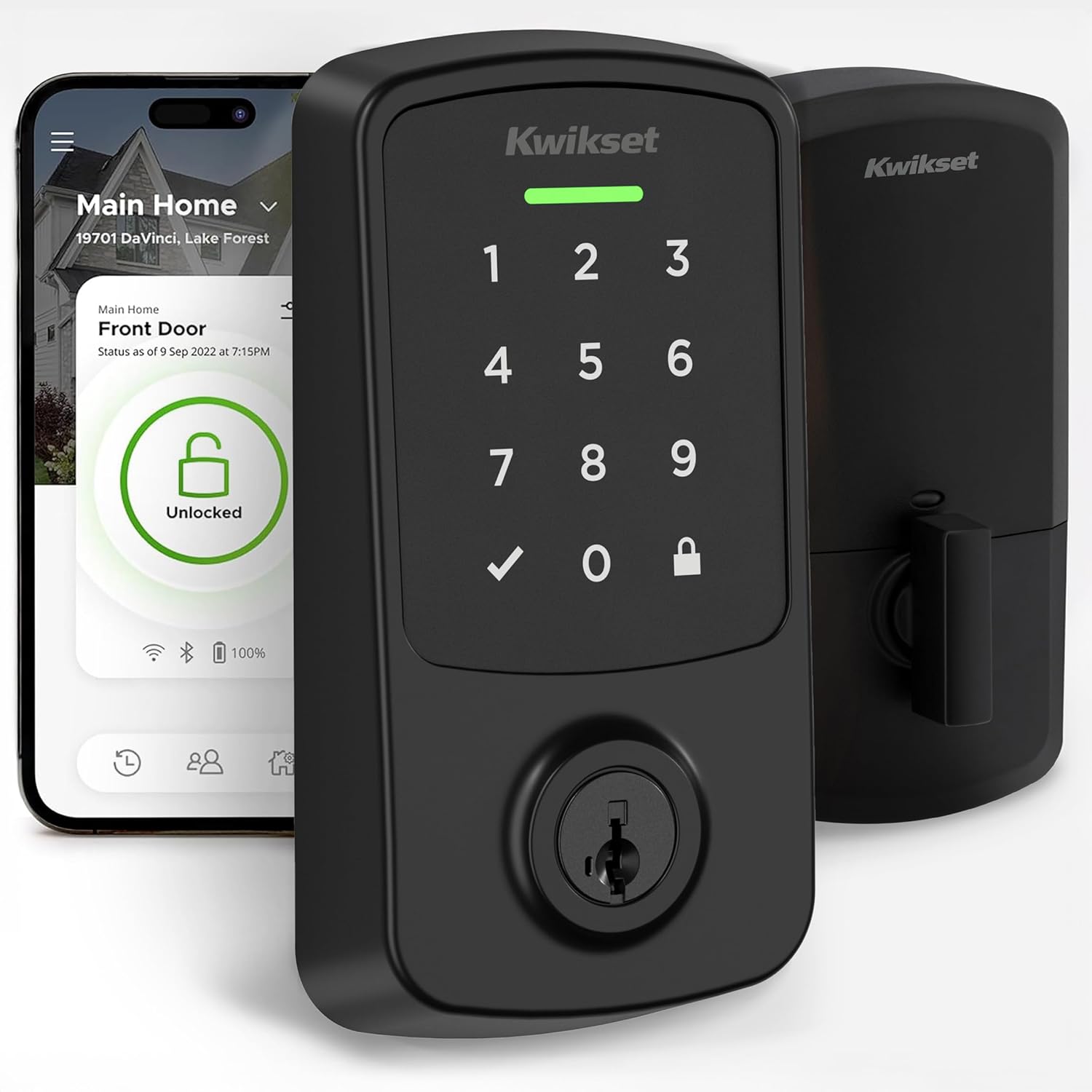
How Far Does the Kwikset Aura Bluetooth Reach?
- Bluetooth's inherent short range (about 30-100 ft, less through obstacles)
- Walls, floors, and metal doors attenuating the signal
- Low batteries weakening the Bluetooth radio
Problem Description
You want to know how far the Kwikset Aura's Bluetooth reaches, or the lock keeps dropping out of range. The Aura is Bluetooth-only with a practical range of roughly 30 to 100 feet, reduced by walls and metal doors, and it has no WiFi or hub for remote access. This guide explains the real-world range, what shortens it, and how to get a reliable connection at the door.
Why This Happens in Real Homes
The Kwikset Aura's range is simply Bluetooth's range: roughly 30 to 100 feet in the open, and meaningfully less once walls, floors, or a metal/storm door sit between your phone and the lock. That's normal for a Bluetooth device - it isn't a defect, and there's no setting that extends it much. For dependable control, be within a reasonable distance and ideally in line of sight; standing right at the door always works, while trying to operate it from the far end of the house often won't.
The key expectation to set is that the Aura has no remote access at all. It has no WiFi radio and Kwikset offers no bridge for it, so you cannot lock or unlock it while away from home - if that's what you need, the newer Aura Reach adds Matter for broader connectivity. Within Bluetooth range, the things that shorten your usable distance are low batteries (a weak set drops the radio's output, so fresh name-brand AA alkaline helps), 2.4GHz interference from other devices, and the app being backgrounded. Keeping the app in the foreground when you connect and keeping the batteries fresh gives you the most consistent range the hardware can deliver.
Symptoms
- Lock connects only within a few feet
- Connection drops as you walk away
- App control unreliable from across the house
- Range worse through walls or a metal door
- Can't control the lock from outside Bluetooth range at all
- Range shrank after an app/phone update
- Some phones reach farther than others
- Expecting to control the lock remotely
Recognize these? Here's what usually causes it.
Common Causes
- Bluetooth's inherent short range (about 30-100 ft, less through obstacles)
- Walls, floors, and metal doors attenuating the signal
- Low batteries weakening the Bluetooth radio
- Phone Bluetooth strength varying by model
- Interference from other 2.4GHz radios nearby
- Expecting remote access the Aura doesn't offer (no WiFi/hub)
- App running in the background limiting scanning
- Body or objects blocking line of sight to the lock
Most fixes happen in the first 3 steps.
Always keep a physical backup key accessible outside your home in case of total lock failure. Never perform a factory reset while locked out as this may disable all electronic access. Ensure battery level is above 50 percent before firmware updates to prevent corruption.
Tools & Requirements
Step-by-Step Solution
Understand the Aura Bluetooth range
The Kwikset Aura uses Bluetooth Low Energy (BLE) with a maximum range of approximately 40 feet in open air. Indoors, walls and obstacles reduce this to 15-25 feet. The range depends on wall material — drywall reduces range minimally, brick and concrete reduce it significantly, and metal doors or walls can block Bluetooth almost entirely. The Aura has no WiFi — all app communication is Bluetooth-only.
Test the actual range in your home
Stand at the lock and open the Kwikset app. It should connect within 5 seconds. Walk slowly away while watching the app. When the connection drops (the app shows Disconnected or Connecting), note the distance. This is your actual usable range. If the range is less than 10 feet, interference is likely. If it is 15-25 feet, that is normal for an indoor environment.
Improve range by reducing interference
Bluetooth operates on the 2.4GHz band, the same as WiFi. If your WiFi router is close to the lock, it can cause interference that reduces Bluetooth range. Move the router further from the lock or switch the router to a different WiFi channel. Other Bluetooth devices (speakers, headphones, fitness trackers) nearby can also cause congestion. Turn off unused Bluetooth devices near the lock.
Add a smart home hub for remote access
If Bluetooth range is insufficient for your needs, add the Kwikset Aura to a compatible smart home hub. The Aura pairs with Apple HomeKit through an Apple TV, HomePod, or iPad as a home hub. Once connected through HomeKit, you can control the lock remotely from anywhere — the Apple home hub relays commands over WiFi and internet, bypassing the Bluetooth range limitation. Check the Kwikset compatibility list for other supported hubs.
Consider upgrading to a WiFi lock
If you need reliable remote access without a hub, the Kwikset Halo has built-in WiFi and connects directly to the Kwikset app over your home network. The Halo provides remote access from anywhere, real-time notifications, and guest code management without Bluetooth range limitations. The Aura was designed for Bluetooth-only operation at a lower price point — if remote access is essential, the Halo is a better fit.
Quick Solutions
Still having issues? This is usually the deeper cause below.
If this comes back after following these steps, check whether a recent app or firmware update reset a default setting — the fix works, but the setting gets reverted silently.
Set up auto-lock to engage 30 seconds after the door closes so you never accidentally leave it unlocked. Create temporary access codes for guests and service workers that automatically expire after a set time period.
This issue almost always looks more complex than it is — the majority of cases trace back to a single setting, a stale credential, or a default that shipped wrong.
- Bluetooth's inherent short range (about 30-100 ft, less through
- Walls, floors, and metal doors attenuating the signal
- Low batteries weakening the Bluetooth radio
- Phone Bluetooth strength varying by model
- Interference from other 2.4GHz radios nearby
Before you go — try one of these (they fix most cases).
Most popular upgrades chosen by Kwikset Aura owners.

Kwikset 99420-002 Aura Bluetooth Programmable Keypad Door...

Kwikset 99420-003 Aura Bluetooth Programmable Keypad Door...
As an Amazon Associate we earn from qualifying purchases.
Official Manufacturer Manual
Kwikset provides official product documentation through their online manual rather than downloadable PDF. Access setup guides, troubleshooting steps, and product specifications for your Kwikset Aura.
Source: kwikset.com
Need More Help? Kwikset Support
Note: The contact information below connects you directly to Kwikset's official customer support team, not Trunetto. They can help with warranty claims, device replacements, and advanced technical issues.
Accessories owners commonly pair with Kwikset Aura.

Amazon Basics 20-Pack AA Alkaline High-Performance Batter...

Amazon Basics CR2032 3V Lithium Coin Cell Batteries for K...

Duracell Coppertop Double AA Batteries with Power Boost I...
As an Amazon Associate we earn from qualifying purchases.