

Why Does My Eve Motion Sensor Keep False Triggering?
- PIR detecting heat changes from HVAC vents
- Direct sunlight moving across the sensor's view
- Pets crossing the detection zone
Problem Description
Your Eve motion sensor keeps triggering false alerts when no one is in the room. The PIR motion sensor is sensitive to heat changes — HVAC vents, direct sunlight, pets, and heating appliances near the sensor can cause false triggers. Check the sensor placement and angle to avoid pointing at heat sources.
Why This Happens in Real Homes
Eve Motion uses a passive-infrared (PIR) sensor, which triggers on changes in heat across its field of view - and that's the key to understanding its false triggers. It isn't 'seeing' people so much as detecting moving warmth, so anything that pushes warm air or heat across its view fools it: an HVAC vent blowing warm or cold air, direct sunlight tracking across the room over the day, a radiator or heat-producing appliance cycling on, or a pet crossing the zone. The single most effective fix is placement - aim the sensor away from vents, windows, and heat sources, and point it across the area you want to monitor rather than at a warm object.
Once placement is right, tuning handles the rest. Lowering the motion sensitivity in the Eve app reduces the sensor's reaction to minor heat changes, and adjusting the detection settings cuts down repeated triggers. For pets, raising the mount height and angling the sensor so pets pass below its main detection band reduces false alerts while still catching people. Because the pattern often tracks time of day (sunlight) or the heating/cooling cycle (HVAC), noting when the false triggers happen points you straight at the source. Get the aim away from heat and dial back sensitivity, and a PIR sensor becomes reliable.
Symptoms
- Motion alerts with no one in the room
- Triggers when the HVAC runs
- False triggers in direct sunlight
- Pets set it off
- Triggers near a heater/appliance
- Automations fire unexpectedly
- More false triggers at certain times of day
- Sensitivity seems too high
Recognize these? Here's what usually causes it.
Common Causes
- PIR detecting heat changes from HVAC vents
- Direct sunlight moving across the sensor's view
- Pets crossing the detection zone
- Heat sources (radiators, appliances, electronics) in view
- Sensor aimed at a heat source or window
- Sensitivity/duration set too high
- Sensor placed too low for pets
- Reflective surfaces or drafts of warm air
Most fixes happen in the first 3 steps.
Do not rely solely on smart sensors for life-safety alerts like smoke or carbon monoxide detection. Always maintain dedicated code-compliant smoke and CO detectors. Smart water leak sensors can alert you but cannot stop a leak so know where your water shut-off valve is located.
Tools & Requirements
These tools will help you complete this fix.

As an Amazon Associate we earn from qualifying purchases.
Step-by-Step Solution
Check the sensor placement and angle
The Eve Motion sensor uses a passive infrared (PIR) detector with a 120-degree detection arc and a range of approximately 30 feet. False triggers happen when the sensor points at heat sources — radiators, heating vents, sunlit windows, or appliances that cycle on/off (refrigerators, space heaters). Reposition the sensor so its detection field covers the area you want to monitor without including heat-producing objects.
Adjust the sensitivity level
In the Eve app, tap the Eve Motion sensor > Settings > Sensitivity. Choose between Low, Medium, and High. High sensitivity triggers on small movements (pets, curtain drafts). Switch to Low or Medium to filter out smaller heat signatures. Low sensitivity requires a larger thermal change (a full-sized person walking) to trigger. Test after each change — walk through the detection zone to confirm it still catches real motion.
Set the duration timer
The Eve Motion sensor has a Duration setting — this is how long the sensor waits after detecting motion before resetting to 'No Motion.' In the Eve app, set this to 5 minutes or longer if you are getting rapid re-triggers. A short duration (1 minute) causes the sensor to reset and re-trigger frequently from the same person sitting in the room. A longer duration reduces repeat triggers from continuous presence.
Block problematic detection zones
If one part of the sensor's field of view causes false triggers (a window with direct sunlight, a pet's sleeping area), you can physically block that zone. Use a small piece of electrical tape over the corresponding section of the sensor lens. The PIR lens has multiple facets — covering a facet blocks detection from that angle. This is more precise than reducing overall sensitivity because it targets the specific problem area.
Check for firmware updates
PIR detection algorithms improve with firmware updates. In the Eve app, go to the sensor > gear icon > Firmware. If an update is available, install it. Keep your phone within 3 feet of the sensor during the update (it uses Bluetooth). Updates can take 5-10 minutes. If false triggers persist after updating and repositioning, the PIR sensor element may be degraded — Eve offers a 2-year warranty for defective units.
Quick Solutions
Still having issues? This is usually the deeper cause below.
If the sensor still misses events after repositioning, check whether a scheduled 'home' or 'away' mode is overriding the sensitivity setting silently.
Pair motion sensors with smart lights to create automatic lighting that turns on when you enter a room and off after a few minutes of no motion. This is one of the simplest and most useful smart home automations you can set up.
This issue almost always looks more complex than it is — the majority of cases trace back to a single setting, a stale credential, or a default that shipped wrong.
- PIR detecting heat changes from HVAC vents
- Direct sunlight moving across the sensor's view
- Pets crossing the detection zone
- Heat sources (radiators, appliances, electronics) in view
- Sensor aimed at a heat source or window
Before you go — try one of these (they fix most cases).
Most popular upgrades chosen by Eve Motion owners.
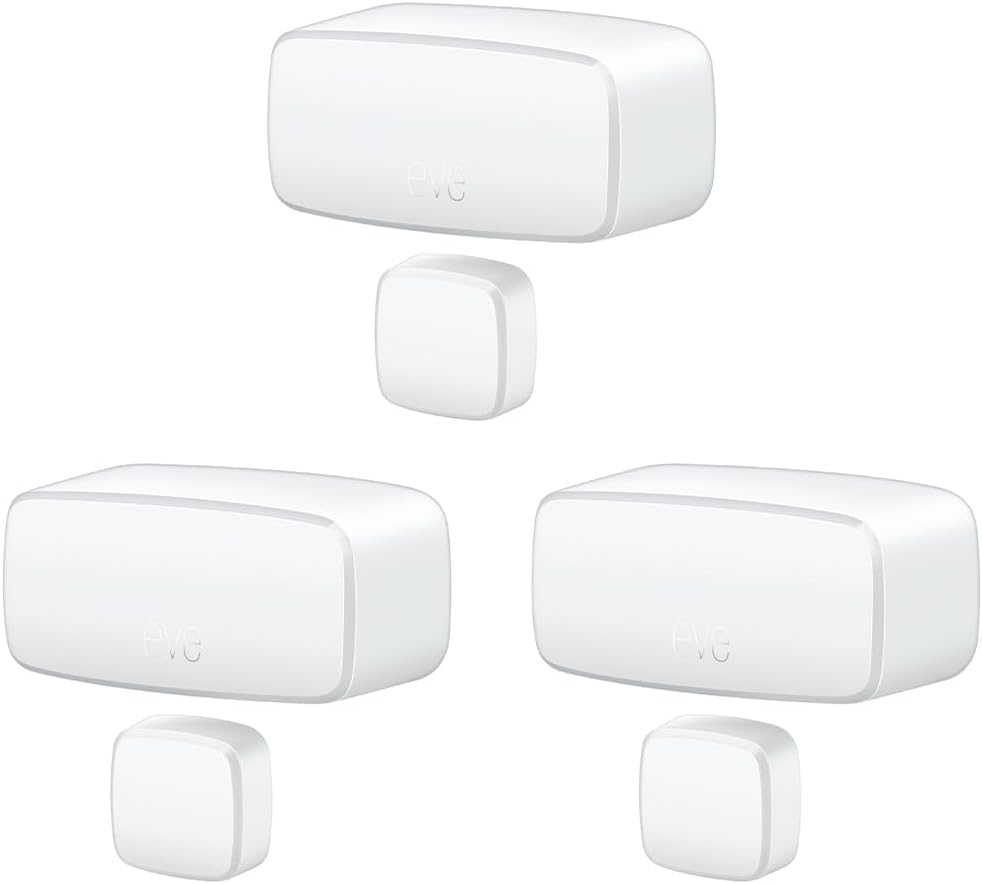
Eve Door & Window (Matter) 3 Pack – Smart Contact Sensor ...

Eve Door & Window (Matter) – Smart Contact Sensor for Doo...
As an Amazon Associate we earn from qualifying purchases.
Official Manufacturer Manual
Eve provides official product documentation through their online manual rather than downloadable PDF. Access setup guides, troubleshooting steps, and product specifications for your Eve Motion.
Source: evehome.com
Need More Help? Eve Support
Note: The contact information below connects you directly to Eve's official customer support team, not Trunetto. They can help with warranty claims, device replacements, and advanced technical issues.
Accessories owners commonly pair with Eve Motion.

As an Amazon Associate we earn from qualifying purchases.


