Why Won't My Amazon Fire TV Cube Respond to the Alexa Wake Word?
- Microphone muted via the mute button on top of the Cube
- Hands-free mode disabled in Fire TV accessibility or Alexa settings
- Environmental noise level too high for far-field microphone to isolate wake word
Problem Description
Your Amazon Fire TV Cube does not respond when you say Alexa to activate voice control. The microphone LED ring does not light up and no voice response occurs. The Fire TV Cube has built-in far-field microphones that should detect the wake word from across the room without a remote but microphone mute, environmental noise, and software issues can prevent wake word detection.
Why This Happens in Real Homes
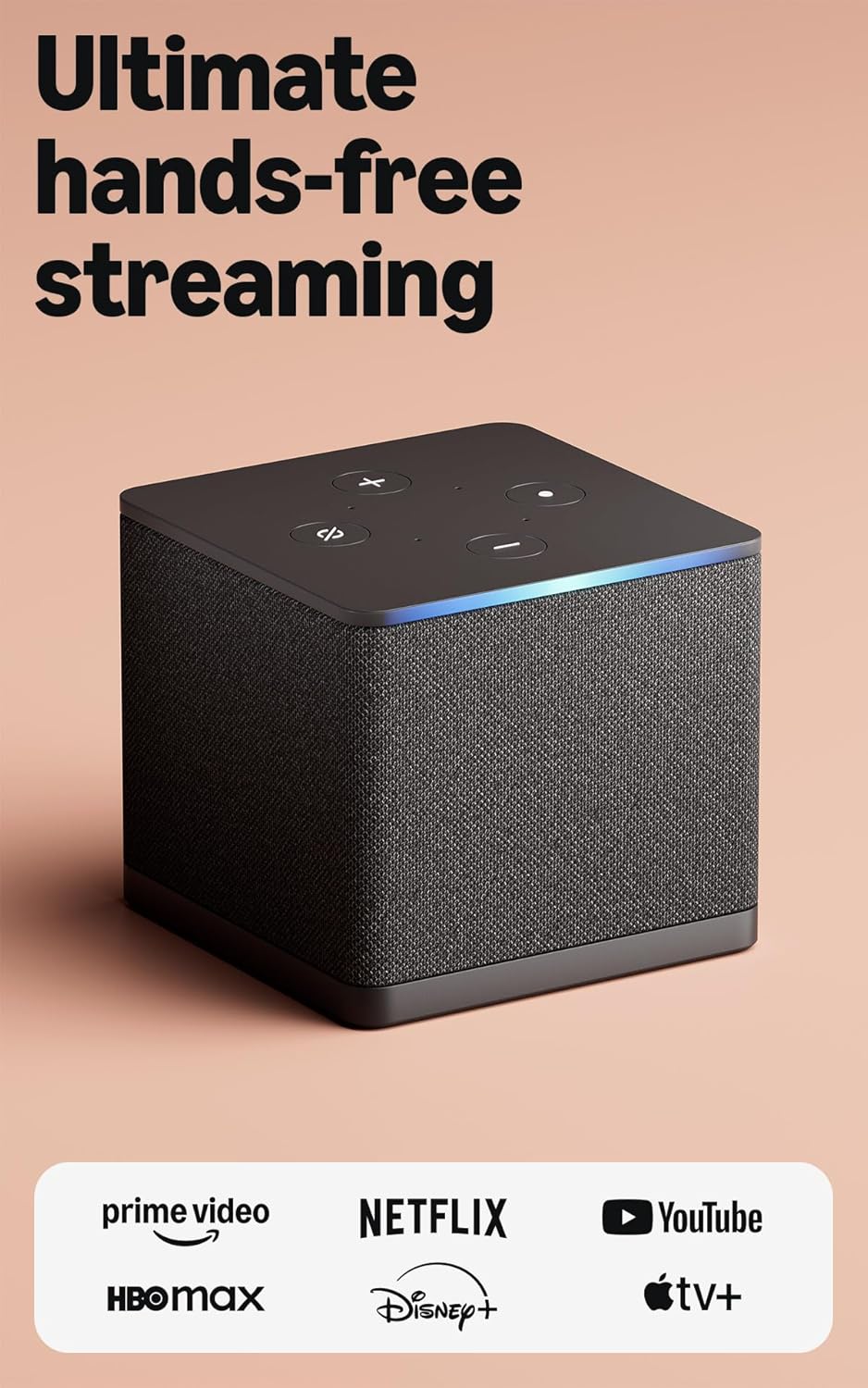
If the Cube ignores "Alexa," the top mic-mute button is the first suspect — pressed, it disables the far-field mics (the light bar shows it), so the Cube won't wake to your voice even though the remote's push-to-talk still works.
Start by pressing the mic-mute button on top to re-enable the mics (watch the indicator), then reduce background noise and confirm it's online. If push-to-talk on the remote works but the wake word doesn't, that's the tell that the far-field mics are muted or can't hear you over the TV audio.
Symptoms
- Saying Alexa to Fire TV Cube produces no response
- Microphone LED ring does not light up when wake word is spoken
- Cube responds to remote microphone button but not to voice
- Wake word detection stopped after a Fire TV software update
- Cube randomly responds to wake word then stops for extended periods
- Voice commands through the remote work but hands-free mode is broken
Recognize these? Here's what usually causes it.
Common Causes
- Microphone muted via the mute button on top of the Cube
- Hands-free mode disabled in Fire TV accessibility or Alexa settings
- Environmental noise level too high for far-field microphone to isolate wake word
- Cube placed in an enclosed cabinet muffling microphone intake
- Alexa hands-free profile not set up for the specific Fire TV Cube
- Fire TV software update reset the hands-free mode setting
Most fixes happen in the first 3 steps.
Do not position the Fire TV Cube directly in front of a soundbar or subwoofer. Bass frequencies from nearby speakers create acoustic interference that significantly degrades wake word detection performance.
Step-by-Step Solution
Check the Microphone Mute Button
On the top of the Amazon Fire TV Cube there is a microphone mute button. When muted the LED ring glows red and the Cube will not respond to any voice commands including the wake word. Press the mute button once to toggle the microphone back to active mode. The LED ring should return to its normal orange or off state when the microphone is active. This is the most common cause of sudden wake word failure and is often triggered accidentally when handling the unit.
Enable Hands-Free Mode in Fire TV Settings
On the Fire TV Cube home screen go to Settings then Alexa then Hands-Free Mode. Confirm the toggle is set to On. If Hands-Free Mode shows as disabled the Cube only responds to the microphone button on the remote and ignores the built-in far-field microphones. Software updates can occasionally reset this setting to off. After enabling Hands-Free Mode wait 30 seconds for the Alexa service to activate then test the wake word from across the room.
Reduce Environmental Noise Near the Cube
The Fire TV Cube far-field microphones use beamforming to isolate the wake word but loud background noise can overwhelm the detection algorithm. Move the Cube away from air conditioning vents, fans, or speakers playing music. Also avoid placing the Cube directly beside a television speaker. Position the Cube at least 1 metre from noise sources. After repositioning test the wake word with the television volume at a moderate level to confirm the microphone can detect your voice above the TV audio.
Set Up an Alexa Voice Profile
Open the Alexa app on your phone and go to More then Settings then Your Profile and Voice. Follow the Voice Training wizard to teach Alexa your specific voice. A personal voice profile improves wake word detection accuracy for your voice specifically. On a household with multiple users each person should complete voice training. This is particularly important if wake word detection works for some household members but not others.
Restart the Fire TV Cube
Go to Fire TV Settings then My Fire TV then Restart. After the Cube restarts and shows the home screen wait 2 minutes for all services including Alexa to fully initialise. The Alexa voice recognition service sometimes enters a fault state after an update that prevents wake word detection. A restart reloads the Alexa engine fresh. After restart test the wake word from the same distance you normally use the hands-free feature.
Quick Solutions
Still having issues? This is usually the deeper cause below.
If voice commands stopped working after relinking the account, check that the skill or action is still enabled — relinking sometimes disables it silently.
Place the Fire TV Cube at TV cabinet level with unobstructed space in front of it rather than hiding it inside a closed entertainment unit. Open placement dramatically improves far-field microphone range and wake word reliability.
This issue almost always looks more complex than it is — the majority of cases trace back to a single setting, a stale credential, or a default that shipped wrong.
- Microphone muted via the mute button on top of
- Hands-free mode disabled in Fire TV accessibility or Alexa
- Environmental noise level too high for far-field microphone to
- Cube placed in an enclosed cabinet muffling microphone intake
- Alexa hands-free profile not set up for the specific
Before you go — try one of these (they fix most cases).
Most popular upgrades chosen by Amazon Fire TV Cube owners.
As an Amazon Associate we earn from qualifying purchases.
Official Manufacturer Manual
Amazon provides official product documentation through their online manual rather than downloadable PDF. Access setup guides, troubleshooting steps, and product specifications for your Amazon Fire TV Cube.
Source: amazon.com
Need More Help? Amazon Support
Note: The contact information below connects you directly to Amazon's official customer support team, not Trunetto. They can help with warranty claims, device replacements, and advanced technical issues.
How Does Amazon Compare?
Before replacing your Amazon device, see how it stacks up against alternatives in our full comparison guides.
Accessories owners commonly pair with Amazon Fire TV Cube.

Amazon Basics microSDXC Memory Card with Full Size Adapte...

Amazon Basics microSDXC Memory Card with Full Size Adapte...

Amazon eero 6 mesh wifi system - Supports internet plans ...
As an Amazon Associate we earn from qualifying purchases.