

Why Is My Dyson Hot+Cool HP04 Not Heating
- Heat mode not enabled
- Target temperature below room temperature
- Blocked/loaded filters
Problem Description
Heating can fail if the unit is in cooling mode, the target temperature is too low, or filters are blocked. This guide checks mode settings and restores heating.
Why This Happens in Real Homes
Heating can fail if the unit is in cooling mode, the target temperature is too low, or filters are blocked. This guide checks mode settings and restores heating. In day-to-day use, this usually looks like Airflow stays cool; Heat mode selected but no warmth; Target temperature set low.
Most cases trace back to Heat mode not enabled; Target temperature below room temp; Blocked filters. The fix works best when you go step by step instead of changing multiple settings at once.
A practical order for this issue is: Confirm Heat Mode -> Increase Target -> Check Filters -> Test Without Auto. After each step, test the exact behavior that was failing so you can confirm what actually solved it.
Symptoms
- Airflow stays cool
- Heat mode selected but no warmth
- Target temperature set low
- App shows heating on
- Filter warning on
- Unit recently cleaned
- Heat cuts out quickly
- Only cool air in heat mode
Recognize these? Here's what usually causes it.
Common Causes
- Heat mode not enabled
- Target temperature below room temperature
- Blocked/loaded filters
- Auto mode overriding heat
- Firmware outdated
- Room temperature sensor dirty
- Machine reached the target temp (stopped heating)
- Insufficient clearance triggering protection
Most fixes happen in the first 3 steps.
Do not cover the air inlet or outlet while troubleshooting heating.
Tools & Requirements
Step-by-Step Solution
Switch to Heat Mode
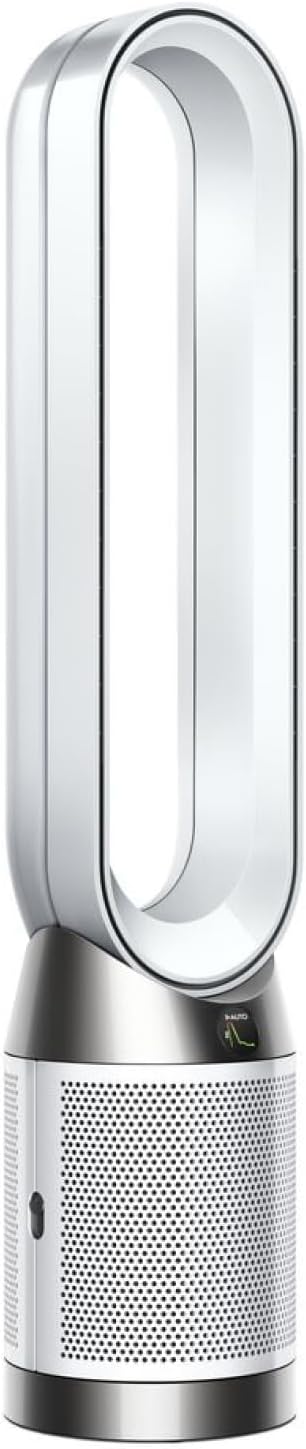
The Dyson HP04 Pure Hot+Cool has separate Heat, Cool, and Fan modes. Press the mode button on the remote control (or in the Dyson Link app) to cycle to Heat mode — the display shows a flame icon when heating is active. If the unit is in Cool or Fan mode, it will not produce warm air regardless of the target temperature you set.
Set Target Temperature Above Room Temperature
The HP04 only heats when the target temperature is higher than the current room temperature displayed on the screen. If the room is already at or above your set temperature, the heater will not activate. Increase the target temperature on the remote by pressing the up arrow until it is at least 2-3 degrees above the current reading.
Check for Overheating Protection
The HP04 has a built-in thermal cutoff that shuts down heating if internal components get too hot. This can happen if the air intake at the base is blocked by curtains, furniture, or wall proximity. Make sure there is at least 6 inches of clearance around the base of the unit. Let the unit cool for 30 minutes before trying again.
Clean the Air Intake and Filter
A clogged filter restricts airflow through the heating element, reducing heat output or causing the unit to shut down from overheating protection. Check the filter life indicator on the display or in the Dyson Link app. If the filter is at or near 0%, replace it. Even if the filter has life remaining, vacuum the outer mesh with a brush attachment to clear dust.
Reset the HP04
If heat mode still does not work, perform a factory reset. Press and hold the power button on the unit (not the remote) for 10 seconds. The display will show a countdown. After reset, reconnect the unit to the Dyson Link app and test heating mode. If heating still fails after a reset, the ceramic heating element may have failed and the unit needs service.
Quick Solutions
Still having issues? This is usually the deeper cause below.
If this comes back after following these steps, check whether a recent app or firmware update reset a default setting — the fix works, but the setting gets reverted silently.
Keep the purifier at least 3 feet from walls to avoid airflow restriction.
This issue almost always looks more complex than it is — the majority of cases trace back to a single setting, a stale credential, or a default that shipped wrong.
- Heat mode not enabled
- Target temperature below room temperature
- Blocked/loaded filters
- Auto mode overriding heat
- Firmware outdated
Before you go — try one of these (they fix most cases).
Most popular upgrades chosen by Dyson Hot+Cool owners.
As an Amazon Associate we earn from qualifying purchases.
Official Manufacturer Manual
Dyson provides official product documentation through their online manual rather than downloadable PDF. Access setup guides, troubleshooting steps, and product specifications for your Dyson Hot+Cool.
Source: dyson.com
Need More Help? Dyson Support
Note: The contact information below connects you directly to Dyson's official customer support team, not Trunetto. They can help with warranty claims, device replacements, and advanced technical issues.
Accessories owners commonly pair with Dyson Hot+Cool.

Ring Rechargeable Quick Release Battery Pack

Ring Chime Pro

SwitchBot Hub Mini Smart Remote - IR Universal Remote, Wi...
As an Amazon Associate we earn from qualifying purchases.


