

Why Is My Dyson Purifier Cool Not Showing Air Quality Readings
- Sensors dirty/blocked
- Firmware outdated
- App sync stalled
Problem Description
Air quality readings can freeze if the sensors are dirty or the unit needs a reset. This guide restores readings and sensor accuracy.
Why This Happens in Real Homes
Air quality readings can freeze if the sensors are dirty or the unit needs a reset. This guide restores readings and sensor accuracy. In day-to-day use, this usually looks like Air quality stuck at one value; Graph not updating; Fan runs normally.
Most cases trace back to Sensors dirty; Firmware outdated; App sync stalled. The fix works best when you go step by step instead of changing multiple settings at once.
A practical order for this issue is: Clean Sensors -> Restart Device -> Update Firmware -> Refresh App. After each step, test the exact behavior that was failing so you can confirm what actually solved it.
Symptoms
- Air quality stuck at one value
- Graph not updating
- Fan runs normally
- Sensor vents dusty
- App shows no data
- Recent filter change
- Readings frozen after a power cycle
- Color indicator not changing
Recognize these? Here's what usually causes it.
Common Causes
- Sensors dirty/blocked
- Firmware outdated
- App sync stalled
- Auto mode disabled
- Power cycle needed
- Sensor calibration drift
- Sensor inlet clogged with dust
- Post-power-on calibration still running
Most fixes happen in the first 3 steps.
Allow the purifier to run for several minutes before checking readings.
Tools & Requirements
These tools will help you complete this fix.
As an Amazon Associate we earn from qualifying purchases.
Step-by-Step Solution
Clean the Air Quality Sensor Inlet
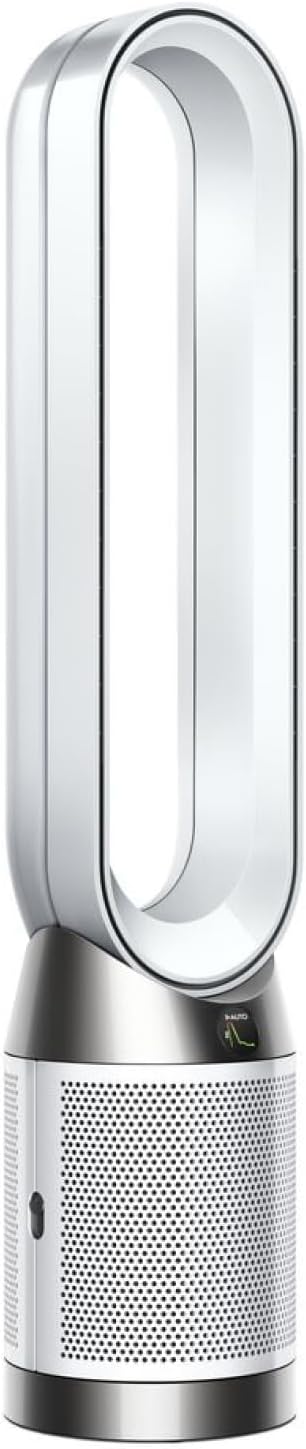
The Dyson Pure Cool has a small air quality sensor inlet on the lower body of the unit. Dust buildup on the inlet blocks airflow to the sensor, causing it to show no readings or inaccurate data. Use a soft brush or compressed air to gently clean the sensor opening. On TP-series models, the sensor inlet is a small rectangular slot on the lower-left side of the base when facing the front. On HP-series models, it is on the lower-back panel near the power cord entry.

Needed for this step
Antistatic Brush, 2 PCS Mainboard Cleaning Tool...
This helps complete the fix you are currently reading.
$8.50Allow 24-Hour Calibration Period
After cleaning the sensor or after a power cycle, the air quality sensor needs up to 24 hours to calibrate and establish a baseline for your environment. During this period, readings may fluctuate or show unusual values. Keep the purifier running continuously on Auto mode in its intended room location to allow accurate calibration.
Check Sensor Display Mode
The Dyson Pure Cool LCD screen cycles through different readings: PM2.5, PM10, VOC, NO2, and AQI (depending on model). Press the information button on the remote to cycle through readings. If the display shows dashes instead of numbers, the sensor is still calibrating or has encountered an error. A restart usually resolves stuck readings.
Update Firmware
Open the Dyson Link or MyDyson app and check for firmware updates under your purifier's settings. Sensor calibration algorithms are updated through firmware — older versions may have accuracy issues. Install the update and allow the sensor to recalibrate over 24 hours after the firmware update completes.
Test Sensor Response
After cleaning and calibration, test the sensor by introducing a known pollutant nearby. Light a match, blow it out, and hold the smoking match within a foot of the sensor inlet. PM2.5 readings should spike within 30 seconds. If the sensor does not react to the smoke, it may be physically faulty and the unit needs service.
Quick Solutions
Still having issues? This is usually the deeper cause below.
If this comes back after following these steps, check whether a recent app or firmware update reset a default setting — the fix works, but the setting gets reverted silently.
Keep sensor vents clear of dust for accurate readings.
This issue almost always looks more complex than it is — the majority of cases trace back to a single setting, a stale credential, or a default that shipped wrong.
- Sensors dirty/blocked
- Firmware outdated
- App sync stalled
- Auto mode disabled
- Power cycle needed
Before you go — try one of these (they fix most cases).
Most popular upgrades chosen by Dyson Purifier Cool owners.
As an Amazon Associate we earn from qualifying purchases.
Official Manufacturer Manual
Dyson provides official product documentation through their online manual rather than downloadable PDF. Access setup guides, troubleshooting steps, and product specifications for your Dyson Purifier Cool.
Source: dyson.com
Need More Help? Dyson Support
Note: The contact information below connects you directly to Dyson's official customer support team, not Trunetto. They can help with warranty claims, device replacements, and advanced technical issues.


