

What Does Dyson Purifier Hot+Cool H2 Error Mean and How Do I Fix It
- Thermal protection triggered by overheating
- Dust/dirt accumulated around the heating elements
- Air inlet or outlet partially blocked
Problem Description
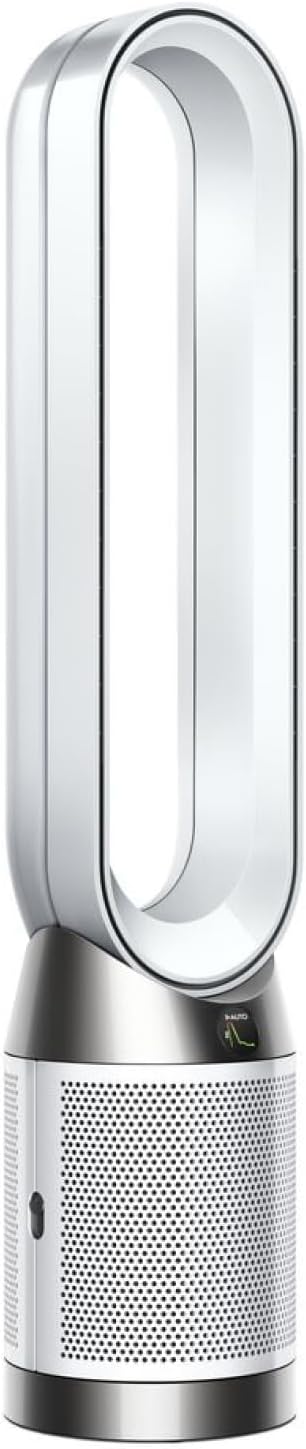
Your Dyson Purifier Hot+Cool shows an H2 error and may stop heating or shut down unexpectedly. Airflow might continue in fan mode while heat functions fail. Users typically see this after dust buildup, blocked airflow, or thermal protection triggers. Quick diagnosis can restore safe operation without unnecessary part replacements.
Why This Happens in Real Homes
The H2 error on a Dyson Hot+Cool is an overheating fault: the machine's thermal protection has tripped because it detected too much heat around the heating path, and it shuts the heat function down to stay safe (the fan often keeps running). Per Dyson's guidance and common repair experience, the root cause is almost always dust and dirt accumulating around the heating elements - the metal fins in the upper half of the fan body - which trap heat and trigger the sensor. Cleaning those elements and the airflow pathways with compressed air is the core fix, and it clears the majority of H2 errors without any part replacement.
Alongside cleaning, address anything that restricts airflow, since restricted airflow is what lets heat build up. Give the purifier real clearance from walls and furniture, clean or replace a dust-loaded filter, and make sure no protective shipping mesh was left on the filter. To recover after a trip, power cycle the machine and run it in fan-only mode for a while to cool the heat path and reset the thermal state before requesting heat again. If H2 keeps returning after a thorough clean, adequate clearance, and a firmware update, the heating element or its sensor may have failed and needs Dyson service.
Symptoms
- H2 error appears on the Dyson display
- Heating function stops unexpectedly
- Fan works but no warm air output
- Unit powers on then shuts off quickly
- Error returns after a temporary restart
- Performance drops after dusty operation
- Heating fails while fan mode continues
- H2 recurs when heat is requested
Recognize these? Here's what usually causes it.
Common Causes
- Thermal protection triggered by overheating
- Dust/dirt accumulated around the heating elements
- Air inlet or outlet partially blocked
- Filter heavily loaded with dust
- Unit placed too close to a wall/surface
- Internal sensor detected an abnormal heat path
- Protective shipping mesh left on the filter
- Firmware state not cleared after the trip
Most fixes happen in the first 3 steps.
Do not bypass thermal protection behavior. Repeatedly forcing heat mode after H2 without addressing airflow can increase internal component stress and safety risk.
Step-by-Step Solution
Start with Safe Shutdown
Turn the Dyson unit off and unplug it for several minutes before testing. Thermal-related errors can persist if internal components remain hot. Allowing full cool-down gives sensors a clean restart state and prevents repeated protection trips while you inspect filters and airflow routes.
Inspect Airflow Obstructions
Check intake vents, rear grilles, and outlet paths for dust, lint, or nearby objects restricting airflow. Even partial blockage can trap heat and trigger H2 protection. Move the purifier away from walls, curtains, and furniture to make sure clear circulation around all sides during heating operation.
Clean or Replace Filters
Remove the filter assembly and inspect for heavy dust loading. Clean according to Dyson guidance if model supports it, or replace when service life is exhausted. Restricted filters force the motor and heater to run under higher thermal stress, increasing the likelihood of H2 errors during normal use.
Reboot and Test in Stages
After cleaning, plug the unit back in and run fan-only mode for several minutes first. Then enable heat at a moderate setting and observe whether H2 returns. Staged testing helps identify whether the issue is tied specifically to heating load versus general airflow or power instability.
Update Firmware and Monitor
Use the Dyson app to confirm firmware is current, then monitor operation over the next few heating cycles. If H2 reappears despite clear airflow and fresh filters, document timestamps and conditions for Dyson support. Persistent thermal faults may require internal sensor or heater assembly service.
Quick Solutions
Still having issues? This is usually the deeper cause below.
If this comes back after following these steps, check whether a recent app or firmware update reset a default setting — the fix works, but the setting gets reverted silently.
Keeping intake and outlet clearance around your Dyson reduces thermal stress and helps prevent repeated protection errors during colder months of heavy heating use.
This issue almost always looks more complex than it is — the majority of cases trace back to a single setting, a stale credential, or a default that shipped wrong.
- Thermal protection triggered by overheating
- Dust/dirt accumulated around the heating elements
- Air inlet or outlet partially blocked
- Filter heavily loaded with dust
- Unit placed too close to a wall/surface
Before you go — try one of these (they fix most cases).
Most popular upgrades chosen by Dyson Purifier Hot+Cool owners.
As an Amazon Associate we earn from qualifying purchases.
Official Manufacturer Manual
Dyson provides official product documentation through their online manual rather than downloadable PDF. Access setup guides, troubleshooting steps, and product specifications for your Dyson Purifier Hot+Cool.
Source: dyson.com
Need More Help? Dyson Support
Note: The contact information below connects you directly to Dyson's official customer support team, not Trunetto. They can help with warranty claims, device replacements, and advanced technical issues.
Accessories owners commonly pair with Dyson Purifier Hot+Cool.

Ring Rechargeable Quick Release Battery Pack

Ring Chime Pro

SwitchBot Hub Mini Smart Remote - IR Universal Remote, Wi...
As an Amazon Associate we earn from qualifying purchases.


