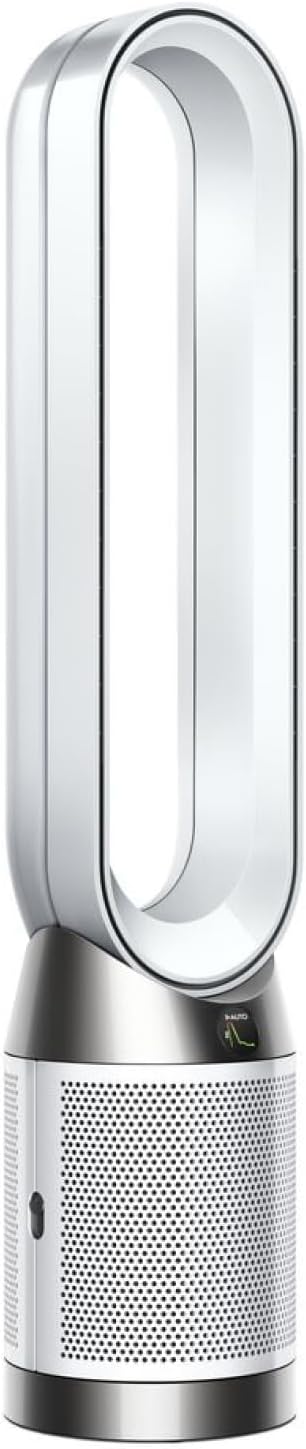
Why Is My Dyson Purifier Humidify+Cool Not Humidifying
- Water tank empty or not seated
- Evaporator mesh scaled or clogged (hard water)
- Room humidity already at the target level
Problem Description
Your Dyson Purifier Humidify+Cool is running but not adding moisture to the air. The humidity level in the room does not increase even after hours of operation.
Why This Happens in Real Homes
The Dyson Humidify+Cool (PH series) humidifies by evaporation, passing air over a wet evaporator mesh rather than misting, so 'not humidifying' usually traces to the water path or the target setting rather than a broken part. Start with the obvious: the tank must have water and be seated with its cap properly sealed. Then check the target - if the room's humidity is already at or above the set target, the machine correctly won't add more, so lowering the target (or switching from Auto to a specific humidity level) tells it to start humidifying. Ambient temperature also matters: evaporation is weak in a cold room, so below about 60F output drops noticeably.
The most common hardware cause is scale. Because the machine evaporates water, hard-water minerals build up on the evaporator mesh over time and choke output, which is exactly what the frequent deep-clean alerts are warning about. Running the deep-clean cycle with the recommended citric-acid solution descales the evaporator and restores humidification - and staying on top of those deep cleans prevents the problem recurring. If the tank is full and seated, the target is below room humidity, the room is warm enough, and a deep clean has been run recently but there's still no output, the pump or evaporator assembly may need Dyson service.
Symptoms
- Room humidity stays the same for hours
- Water tank level doesn't decrease
- No visible moisture output
- Humidify icon active but no effect
- Deep-clean alert appears frequently
- Humidity target shows as already reached
- Humidification seems off despite being on
- No mist even with a full tank
Recognize these? Here's what usually causes it.
Common Causes
- Water tank empty or not seated
- Evaporator mesh scaled or clogged (hard water)
- Room humidity already at the target level
- Unit in Auto mode and not calling for humidity
- Water tank cap not properly sealed
- Ambient temperature too cold for evaporation
- Deep clean overdue
- Humidification turned off in settings
Most fixes happen in the first 3 steps.
Never add essential oils or fragrances to the water tank. These can damage the evaporator.
Tools & Requirements
Step-by-Step Solution
Check Water Tank Status
Remove the water tank and verify it has water. Refill up to the maximum line. Reseat the tank firmly until it clicks.
Verify Humidity Settings
Check your target humidity setting. If the room is already at or above target, the unit will not humidify. Try lowering the target by 10-15 percent.
Inspect Evaporator Mesh
Open the unit to access the evaporator. Look for white mineral buildup or scale on the mesh.
Run Deep Clean Cycle
Fill the tank with water and 150ml of citric acid powder. Initiate the deep clean cycle from the app.
Test After Deep Clean
After deep clean, refill with fresh water. Set target humidity 20 percent below current room humidity and test.
Quick Solutions
Still having issues? This is usually the deeper cause below.
If this comes back after following these steps, check whether a recent app or firmware update reset a default setting — the fix works, but the setting gets reverted silently.
Using distilled water instead of tap water significantly reduces mineral buildup on the evaporator.
Range tests in open air are useless for predicting real-world Z-Wave performance — a single concrete wall or appliance can cut effective range by more than half.
- Water tank empty or not seated
- Evaporator mesh scaled or clogged (hard water)
- Room humidity already at the target level
- Unit in Auto mode and not calling for humidity
- Water tank cap not properly sealed
Before you go — try one of these (they fix most cases).
Official Manufacturer Manual
Dyson provides official product documentation through their online manual rather than downloadable PDF. Access setup guides, troubleshooting steps, and product specifications for your Dyson Purifier Humidify+Cool.
Source: dyson.com
Need More Help? Dyson Support
Note: The contact information below connects you directly to Dyson's official customer support team, not Trunetto. They can help with warranty claims, device replacements, and advanced technical issues.