

How to Reseat a Dyson Purifier Hot+Cool Filter After Replacement
- Filter inserted slightly rotated/misaligned
- Plastic packaging left on the filter seal
- Outer cover not fully latched
Problem Description
After replacing the filter on a Dyson Purifier Hot+Cool, users often see error warnings if the filter is not fully seated. This guide walks through the correct reseating process to restore normal operation and clear filter alerts.
Why This Happens in Real Homes
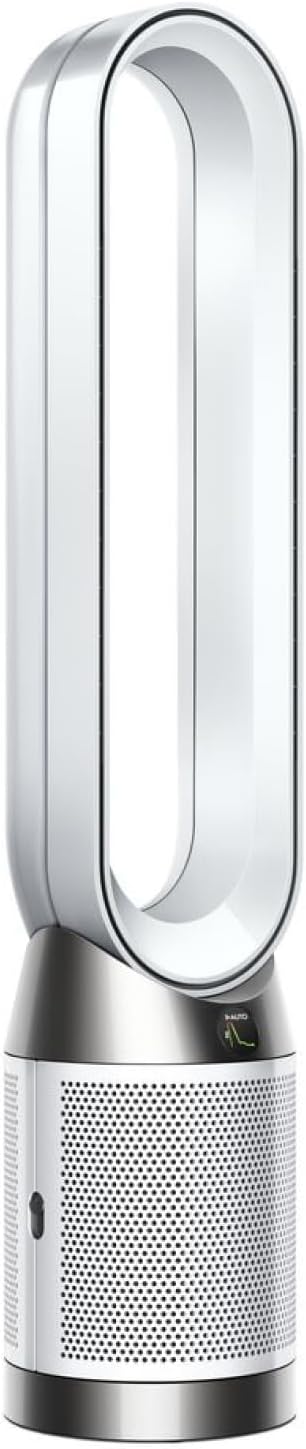
On the Dyson Hot+Cool, the two filter halves (HEPA and activated carbon) wrap around the machine base and clip into place, and the most common post-replacement problem is a filter that looks installed but isn't fully or correctly seated - which triggers a filter alert and can stop the machine in fan or heat mode. The fix is methodical reseating: confirm you have the correct filter model for your unit, remove every scrap of protective packaging (Dyson filters ship with a mesh/wrap that must come off), align the filter with the internal tabs, and press until it clicks so the outer cover latches completely. A cover that won't fully close is the tell that the filter is rotated or pushed past its alignment tabs.
Two finishing steps matter. First, run the machine after reseating to confirm the filter alert clears - if it doesn't, the filter usually needs another reseat. Second, remember the filter life counter is separate from physical seating: even a perfectly seated new filter keeps showing the old life until you manually reset the counter in the app or on the machine. So the complete process is: correct model, packaging off, aligned and clicked in, cover latched, then reset the counter. Handled that way, the alert clears and the machine returns to full fan and heat operation.
Symptoms
- Filter alert appears after replacement
- Unit stops in fan or heating modes
- Filter visible through the outer cover
- Unit unplugged before service
- Replacement filter is genuine Dyson
- Hands washed before handling the filter
- Cover won't latch fully
- Alert won't clear after reinstalling
Recognize these? Here's what usually causes it.
Common Causes
- Filter inserted slightly rotated/misaligned
- Plastic packaging left on the filter seal
- Outer cover not fully latched
- Filter pushed past the alignment tabs
- Incorrect filter model for the unit
- Sensors blocked by nearby dust
- Filter not clicked fully into place
- Filter counter not reset after seating
Most fixes happen in the first 3 steps.
Do not force the outer cover closed. Damaged latches can expose the hot heating element during operation and create safety risk.
Tools & Requirements
These tools will help you complete this fix.

As an Amazon Associate we earn from qualifying purchases.
Step-by-Step Solution
Power Down
Turn off the Dyson and unplug before removing the outer cover. The Hot+Cool unit uses a sealed filter assembly for heat safety. Working on an unpowered unit also prevents startup while reaching into the filter compartment during replacement steps.
Remove Filter Cleanly
Release the cover latches carefully to remove the filter. Do not twist aggressively, which can damage internal guide tabs. Keep the filter level while pulling it out so loose dust does not release into the room, especially if the filter has been running for months.
Verify Compatibility
Confirm your replacement filter model matches the Hot+Cool unit number printed on the body. Using the wrong filter can trip sensors even when visually similar. Remove all plastic wrap so the outer seal surface makes full contact during install.
Reseat with Alignment
Insert the new filter aligning it with internal guide tabs. Press firmly until you feel it seat fully. Close the outer cover and latch it completely. An incomplete latch is the single most common cause of repeated filter warnings after install.
Reset and Test
Plug in, power on, and run the unit through fan and heat modes briefly. Open the Dyson app, connect if needed, and reset filter life counters. If warnings persist, power cycle for 60 seconds and reseat the filter once more before contacting support.
Quick Solutions
Still having issues? This is usually the deeper cause below.
If this comes back after following these steps, check whether a recent app or firmware update reset a default setting — the fix works, but the setting gets reverted silently.
Photograph the filter orientation before removing the old one. The reference image is invaluable if the new filter does not seat on the first try.
This issue almost always looks more complex than it is — the majority of cases trace back to a single setting, a stale credential, or a default that shipped wrong.
- Filter inserted slightly rotated/misaligned
- Plastic packaging left on the filter seal
- Outer cover not fully latched
- Filter pushed past the alignment tabs
- Incorrect filter model for the unit
Before you go — try one of these (they fix most cases).
Most popular upgrades chosen by Dyson Purifier Hot+Cool owners.
As an Amazon Associate we earn from qualifying purchases.
Official Manufacturer Manual
Dyson provides official product documentation through their online manual rather than downloadable PDF. Access setup guides, troubleshooting steps, and product specifications for your Dyson Purifier Hot+Cool.
Source: dyson.com
Need More Help? Dyson Support
Note: The contact information below connects you directly to Dyson's official customer support team, not Trunetto. They can help with warranty claims, device replacements, and advanced technical issues.


