
Chamberlain MyQ Hub Red Light Always On
- Internet/cloud connection lost (myQ is cloud-dependent)
- DNS failure preventing the hub reaching myQ servers
- WiFi name/password changed, invalidating stored credentials
Problem Description
Your Chamberlain myQ hub shows a solid or flashing red indicator light, signaling that the hub cannot connect to the myQ cloud service. The garage door still operates manually and via wall button, but remote access through the myQ app and voice assistant control are unavailable while the red light is on. Red hub light is caused by a broken cloud connection — DNS failure, wrong WiFi credentials, or a myQ server outage.
Why This Happens in Real Homes
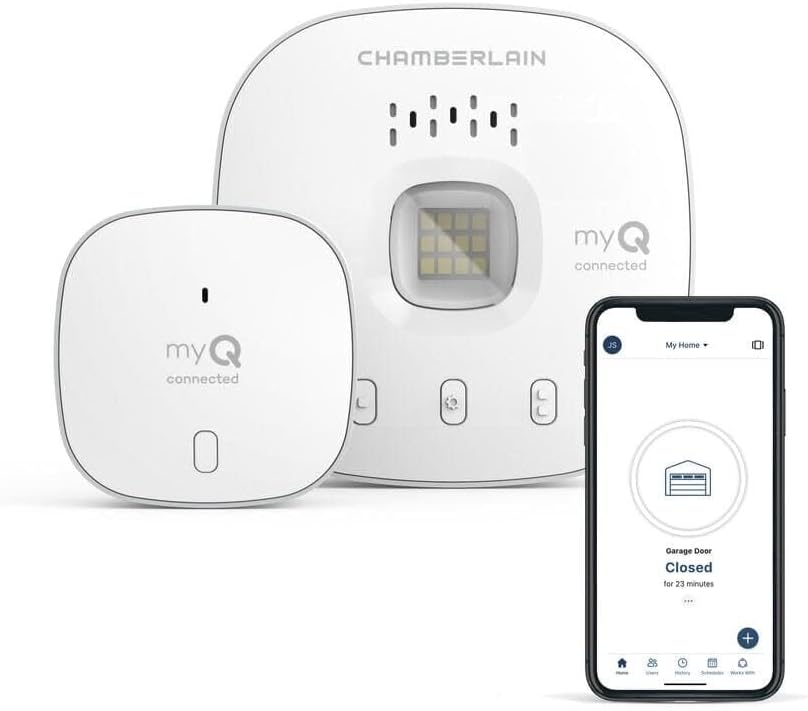
A red light on a Chamberlain myQ hub means one specific thing: the hub can't reach the myQ cloud service. Because myQ is entirely cloud-dependent, that breaks app and voice control - but importantly, the garage door still works normally from the wall button and physical remotes, so a red hub light is a connectivity problem, not a safety one. The most common causes are the internet path failing (a DNS problem is a classic one, where the hub is on WiFi but can't resolve the myQ servers), changed WiFi credentials, or a myQ server outage on Chamberlain's side.
Work it in order. Confirm your home internet is actually up, then restart the hub and router to clear a temporary glitch. If the hub can't reconnect, reconfigure its WiFi in the myQ app - a changed network name or password leaves the hub with credentials it can't use. Garages are a notoriously weak-signal spot (far from the router, behind a metal door), so a marginal 2.4GHz signal keeps the hub red; a mesh node near the garage and a reserved DHCP IP make it reliable. If DNS is the issue, setting a public DNS on the router helps, and checking myQ's status page rules out an outage before you keep troubleshooting your own network.
Symptoms
- Solid or flashing red LED on the myQ hub
- myQ app shows the hub offline
- Garage door app/voice control not working
- Hub LED never turns blue/green
- Red status persists after a restart
- Manual wall-button and remote still work
- Reconnects then drops again
- Red light appeared after a router change
Recognize these? Here's what usually causes it.
Common Causes
- Internet/cloud connection lost (myQ is cloud-dependent)
- DNS failure preventing the hub reaching myQ servers
- WiFi name/password changed, invalidating stored credentials
- myQ server outage
- Weak 2.4GHz signal at the garage
- Hub firmware in a bad state
- Router reboot/DHCP change dropped the hub
- Router set to WPA3-only or band-steered
Most fixes happen in the first 3 steps.
Do not attempt to disassemble MyQ hub or modify electrical connections as this voids warranty and may damage garage door opener.
Tools & Requirements
These tools will help you complete this fix.

Power adapter
JcBlaon Outlet Extender Surge Protector - 6 Outlet S...
As an Amazon Associate we earn from qualifying purchases.
Step-by-Step Solution
Check Internet and WiFi Connection
Verify home internet is working properly and WiFi network MyQ hub was connected to still exists with same password. Red light often indicates complete loss of internet connectivity or WiFi network changes.
Power Cycle Hub and Router
Unplug MyQ hub and WiFi router for 60 seconds then plug router back in first. Wait 2 minutes for router startup then plug in MyQ hub. Allow 5 minutes for full connection establishment.
Needed for this step
JcBlaon Outlet Extender Surge Protector - 6 Out...
This helps complete the fix you are currently reading.
$9.99Reconfigure WiFi Connection
Press and hold learn button on MyQ hub until LED flashes blue then follow MyQ app setup to reconnect to WiFi network. Enter current WiFi password and verify successful connection before testing.
Check Power Supply Voltage
Make sure MyQ hub power adapter is firmly connected and providing stable power. Try different electrical outlet and check that power adapter LED is illuminated indicating proper voltage output.
Contact MyQ Support for Hub Replacement
If red light persists after WiFi reconnection and power cycling contact Chamberlain MyQ support. Constant red LED often indicates hardware failure requiring hub replacement under warranty.
Quick Solutions
Still having issues? This is usually the deeper cause below.
If flickering only happens on dimming, the issue is almost always the dimmer's minimum-load setting, not the bulb — it's drawing less current than the dimmer expects.
MyQ service has had connectivity issues in 2026. Check MyQ status page online before troubleshooting to rule out service outages.
Hub disconnections that cycle repeatedly are almost always IP conflicts — two devices fighting over the same DHCP lease after a router restart.
- Internet/cloud connection lost (myQ is cloud-dependent)
- DNS failure preventing the hub reaching myQ servers
- WiFi name/password changed, invalidating stored credentials
- myQ server outage
- Weak 2.4GHz signal at the garage
Before you go — try one of these (they fix most cases).
Most popular upgrades chosen by Chamberlain MyQ Hub owners.
As an Amazon Associate we earn from qualifying purchases.
Official Manufacturer Manual
MyQ provides official product documentation through their online manual rather than downloadable PDF. Access setup guides, troubleshooting steps, and product specifications for your Chamberlain MyQ Hub.
Source: support.chamberlaingroup.com
Need More Help? MyQ Support
Note: The contact information below connects you directly to MyQ's official customer support team, not Trunetto. They can help with warranty claims, device replacements, and advanced technical issues.

