

Why Does the MyQ App Show My Garage Door Open When It Is Closed?
- Door sensor magnet shifted or fell off the panel
- Sensor mounted on the wrong surface (reversed reading)
- Weak hub WiFi delaying real-time sensor updates
Problem Description
The MyQ app consistently shows your garage door as open even though the door is physically closed and locked. You receive repeated alerts about an open door, and any MyQ automations set to close an open door keep triggering unnecessarily. The issue is almost always with the position sensor losing its magnetic reference point or the sensor signal not reaching the myQ hub reliably.
Why This Happens in Real Homes
The MyQ app consistently shows your garage door as open even though the door is physically closed and locked. You receive repeated alerts about an open door, and any MyQ automations set to close an open door keep triggering unnecessarily. The issue is almost a.. In real usage this appears as MyQ app shows door as open immediately after manually closing it, Open door notifications arrive minutes after door was closed, and MyQ auto-close keeps triggering even though door is physically shut
The pattern in this case points to Door sensor magnet has shifted or fallen off the door panel, Sensor placed on wrong surface causing reversed open and closed reading, and myQ hub WiFi connection too slow to receive real-time sensor updates. The repair usually holds when done in order: Locate and Check the Door Magnet, then Verify Sensor Orientation, then Replace Sensor Battery. After applying the fix, validate behavior with repeated command tests and at least one full automation cycle to confirm stability.
Symptoms
- App shows the door open right after you close it
- Open-door notifications arrive minutes after closing
- Auto-close keeps triggering on an already-shut door
- Status flickers between open and closed
- Sensor LED colors seem reversed vs door state
- Status never updates in real time (minutes late)
- Status stuck on open
- Wrong status only since moving/replacing the sensor
Recognize these? Here's what usually causes it.
Common Causes
- Door sensor magnet shifted or fell off the panel
- Sensor mounted on the wrong surface (reversed reading)
- Weak hub WiFi delaying real-time sensor updates
- Sensor low battery causing intermittent signal
- Sensor orientation wrong (arrow not along door travel)
- Metal door interfering with the sensor signal
- Sensor out of range of the hub
- Sensor not paired/needs re-pairing
Most fixes happen in the first 3 steps.
Never rely solely on the myQ app status to confirm the garage is secure. Always physically verify the door is closed when leaving home until the sensor status is confirmed as accurate.
Tools & Requirements
These tools will help you complete this fix.

As an Amazon Associate we earn from qualifying purchases.
Step-by-Step Solution
Locate and Check the Door Magnet
The myQ door position sensor relies on detecting a small magnet attached to the garage door panel. Physically inspect the top section of the door panel directly opposite where the white sensor unit is mounted on the track header. The magnet is a small white or grey rectangular piece usually held by adhesive or a single screw. If it has fallen off or shifted by more than 3 centimetres from directly across the sensor reattach it. The sensor cannot reliably detect door position without the magnet in the correct location.
Verify Sensor Orientation
The myQ door sensor has a directional arrow printed on its housing. This arrow must point in the direction the door travels when opening and closing. If the sensor is rotated sideways or upside down the unit cannot correctly determine whether the door is moving away from or toward the floor. Loosen the sensor bracket screw and rotate the sensor until the arrow points straight down along the door track. Retighten and test by opening and closing the door while watching the myQ app for correct status updates.
Replace Sensor Battery
Open the myQ door sensor housing by pressing the rear release tab. Remove the existing battery and insert a fresh CR2032 coin cell battery. Confirm the polarity plus side faces up as marked inside the compartment. After inserting a fresh battery the sensor LED should blink once to confirm operation. A weak battery causes delayed or skipped transmissions that make the app show stale status information for minutes after the actual door position has changed.
Improve Hub WiFi Signal
The myQ hub communicates sensor data to the cloud via your home WiFi. If the hub signal is weak sensor status updates arrive late or out of order causing the app to show an incorrect cached position. Check the hub LED to confirm it shows a solid WiFi indicator rather than a flashing one. Move the hub to a location with stronger WiFi signal or add a WiFi extender in the garage. After improving signal the app status should update within 5 to 10 seconds of any door movement.
Re-Pair Sensor via myQ App
If status is still incorrect after the above steps open the myQ app and remove the door sensor from the opener list. In the app go to Add Accessory and select the Door and Gate Sensor option. Follow the pairing wizard to re-pair the sensor with the hub. After pairing manually open and close the door three times. Verify the status changes correctly in the app within 10 seconds of each movement. If status is reversed after correct physical placement contact myQ support as a sensor hardware fault may be present.
Quick Solutions
Still having issues? This is usually the deeper cause below.
If this comes back after following these steps, check whether a recent app or firmware update reset a default setting — the fix works, but the setting gets reverted silently.
Perform a myQ sensor check every 6 months by opening and closing the door and confirming the app status updates correctly within 10 seconds of movement.
This issue almost always looks more complex than it is — the majority of cases trace back to a single setting, a stale credential, or a default that shipped wrong.
- Door sensor magnet shifted or fell off the panel
- Sensor mounted on the wrong surface (reversed reading)
- Weak hub WiFi delaying real-time sensor updates
- Sensor low battery causing intermittent signal
- Sensor orientation wrong (arrow not along door travel)
Before you go — try one of these (they fix most cases).
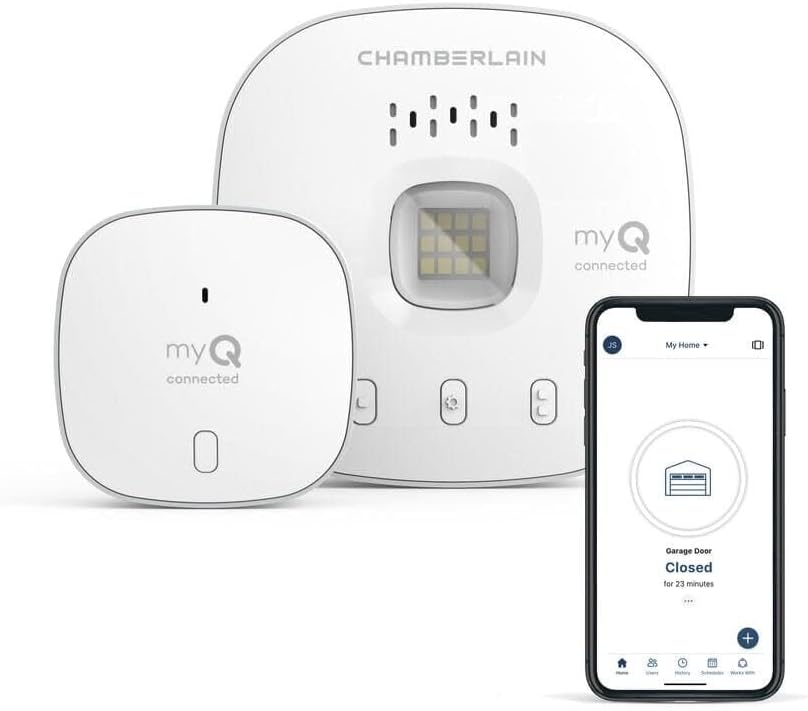
Most popular upgrades chosen by MyQ Smart Garage Hub owners.
As an Amazon Associate we earn from qualifying purchases.
Official Manufacturer Manual
MyQ provides official product documentation through their online manual rather than downloadable PDF. Access setup guides, troubleshooting steps, and product specifications for your MyQ Smart Garage Hub.
Source: support.chamberlaingroup.com
Need More Help? MyQ Support
Note: The contact information below connects you directly to MyQ's official customer support team, not Trunetto. They can help with warranty claims, device replacements, and advanced technical issues.
Accessories owners commonly pair with MyQ Smart Garage Hub.

Blink Mini - Compact indoor plug-in smart security camera...
Blink Mini - Compact indoor plug-in smart security camera...

Blink Mini - Compact indoor plug-in smart security camera...
As an Amazon Associate we earn from qualifying purchases.

