Why Does My MyQ Garage Door Open By Itself?
- Stuck, shorted, or wet wall-button wiring
- A remote with a stuck button (car, drawer, keychain)
- Neighbor's opener/remote on the same/similar code
Problem Description
Your garage door opens on its own without you commanding it. This is unsettling and a security concern, but it has a short list of real causes: a stuck or shorted wall button/wiring, a nearby remote or neighbor on the same code, RF interference, or a myQ schedule/automation or accidental app command. This guide covers isolating whether it's the wiring, a remote/RF source, or a smart-control trigger.
Why This Happens in Real Homes
A garage door opening by itself is alarming, but it comes down to one of three sources, and the myQ activity log helps you tell them apart. First, wiring: a stuck, shorted, or moisture-affected wall-button circuit (or a staple pinching the low-voltage wire) can momentarily signal the opener to run - inspect the wall-button wiring, especially if the door opens at random with no app event logged. Second, remotes and RF: a remote with a stuck button (buried in a car console, a drawer, a keychain) repeatedly sends the open code, and older fixed-code openers can even respond to a neighbor's remote; clearing the opener's memory and re-learning your remotes drops any stray codes, and modern Security+ 2.0 rolling-code openers largely eliminate the neighbor problem.
Third, and increasingly common with myQ, is a smart-control trigger. A schedule or automation set to open the door, an accidental voice or app command, or a geofencing rule that opens on arrival will all show up in the myQ activity log as a legitimate command - so if the log shows an open event, the cause is on the smart side, not the hardware. Review your myQ schedules, automations, and geofencing, and confirm no one on a shared myQ account is opening it. If the log shows nothing but the door still opens, focus on the wall-button wiring and remotes.
Symptoms
- Door opens with no command from you
- Opens at random times
- Opens shortly after closing
- Opens at a consistent time (schedule)
- Opens when a neighbor uses their opener
- myQ app shows an open event you didn't trigger
- Opens after storms/RF activity
- Wall button seems to trigger on its own
Recognize these? Here's what usually causes it.
Common Causes
- Stuck, shorted, or wet wall-button wiring
- A remote with a stuck button (car, drawer, keychain)
- Neighbor's opener/remote on the same/similar code
- RF interference triggering the receiver
- A myQ schedule or automation set to open
- Accidental app/voice/geofence command
- Shared myQ account member opening it
- Learn button bumped, re-learning a stray signal
Most fixes happen in the first 3 steps.
Garage doors are extremely heavy and the springs are under high tension. Never attempt to repair or adjust the door springs, cables, or tracks yourself as this can cause serious injury. Only troubleshoot the smart controller and electronic components. Call a professional for any mechanical issues.
Tools & Requirements
These tools will help you complete this fix.

As an Amazon Associate we earn from qualifying purchases.
Step-by-Step Solution
Check the myQ app activity log
In the myQ app, go to your garage door > History. The log shows every open/close event with timestamps and the source (app user, schedule, guest, or unknown). If the log shows a specific user or schedule triggered the opening, the issue is an unintended command — not a malfunction. If it shows Unknown or no entry at the time the door opened, the issue may be electrical or signal interference.
Check for radio frequency interference
Garage door openers use radio frequencies (315 MHz or 390 MHz for older models, 310-315-390 MHz Security+ for newer ones). Nearby radio equipment, LED light bulbs with cheap drivers, military base transmissions, or even a neighbor new device can interfere. If the door opens randomly: remove any recently installed LED bulbs from the garage opener light socket (some LEDs emit RF noise). Check if a neighbor installed a new device. Try changing the opener frequency code (Security+ openers have a Learn button that generates a new rolling code).
Check for a stuck wall button or short in wiring
A wall button that is stuck in the pressed position or wiring with a short circuit can trigger the opener intermittently. Disconnect the wall button wires from the opener terminals. If the door stops opening randomly with the wall button disconnected, the wall button or its wiring is the problem. Inspect the wire run for damage (staple through the wire, exposed copper touching metal). Replace the wall button if the button itself is faulty.
Check for unauthorized app access
If someone has access to your myQ account, they can open the garage door remotely. In the myQ app, go to Account > Shared Access. Review the list of people who have access. Remove any unfamiliar users. Change your myQ account password. Enable two-factor authentication if available. If a guest access code was shared and not revoked, remove it.
Check the door sensor for false triggers
A malfunctioning myQ door sensor can report incorrect states, causing the system to think the door is closed when it is open. The myQ system does not auto-open doors, but if the sensor reports wrong status, it can confuse scheduled close commands and appear as if the door opened by itself when it was actually already open. Recalibrate or replace the door sensor.
Quick Solutions
Still having issues? This is usually the deeper cause below.
If this comes back after following these steps, check whether a recent app or firmware update reset a default setting — the fix works, but the setting gets reverted silently.
Set a nightly auto-close schedule at your usual bedtime so the garage door closes automatically even if you forget. Combine it with a phone notification 10 minutes before so you know it is about to close.
This issue almost always looks more complex than it is — the majority of cases trace back to a single setting, a stale credential, or a default that shipped wrong.
- Stuck, shorted, or wet wall-button wiring
- A remote with a stuck button (car, drawer, keychain)
- Neighbor's opener/remote on the same/similar code
- RF interference triggering the receiver
- A myQ schedule or automation set to open
Before you go — try one of these (they fix most cases).
Most popular upgrades chosen by MyQ Smart Garage owners.
As an Amazon Associate we earn from qualifying purchases.
Official Manufacturer Manual
MyQ provides official product documentation through their online manual rather than downloadable PDF. Access setup guides, troubleshooting steps, and product specifications for your MyQ Smart Garage.
Source: support.chamberlaingroup.com
Need More Help? MyQ Support
Note: The contact information below connects you directly to MyQ's official customer support team, not Trunetto. They can help with warranty claims, device replacements, and advanced technical issues.
Accessories owners commonly pair with MyQ Smart Garage.

myQ Smart Garage Security Camera – 1080p HD Video, Night ...

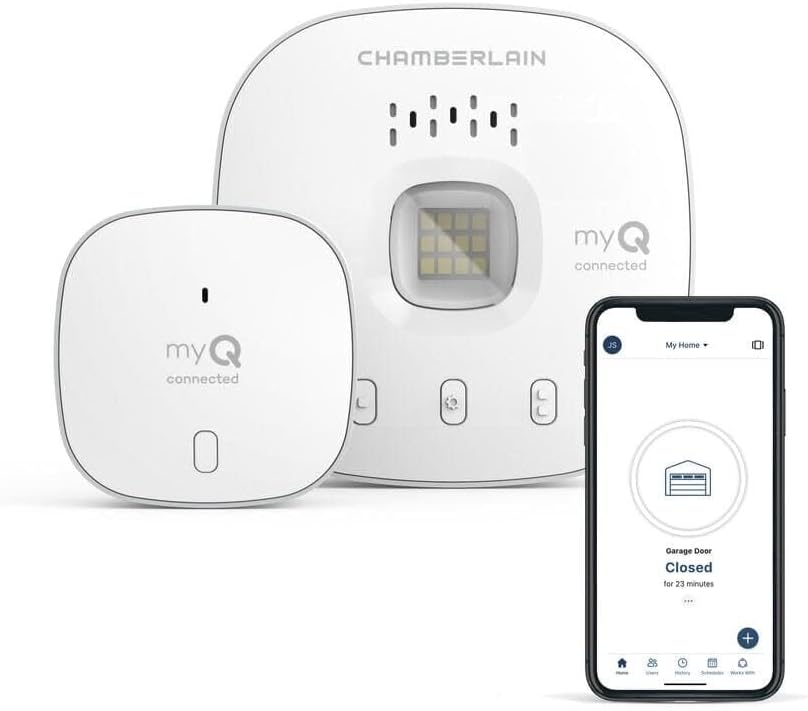
myQ Chamberlain Garage Smart Hub ToolFree Mounting Bracke...

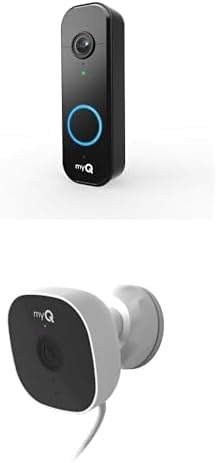
myQ Smart Garage Door Video Keypad + myQ Smart Indoor Sec...
As an Amazon Associate we earn from qualifying purchases.